45-Day Certificates: What Changes for SaaS Custom Domains

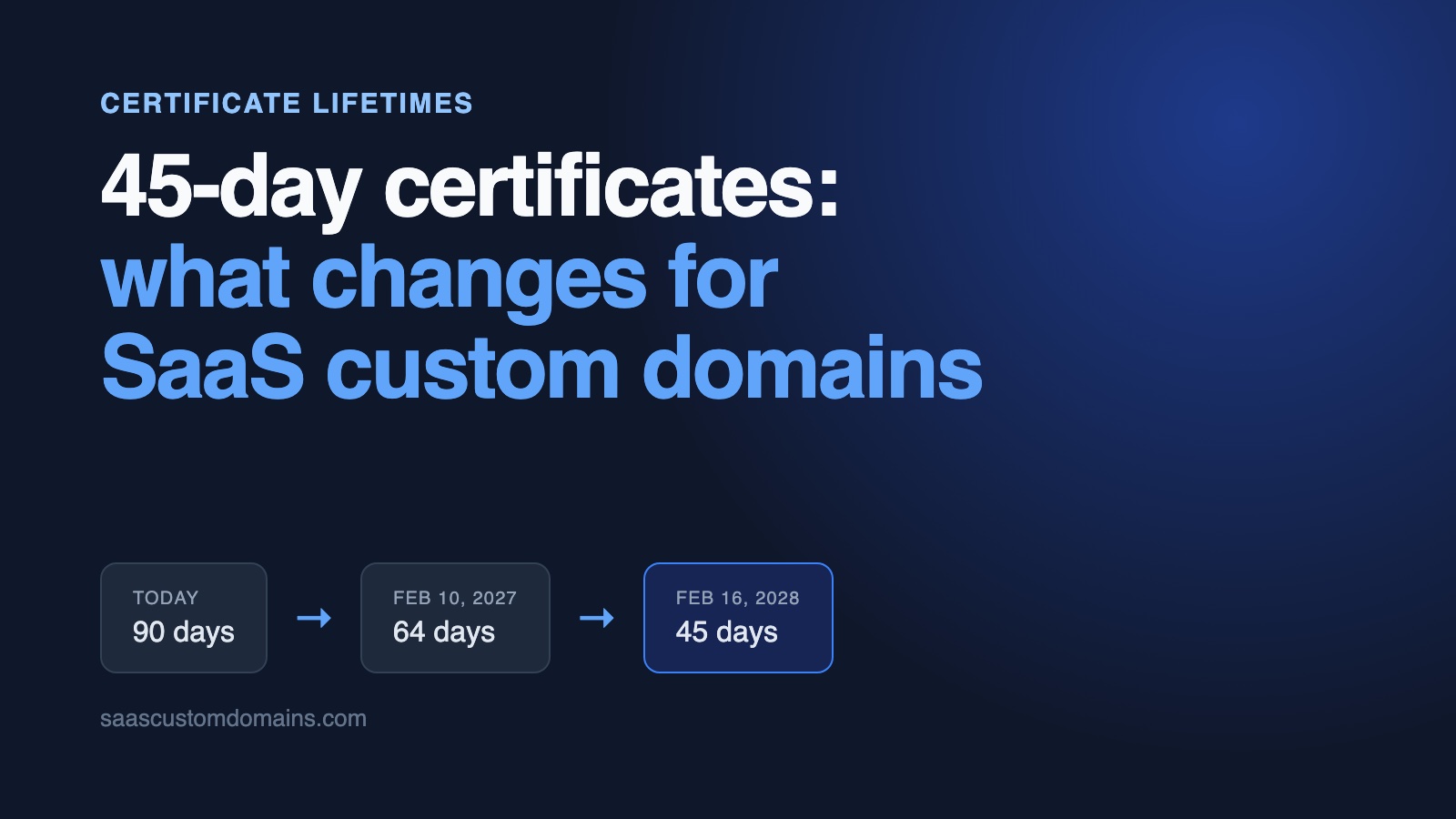
Let's Encrypt is cutting its default certificate lifetime from 90 days to 64 on February 10, 2027, and to 45 days a year after that. If you issue certificates for your customers' custom domains, your ACME client will mostly take care of the extra renewals, but there's a less obvious change underneath: when a customer breaks their DNS, you'll have 15 days to get it fixed instead of 30.
Most of what's been written about shorter certificates assumes you own the domains you're renewing. A SaaS platform doesn't, and that changes what breaks. The ACME client usually copes fine, and the trouble shows up around it: in the alert that fires at "21 days left", the email that warns a customer a week before expiry, the certificate an enterprise customer uploads once a year, and anywhere else 90 days crept in as an assumption.
In this post:
- The dates, from Let's Encrypt and the CA/Browser Forum
- What changes for a platform, in numbers
- Why you'll have 15 days to fix a customer's DNS
- The renewal and alert rules that break
- Rate limits, ARI, wildcards and uploaded certificates
- A checklist for before February 10, 2027
The timeline: 90, 64, then 45 days
Two separate things are happening. The CA/Browser Forum, which is where certificate authorities and browser makers agree on the rules for public certificates, voted in April 2025 to bring the maximum lifetime of any public certificate down from 398 days to 47 by 2029. Let's Encrypt decided to get there about a year early, on its own schedule:
| Date | What changes | What it affects |
|---|---|---|
| March 15, 2026 | Public certificates can last at most 200 days, down from 398 | Certificates your customers buy and upload |
| October 14, 2026 | Let's Encrypt's staging environment issues 64-day certificates | Your tests |
| February 10, 2027 | Let's Encrypt's default lifetime drops to 64 days, and a domain validation can be reused for 10 days instead of 30 | Every Let's Encrypt certificate you issue or renew |
| March 15, 2027 | Public certificates can last at most 100 days | Uploaded certificates |
| February 16, 2028 | Let's Encrypt's default lifetime drops to 45 days, and a validation can be reused for 7 hours | Every Let's Encrypt certificate |
| March 15, 2029 | Public certificates can last at most 47 days, and a validation can be reused for at most 10 days | Every public CA, so ZeroSSL's 90-day certificates have to get shorter too |
Nothing happens to the certificates you already have. Anything issued before February 10 keeps its 90 days, Let's Encrypt won't revoke it, and it expects the last of them to expire around May 11, 2027, so for a few months you'll have both lengths in production at once. If ZeroSSL is your backup CA, its certificates still last 90 days, which the rules allow until March 2029, so your renewal logic will be dealing with mixed lifetimes for a while.
The reasoning behind the whole change is that a certificate is a snapshot of who controlled a domain on the day it was issued. Domains expire, get sold and move between hosts, and the ballot points out that revocation doesn't protect people well enough at the scale the web runs at today, so the next best thing is to make the snapshot expire sooner. For a platform that cuts both ways: a certificate for a domain your customer let lapse stops being valid sooner, but every domain you serve has to prove more often that it still points at you.
What changes for a platform, in numbers
Let's Encrypt recommends renewing when about a third of a certificate's lifetime is left, or better, letting the CA tell your client when to renew through ACME Renewal Information, ARI for short (integration guide). Per domain, that works out like this:
| Lifetime | Renewal starts | Time to fix a failed renewal | Renewals per domain per year |
|---|---|---|---|
| 90 days (today) | Day 60 | 30 days | About 6 |
| 64 days (Feb 10, 2027) | About day 43 | About 21 days | About 8.5 |
| 45 days (Feb 16, 2028) | Day 30 | 15 days | About 12 |
For 5,000 custom domains that's about 167 renewals a day instead of 83, which is the number most people focus on, but it's honestly the easy part. A current ACME client handles the extra volume without any help, and Let's Encrypt says its rate limits don't need to change. The column that should worry you is the third one.
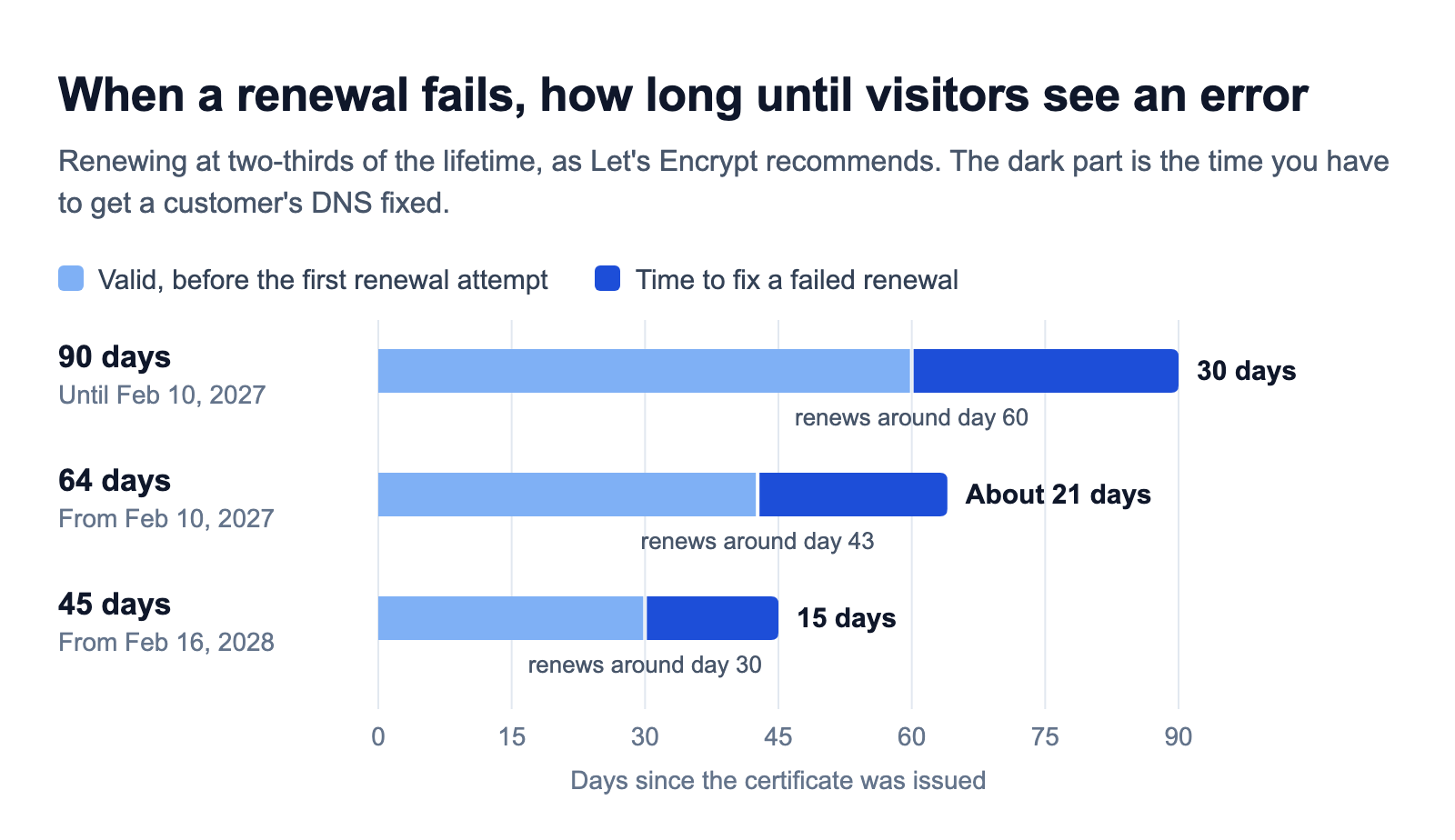
You'll have 15 days to fix a customer's DNS, not 30
Every renewal checks your customer's DNS from scratch. That's already true today, because Let's Encrypt only reuses a validation for 30 days and a renewal on day 60 is well past that. The trouble is that some DNS changes look completely harmless when they're made and only break things at the next renewal:
- A CAA record that only allows the CA your customer's security team uses. Let's Encrypt checks CAA every time it issues.
- An AAAA record that points somewhere else, often at their previous host. When a domain has both A and AAAA records, Let's Encrypt tries IPv6 first.
A typical version goes like this: your customer's security team rolls out a CAA record across every company domain, listing only the CA they buy from. Nothing breaks that day, because the certificate you already issued is still valid, and then a few weeks later your renewal fails.
With 90-day certificates you'd now have 30 days to notice, email the customer and wait while they track down whoever runs their DNS, which at a big company can mean a ticket and an approval. With 45-day certificates you get 15, and since Let's Encrypt stopped sending expiry emails in June 2025, nobody else is going to warn you.
So stop relying on renewals to find these problems:
- Check every domain's DNS every few hours, so you hear about a new CAA record the day it shows up rather than three weeks later.
- Email the customer as soon as you find a problem, with the exact record they need to fix, and show the same status in your app. A "your certificate expires in 7 days" email comes too late to be much use.
- Treat "broken" and "gone" differently. If a domain now points at another provider on purpose, stop renewing it instead of retrying until the certificate runs out.
Validation reuse is shrinking as well, to 10 days in February 2027 and 7 hours in February 2028. Let's Encrypt says you only need to change anything if your client relies on reuse, and most don't. The one place a platform will notice is re-issuing: from 2028, getting a new certificate the day after the last one, after a key change for example, means the customer's DNS has to point at you again.
Hard-coded renewal and alert rules break
The ACME clients themselves are mostly ready. Certbot has renewed with a third of the lifetime left since version 4.0 in April 2025 and has used ARI since 4.1, and Caddy renews with a third left by default and has supported ARI since version 2.8. The fixed numbers tend to live in the code around them, which is why Let's Encrypt suggests you "grep for common hardcoded numbers like 83, 80 or 60 in cron jobs, wrapper scripts and runbooks." This is what some common rules do as certificates get shorter:
| Rule | 90-day certificate | 64-day certificate | 45-day certificate |
|---|---|---|---|
| Renew 60 days after issuance | Renews with 30 days left | Renews with 4 days left | Expires 15 days before the renewal runs |
| Renew 30 days before expiry | Day 60 | Day 34 | Day 15, twice as many renewals as needed |
| Renew at two-thirds of the lifetime, or when ARI says | Day 60 | About day 43 | Day 30 |
| Alert when fewer than 21 days are left | Fires after renewals have failed for 9 days | Fires within hours of a normal renewal | Fires for 6 days before every normal renewal |
On a platform, the renewal job is only one of the places to look:
- Alerts. Page someone when a renewal is late, meaning a certificate is past two-thirds of its lifetime and still hasn't renewed, rather than when the days left drop below a fixed number. It's also worth checking what each domain actually serves, not only what's sitting in your certificate storage.
- The "expires soon" badge in your dashboard, and any customer email that's triggered by days left.
- Docs, status pages and support replies that tell people certificates last 90 days.
- Old client versions pinned in a Docker image, and the renewal script nobody has touched in years.
- Anything that assumes every certificate has the same lifetime, since between February 10 and May 11, 2027 you'll have 90-day and 64-day certificates side by side.
You can test all of this today: Let's Encrypt's staging environment has issued 64-day certificates since October 14, 2026, and its opt-in tlsserver profile already gives you 45-day ones.
Rate limits don't change, failures still hurt
You won't need higher rate limits. Let's Encrypt says "renewals are exempt", and its own example is an account that renews 15,000 certificates and adds 250 new ones a day, which stays well within the limits at 90 days and at 45. The details are on the rate limits page:
- Renewals through ARI are exempt from every limit.
- Other orders only count as renewals if they ask for exactly the same hostnames. Those skip most limits, but still count toward failed validations (5 per hostname per hour) and duplicate certificates (5 per week for the same set of hostnames).
ARI became a standard, RFC 9773, in June 2025, and Let's Encrypt recommends checking it at least twice a day. Besides telling your client when to renew normally, it lets a CA ask for early renewal when it has to revoke certificates in a hurry, which is exactly what DigiCert had to do in 2024.
Failed renewals are where you can still get into trouble. A customer domain that no longer points at you fails every attempt, and after 1,152 failures in a row Let's Encrypt pauses that hostname on your account, which takes about 10 days if you're retrying 120 times a day. Someone then has to unpause it by hand when the customer comes back. Backing off the way Let's Encrypt suggests, retrying after a minute, then ten minutes, then 100 minutes and then once a day, avoids all of that. The limits that really do bite, on new domains and bulk imports, are covered in our post on building SSL termination yourself.
Wildcards: delegate DNS-01 once
Wildcard certificates (*.customer.com) need the DNS-01 challenge, which means a fresh TXT record at _acme-challenge.customer.com for every validation. If your customers are pasting that record in by hand, 45-day certificates turn it into a monthly chore, and every time someone forgets, their visitors get a browser warning.
The fix is a CNAME they add once. Your customer points _acme-challenge.customer.com at a zone you control, you publish the TXT records there, and because Let's Encrypt follows the CNAME, they never have to touch their DNS again, however short certificates get. Our custom domains guide shows the records involved.
A newer method on the way would make even that CNAME unnecessary. With DNS-PERSIST-01, your customer adds one permanent TXT record naming your CA and your ACME account, and it covers every future renewal, including wildcards if they want. The CA/Browser Forum approved it in October 2025, but Let's Encrypt hasn't shipped it: in June 2026 it put the rollout on hold until an open issue in the draft standard is resolved, and the record format changed in September. It's worth keeping an eye on, but don't ask customers to add these records yet.
Certificates your customers upload
Some enterprise customers want a certificate from their own CA and will upload it to you. Those certificates follow the CA/Browser Forum's limits too: 200 days today, 100 days from March 15, 2027 and 47 days from March 15, 2029 (summary). An upload that used to happen once a year turns into one every few months in 2027 and roughly every six weeks by 2029, which nobody is going to keep up with by hand. If you accept customer certificates:
- Remind customers early, and more than once. A fixed 30-day reminder lands on day 17 of a 47-day certificate.
- Let them upload through an API, so their own ACME client can push each renewal from a deploy hook. Commercial CAs support this as well; DigiCert, for example, issues certificates through ACME.
- Ask whether the policy behind it still makes sense, since it was probably written when certificates lasted a year.
A checklist for before February 10, 2027
- Run your renewal pipeline, alerts included, against Let's Encrypt's staging environment.
- Turn on ARI in your ACME client, with renewal at two-thirds of the lifetime as the fallback.
- Grep for 90, 83, 80, 60 and 30 in cron jobs, scripts, alert rules, emails and docs.
- Alert on renewals that are late rather than on days left, and check what each customer domain actually serves.
- Check every customer's DNS between renewals, and tell them the day a record breaks.
- Back off on failing domains, and stop renewing domains that have left.
- Replace any manual DNS-01 setup with a one-time
_acme-challengeCNAME. - Plan for uploaded certificates that last at most 100 days from March 15, 2027.
- Update docs and support replies that say certificates last 90 days.
How SaaS Custom Domains handles shorter certificates
Nothing changes for you or your customers on February 10. SaaS Custom Domains issues and renews a certificate for every domain you add:
- Certificates come from Let's Encrypt and ZeroSSL, and renewals follow the CA's ARI window or start when a third of the lifetime is left, so 64-day and 45-day certificates need nothing from you.
- We check every domain's DNS every 3 hours, and if a domain stops pointing at us, a
domain_dns_proxy_record_invalidwebhook tells you within hours rather than at renewal time. - When you add a domain, we can email your customer step-by-step DNS instructions.
- Wildcard certificates use a one-time
_acme-challengeCNAME, so your customer sets it up once and that's it. - On the Business plan you can upload a customer's own certificate in the dashboard, through the API or with
scd certificates createfrom our CLI. Their ACME client can push each renewal automatically, and we email you 30, 14, 7 and 3 days before an uploaded certificate expires.
You add domains through the REST API. It costs $0.29 per domain per month, with $29/month covering your first 100 domains, volume discounts from 1,000 domains, and no bandwidth charges. See pricing for details.
Frequently asked questions
When does Let's Encrypt switch to 64-day certificates?
On February 10, 2027. From then on, Let's Encrypt's default certificates last 64 days unless your client asks for a shorter profile, and on February 16, 2028 the default drops again to 45 days. You can already test 64-day certificates in staging.
Will Let's Encrypt revoke my 90-day certificates?
No. Certificates issued before February 10, 2027 keep their 90 days, and each domain moves to the shorter lifetime at its next renewal. The last 90-day certificates should expire around May 11, 2027.
Do Let's Encrypt rate limits change with 45-day certificates?
No. Renewals are exempt, so twice as many renewals don't need higher limits. Renewals through ARI skip every limit, while other renewals of the same hostnames still count toward the limits on failed validations and duplicate certificates.
What's the difference between 45-day and 47-day certificates?
47 days is the longest any public certificate can last from March 15, 2029, under the CA/Browser Forum's rules. 45 days is Let's Encrypt's default from February 16, 2028, a little under that limit and about a year earlier.
Do my customers need to change their DNS?
Not if they point a CNAME or A records at you, because those stay the same at every renewal. They only have more to do if they paste DNS-01 TXT records by hand or upload their own certificates.
What is ACME Renewal Information (ARI)?
It's an extension to ACME, published as RFC 9773 in June 2025, that lets a certificate authority tell your client when to renew each certificate. Clients that use it renew on time whatever the lifetime is, and Let's Encrypt exempts ARI renewals from all rate limits.
Next steps
If you'd rather not spend the next few months reworking renewals, alerts and customer emails, start a 7-day trial of SaaS Custom Domains. You'll need a card to start it and can cancel whenever you want, or you can book a 15-minute demo first.
For the rest of what goes into SSL for customer domains, read 12 reasons not to build it yourself or our end-to-end custom domains guide.