How to Add Custom Domains to a Multi-Tenant Spring Boot App

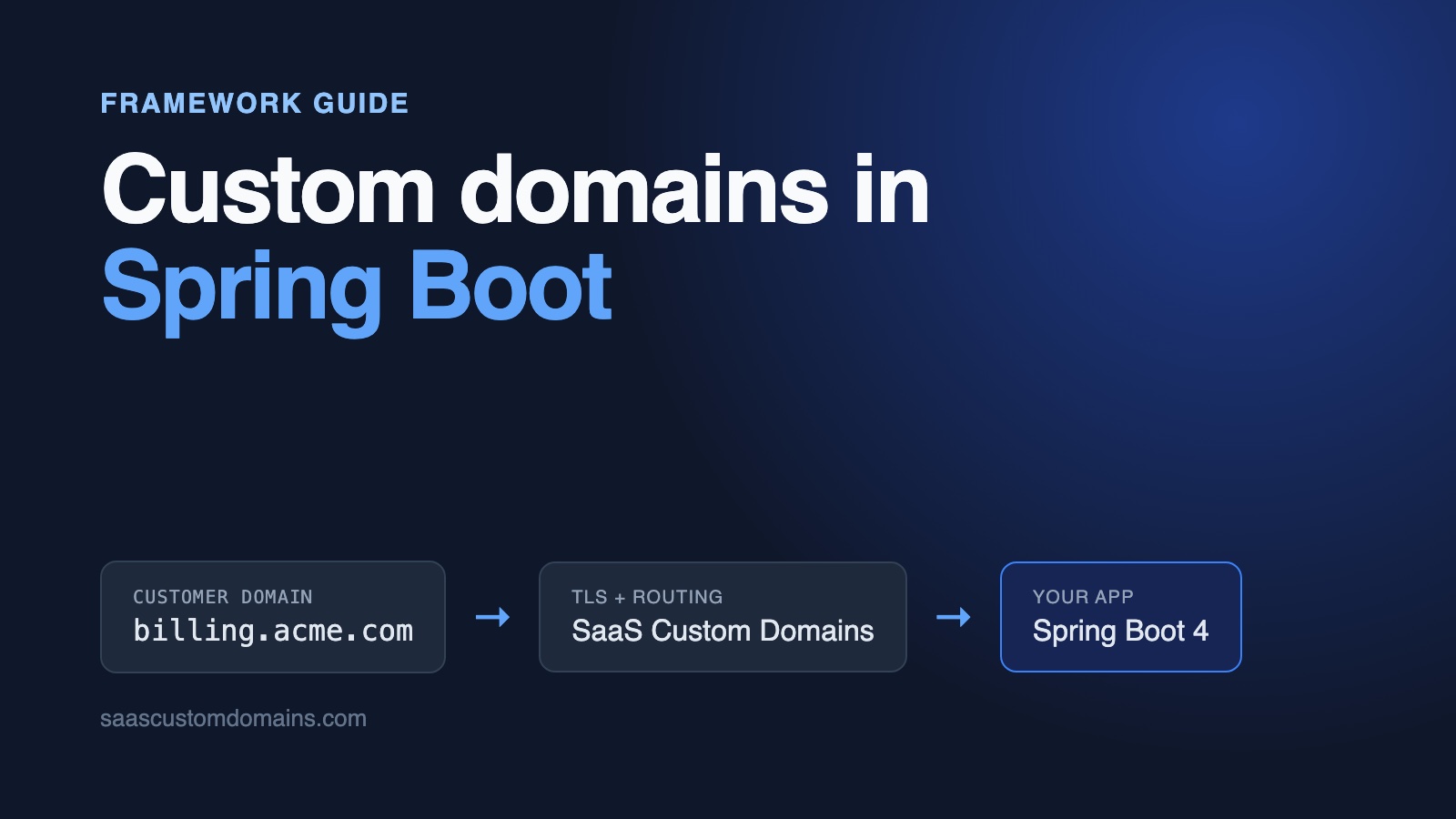
To add custom domains to a Spring Boot app, look up the tenant by hostname in a servlet filter that runs before Spring Security, and let only customer-facing controllers answer on customer domains. Customers aim a CNAME at a TLS proxy; the proxy keeps a certificate per domain and relays each request to your app.
The lookup itself is one query. The surprises come from the layers Spring puts around it: a redirect after a form post that sends the visitor to http://app:3000/, 403 Invalid CORS request on a form that never left its own page, CSRF 403s caused by a session cookie the browser refused, an Ambiguous mapping error at startup, and server.forward-headers-strategy, which only ever reports your own hostname.
Everything below is taken from a Spring Boot example on GitHub: Spring MVC, Thymeleaf, Spring Security and Spring Data JPA. JUnit tests pin each of those behaviors, and Playwright tests drive a browser through scd-mock, which imitates our proxy and API on your machine.
In this guide:
- Start Billport with Docker
- From the customer's DNS record to your filter chain
- Store the domains with JPA
- Find the tenant in a filter that runs before Spring Security
- Route by host: "Ambiguous mapping" at startup
- Redirects that land on
http://app:3000/ - forward-headers-strategy: native vs framework
- Links that point at your own host: ServletUriComponentsBuilder
- 403 "Invalid CORS request" on a same-origin form
- CSRF 403: the JSESSIONID cookie never comes back
- Option: let Hibernate filter by tenant
- Why every customer domain needs HTTPS
- Set up SaaS Custom Domains for Billport
- Keep statuses current with webhooks
- Testing without an account or DNS
- Frequently asked questions
Start Billport with Docker
The example app is Billport, a small B2B invoicing product. Each supplier on Billport has a client portal listing its invoices, with a form where a client can ask for a copy of one. Acme Supplies and Globex Freight are seeded. With Docker installed:
git clone https://github.com/saas-custom-domains/custom-domains-spring-boot
cd custom-domains-spring-boot
docker compose up --build
In the dashboard at http://localhost:3000, connect billing.acme.localhost to Acme Supplies. The badge flips to Live within a few seconds. Then open http://billing.acme.localhost and request a copy of an invoice. Port 80 belongs to scd-mock, so your request reaches Spring Boot with the same headers our production proxy adds. Every *.localhost name resolves to your own machine, with no hosts file changes. Java isn't needed for this; the README covers running the app with ./mvnw spring-boot:run and Java 25 instead.
| Tested with | |
|---|---|
| Spring Boot | 4.1.2 |
| Spring Framework | 7.0.10 |
| Spring Security | 7.1.2 |
| Hibernate ORM | 7.4.13 |
| Tomcat | 11.0.27 |
| Java | 25 (Eclipse Temurin) |
Last run: October 29, 2026.
From the customer's DNS record to your filter chain
Your customer's only job is a DNS change. A subdomain like billing.acme.com gets a CNAME aimed at SaaS Custom Domains; a bare domain gets two A records, since the DNS rules forbid a CNAME there. The exact values are in step 4. If our hostname shouldn't appear in your setup instructions, use a white-labelled target such as in.billport.example. Our pillar guide on SaaS custom domains covers DNS, verification and apex domains at length.
Once the record resolves, the visitor's browser talks TLS to our edge, which presents a certificate for billing.acme.com and relays the request to your app over its own connection. In a servlet app, the first code that can act on it is a filter. Tomcat runs filters in order before DispatcherServlet sees the request, so a filter can decide whose portal this is before any controller or Spring Security rule runs.
Store the domains with JPA
A domain belongs to one supplier and starts out pending. The example keeps the schema in plain SQL (H2 locally; nothing in it is H2-specific):
CREATE TABLE IF NOT EXISTS custom_domain (
  id BIGINT AUTO_INCREMENT PRIMARY KEY,
  supplier_id BIGINT NOT NULL
    REFERENCES supplier (id) ON DELETE CASCADE,
  host VARCHAR(253) NOT NULL,
  status VARCHAR(10) DEFAULT 'PENDING' NOT NULL,
  https_ready BOOLEAN DEFAULT FALSE NOT NULL,
  provider_uuid VARCHAR(64),
  created_at TIMESTAMP WITH TIME ZONE
    DEFAULT CURRENT_TIMESTAMP NOT NULL
);
CREATE UNIQUE INDEX IF NOT EXISTS custom_domain_host
  ON custom_domain (host);
CREATE UNIQUE INDEX IF NOT EXISTS custom_domain_provider_uuid
  ON custom_domain (provider_uuid);
The unique index on host does two jobs. It makes a second supplier's claim on the same domain fail with DataIntegrityViolationException, and it's the index behind the query every customer request runs. provider_uuid keeps the proxy's ID for the domain, used later for DNS checks and deletion.
The entity maps it, and the label the dashboard shows comes from two fields:
@Entity
public class CustomDomain {

    public enum Status {
        PENDING, ACTIVE
    }

    @Id
    @GeneratedValue(strategy = GenerationType.IDENTITY)
    private Long id;

    @ManyToOne(optional = false)
    private Supplier supplier;

    // Normalized (see Hosts.normalize), with a unique index.
    private String host;

    @Enumerated(EnumType.STRING)
    private Status status = Status.PENDING;

    private boolean httpsReady;

    // The domain's UUID at SaaS Custom Domains.
    private String providerUuid;

    public String statusLabel() {
        if (status != Status.ACTIVE) {
            return "Waiting for DNS";
        }
        return httpsReady ? "Live" : "DNS OK, waiting for HTTPS";
    }

    // constructors, getters and setters
}
The tenant lookup is a JPQL query on the supplier repository. Only active domains count:
public interface SupplierRepository
        extends JpaRepository<Supplier, Long> {

    @Query("""
        select d.supplier from CustomDomain d
        where d.host = :host
          and d.status =
            com.example.billport.CustomDomain.Status.ACTIVE
        """)
    Optional<Supplier> findByActiveHost(String host);
}
Hostnames get normalized before they're stored or looked up, so Billing.Acme.com. and billing.acme.com:443 end up as one row. A second check keeps customers off your own domain:
public static String normalize(String input) {
    if (input == null) {
        return "";
    }
    String host = PORT.matcher(input.trim().toLowerCase(Locale.ROOT))
        .replaceFirst("");
    return host.endsWith(".")
        ? host.substring(0, host.length() - 1)
        : host;
}

/** Our own hostnames, our domain and its subdomains. */
public boolean isReserved(String host) {
    if (isAppHost(host)) {
        return true;
    }
    return !appDomain.isEmpty()
        && (host.equals(appDomain) || host.endsWith("." + appDomain));
}
Without isReserved, a supplier could connect login.billport.example and put their portal on your domain. APP_HOSTS lists the hostnames your own dashboard answers on, and every other host is treated as a customer's.
Find the tenant in a filter that runs before Spring Security
TenantFilter extends OncePerRequestFilter. Here is its core, before we add the proxy's headers in step 5:
public class TenantFilter extends OncePerRequestFilter {

    public static final String SUPPLIER = "supplier";

    @Override
    protected boolean shouldNotFilter(HttpServletRequest request) {
        // Load balancers and Docker call the health check by IP.
        return request.getRequestURI().equals("/actuator/health");
    }

    @Override
    protected void doFilterInternal(HttpServletRequest request,
            HttpServletResponse response, FilterChain chain)
            throws ServletException, IOException {
        String host = Hosts.normalize(hostHeader(request));
        if (hosts.isAppHost(host)) {
            chain.doFilter(request, response);
            return;
        }

        Supplier supplier =
            suppliers.findByActiveHost(host).orElse(null);
        if (supplier == null) {
            response.sendError(SC_NOT_FOUND, "Unknown domain");
            return;
        }
        request.setAttribute(SUPPLIER, supplier);
        chain.doFilter(request, response);
    }
}
It reads the Host header, not request.getServerName(). Depending on your settings, getServerName() may already reflect an X-Forwarded-Host that the visitor typed themselves (more on that below). Unknown and pending domains get a 404 here, so someone who points an unrelated domain at your servers gets nothing back.
Now the part that decides whether the rest of this guide works: where the filter sits. Spring Boot registers any Filter bean at the lowest precedence. Spring Security's FilterChainProxy is registered at -100, so a filter annotated with @Component runs after it. Every check inside Spring Security (CORS, the HSTS header, saved-request URLs) then sees the request before your filter has touched it. Register the filter yourself, with an explicit order:
@Bean
FilterRegistrationBean<TenantFilter> tenantFilter(Hosts hosts,
        SupplierRepository suppliers, AppProperties props) {
    var registration = new FilterRegistrationBean<>(
        new TenantFilter(hosts, suppliers, props.proxyAuthToken()));
    // Before Spring Security's filter chain (-100). A plain
    // @Component filter would run after it.
    registration.setOrder(
        SecurityFilterProperties.DEFAULT_FILTER_ORDER - 10);
    return registration;
}
Leave @Component off TenantFilter. With both, Spring Boot registers the filter twice.
The health check and webhooks aren't customer domains
Our first Docker run of the example never turned healthy: the health check called the container by IP address, which isn't in APP_HOSTS, and the filter answered 404. Webhooks from scd-mock failed next, because they arrive as Host: app:3000. The filter now skips /actuator/health in shouldNotFilter, and compose.yaml adds app to APP_HOSTS. In production, put your public hostname and any internal hostname your platform reaches the app on into APP_HOSTS.
Route by host: "Ambiguous mapping" at startup
The dashboard and the client portal both live at /. Spring MVC's @RequestMapping can match paths, methods, headers and parameters, but it has no host condition, and a headers = "Host=..." condition can't hold domains your customers add at runtime. What it does have is a hook for custom conditions on RequestMappingHandlerMapping.
The example marks portal controllers with a @CustomerSite annotation. A custom RequestCondition lets those match only when TenantFilter found a supplier, and every other controller only when it didn't. The first version overrode getCustomTypeCondition, the hook that sounds right for a class-level annotation, and the app refused to start:
Ambiguous mapping. Cannot map 'portalController' method
com.example.billport.PortalController#portal(Supplier, Model)
to {GET [/]}: There is already 'dashboardController' bean method
com.example.billport.DashboardController#dashboard(Model) mapped.
RequestMappingHandlerMapping only builds a type-level mapping, and with it the custom type condition, for controllers that have @RequestMapping on the class. Ours don't, so the condition was never applied and both / handlers looked identical. Override getCustomMethodCondition and read the annotation from the declaring class instead:
@Bean
WebMvcRegistrations siteRouting() {
    return new WebMvcRegistrations() {
        @Override
        public RequestMappingHandlerMapping
                getRequestMappingHandlerMapping() {
            return new RequestMappingHandlerMapping() {
                @Override
                protected RequestCondition<?>
                        getCustomMethodCondition(Method method) {
                    return new SiteCondition(method
                        .getDeclaringClass()
                        .isAnnotationPresent(CustomerSite.class));
                }
            };
        }
    };
}

record SiteCondition(boolean customerSite)
        implements RequestCondition<SiteCondition> {

    @Override
    public SiteCondition getMatchingCondition(
            HttpServletRequest request) {
        if (request.getDispatcherType() == DispatcherType.ERROR) {
            return this;
        }
        boolean onCustomerDomain =
            request.getAttribute(TenantFilter.SUPPLIER) != null;
        return onCustomerDomain == customerSite ? this : null;
    }

    @Override
    public SiteCondition combine(SiteCondition other) {
        return other;
    }

    @Override
    public int compareTo(SiteCondition other,
            HttpServletRequest request) {
        return 0;
    }
}
The ERROR branch lets Spring Boot's error page render on both kinds of host; without it a 404 on a customer domain has no error controller to go to. Since the condition runs for every controller, nothing on the dashboard answers on billing.acme.com, and the portal's POST /copy-requests is a 404 on your own hostname.
Portal controllers get the supplier from the request attribute the filter set. The form never says which supplier it's for, so a request to Acme's domain can only ever be about Acme:
@Controller
@CustomerSite
class PortalController {

    @GetMapping("/")
    String portal(
            @RequestAttribute(TenantFilter.SUPPLIER) Supplier supplier,
            Model model) {
        model.addAttribute("supplier", supplier);
        model.addAttribute("invoices",
            invoices.findBySupplierOrderByIssuedOnDesc(supplier));
        model.addAttribute("portalUrl", ServletUriComponentsBuilder
            .fromCurrentContextPath().path("/").toUriString());
        return "portal";
    }

    @PostMapping("/copy-requests")
    String requestCopy(
            @RequestAttribute(TenantFilter.SUPPLIER) Supplier supplier,
            @RequestParam String invoiceNumber,
            @RequestParam String email,
            HttpServletRequest request, RedirectAttributes flash) {
        var invoice =
            invoices.findBySupplierAndNumber(supplier, invoiceNumber);
        // ...validate, save the request, set a flash message
        return "redirect:/";
    }
}
An invoice number that belongs to Globex, posted to Acme's portal, finds nothing and gets an error message. The next four sections are about what happens to that redirect:/, that portalUrl and that form once a proxy sits in front of the app.
Redirects that land on http://app:3000/
After a client submits the copy request, redirect:/ should reload Acme's portal. Behind a proxy, the browser instead receives:
HTTP/1.1 302
Location: http://app:3000/
app:3000 is how the proxy reached the app (in production, your upstream's hostname). Tomcat can send relative Location headers, and does by default, but Spring Boot switches that off with server.tomcat.use-relative-redirects=false. Tomcat then turns / into an absolute URL from the request as it arrived, and the customer leaves their own domain. With server.forward-headers-strategy=native the redirect goes to https://app.billport.example/ instead, built from X-Forwarded-Host. Same problem.
Wrapping the request, as the next sections do, doesn't help here: HttpServletResponse.sendRedirect is Tomcat's own code, and it reads Tomcat's own request object. One property fixes it:
server.tomcat.use-relative-redirects=trueThe browser resolves Location: / against the address bar, which still says billing.acme.com. If you use the framework strategy, the same property makes Spring's ForwardedHeaderFilter answer with a relative 303 See Other. The example has a real-Tomcat test for each case, because MockMvc never runs Tomcat's redirect code and would pass either way.
forward-headers-strategy: native vs framework
Most Spring Boot proxy advice says to set server.forward-headers-strategy. Here is what each value does with the headers our proxy sends:
Trusts X-Forwarded-* from | Host it reports | |
|---|---|---|
none (default) | nobody | the Host header |
native (Tomcat's RemoteIpValve) | server.tomcat.remoteip.internal-proxies, private ranges by default | X-Forwarded-Host |
framework (Spring's ForwardedHeaderFilter) | anyone | X-Forwarded-Host |
On Kubernetes, Heroku, Cloud Foundry, Azure App Service or AWS ECS, Spring Boot detects the platform and behaves like native without being asked.
Neither strategy knows about X-Served-For, and our proxy deliberately puts your upstream's hostname in Host and X-Forwarded-Host: your hosting platform routes on it, and many apps rely on it for allowed hosts, OAuth redirect URIs and links back to the app. So these settings can't tell Spring about the customer's domain, and framework adds a risk if you resolve tenants from getServerName(), because any visitor can then choose a tenant by sending X-Forwarded-Host.
The example doesn't depend on the strategy. TenantFilter reads the raw Host header and, for proxied requests, X-Served-For after a token check. Keep whatever strategy your platform needs for your own traffic.
Links that point at your own host: ServletUriComponentsBuilder
The portal prints its own address, the kind of absolute URL you'd also put in an email or a canonical tag. ServletUriComponentsBuilder.fromCurrentContextPath() builds it from getScheme(), getServerName() and getServerPort(). Since Spring Framework 5.1 the builder doesn't read X-Forwarded-* itself, so behind the proxy the portal says http://app:3000/.
If your app needs the customer's domain in places like this, give Spring a request that reports it. Once the proxy's token has been checked (step 5), TenantFilter wraps the request:
class CustomerDomainRequest extends HttpServletRequestWrapper {

    private final String host;

    private final String scheme;

    CustomerDomainRequest(HttpServletRequest request, String host) {
        super(request);
        this.host = host;
        // The proxy terminates TLS and says so in X-Forwarded-Proto.
        // With a forward-headers-strategy set, Spring or Tomcat may
        // have read (and removed) it already: then isSecure() knows.
        boolean https = "https".equalsIgnoreCase(
            request.getHeader("X-Forwarded-Proto"))
            || request.isSecure();
        this.scheme = https ? "https" : "http";
    }

    @Override
    public String getServerName() {
        return host;
    }

    @Override
    public int getServerPort() {
        return isSecure() ? 443 : 80;
    }

    @Override
    public String getScheme() {
        return scheme;
    }

    @Override
    public boolean isSecure() {
        return scheme.equals("https");
    }

    @Override
    public StringBuffer getRequestURL() {
        return new StringBuffer(scheme).append("://").append(host)
            .append(getRequestURI());
    }

    @Override
    public String getRemoteAddr() {
        String ip = super.getHeader("X-SaaS-Domains-IP");
        return ip != null ? ip : super.getRemoteAddr();
    }

    // getHeader("Host") and getHeaders("Host") return host, too
}
The isSecure() fallback came out of testing: with framework, ForwardedHeaderFilter runs first and strips X-Forwarded-Proto, so a wrapper that only read the header printed http:// links. getRemoteAddr() returns the visitor's IP, which the example stores with each copy request; otherwise it would be the proxy's.
403 "Invalid CORS request" on a same-origin form
Plenty of Spring apps configure CORS app-wide, often a /** mapping that allows their own front end. Behind the proxy, the copy-request form then fails with a 403 whose body is exactly:
Invalid CORS requestThe form posts from https://billing.acme.com to https://billing.acme.com, so the browser considers it same-origin. Spring decides whether a request is cross-origin by comparing the Origin header with the request's scheme, host and port. Without the wrapper the request says app.billport.example, so Spring treats the form as a cross-origin request from an origin that isn't on the list. Adding every customer's domain to allowedOrigins would mean rebuilding the CORS configuration whenever someone connects a domain.
With CustomerDomainRequest in place, the host matches the origin and Spring doesn't run CORS processing at all. That only holds if the wrapper exists before Spring Security's CorsFilter runs, which is why the filter order above matters. The example's test runs the same form through CorsFilter three ways: alone (403), after TenantFilter (200) and before it (403 again).
CSRF 403: the JSESSIONID cookie never comes back
Spring Security 7 protects the form with the synchronizer token pattern. The expected token sits in the HTTP session, and Thymeleaf's th:action adds it to every form as a hidden field:
<form method="post" th:action="@{/copy-requests}">
  <select name="invoiceNumber" aria-label="Invoice" required>
    <option th:each="invoice : ${invoices}"
            th:value="${invoice.number}"
            th:text="${invoice.number}"></option>
  </select>
  <input name="email" type="email" required aria-label="Email">
  <button>Request a copy</button>
</form>
It doesn't compare Origin or Host at all (we checked: a valid token with any Origin passes), so forms on customer domains work as long as the session cookie comes back. When the cookie gets lost, the response is a bare 403 and the log only says something with DEBUG on for org.springframework.security.web.csrf:
Invalid CSRF token found for https://billing.acme.com/copy-requestsWe hit two ways to lose it. The first is a Secure cookie on plain HTTP. Tomcat marks JSESSIONID as Secure when its own request is secure, which with native means "X-Forwarded-Proto: https from a private address". Through a local proxy speaking plain HTTP, Chromium refuses to store that cookie and every form post fails. Our production proxy is HTTPS end to end for the visitor, so this only shows up locally; scd-mock's SCD_MOCK_FORWARDED_PROTO=http avoids it.
The second is server.servlet.session.cookie.domain. Set it to your own domain and browsers reject the cookie on billing.acme.com, because it names a domain the page isn't on. Leave it unset. The session cookie is then scoped to whichever host set it, so each customer domain gets its own session, and someone signed in on your dashboard isn't signed in on a customer's portal.
Option: let Hibernate filter by tenant
The example passes the supplier to each repository method. If you'd rather have Hibernate add the condition, annotate a supplierId field on each tenant-owned entity with @TenantId and give Hibernate a CurrentTenantIdentifierResolver that reads what TenantFilter stored:
@Override
public Long resolveCurrentTenantIdentifier() {
    RequestAttributes request =
        RequestContextHolder.getRequestAttributes();
    Object supplier = request == null ? null
        : request.getAttribute(TenantFilter.SUPPLIER,
            RequestAttributes.SCOPE_REQUEST);
    // 0 = no supplier: your dashboard, webhooks, background jobs.
    return supplier instanceof Supplier s ? s.getId() : 0L;
}

@Override
public boolean isRoot(Long tenantId) {
    return tenantId == 0L;
}
The same class implements HibernatePropertiesCustomizer to register itself under MultiTenancySettings.MULTI_TENANT_IDENTIFIER_RESOLVER; the full version is in the README. isRoot lets the dashboard and webhooks read every supplier's rows. For a schema per tenant, pair the resolver with a MultiTenantConnectionProvider instead of @TenantId.
Why every customer domain needs HTTPS
Up to here, Billport speaks plain HTTP. Browsers refuse billing.acme.com unless a certificate covering that hostname is valid, and public certificates expire within months. Doing this yourself means building and operating:
- A TLS endpoint that orders a certificate when an unfamiliar hostname first connects, after checking that a customer actually connected it, so junk domains can't exhaust your certificate authority's rate limits.
- A certificate store shared by every instance, renewals that keep working, and a second authority for days the first is unavailable.
- Static IPs for bare-domain customers, because those can't use a CNAME.
- Alerts and someone on call, since a failed certificate breaks the site during the TLS handshake, before Spring logs anything.
The HTTPS part of our main guide goes through each item. With SaaS Custom Domains, that whole list is ours to run, and Tomcat never has to know about certificates.
Set up SaaS Custom Domains for Billport
SaaS Custom Domains is the proxy layer in front of Billport:
- Let's Encrypt and ZeroSSL issue the certificates; we keep them and handle every renewal.
- 119 AWS locations run the proxy, and when one struggles, visitors are routed to another nearby.
- Customers on bare domains get two anycast IPs that won't change.
- A single API request adds or deletes a domain, and webhook events cover DNS and certificate changes.
- Pass the customer's DNS contact and we send them the records by email, then recheck until they resolve.
$29/month covers your first 100 domains. Past that it's $0.29 per domain per month, and volume pricing starts at 1,000 domains. The free 7-day trial takes a card up front, and cancelling is possible at any point.
1. Get an API token and your account UUID
Both are in our dashboard: tokens under API tokens, the UUID under account settings. Billport reads them from SCD_API_TOKEN and SCD_ACCOUNT_UUID.
2. Register Billport as an upstream
An upstream tells the proxy which app receives a domain's traffic; here that's app.billport.example. Make it once, by hand or with the upstreams API, then put its UUID in SCD_UPSTREAM_UUID and the upstream's auth token in PROXY_AUTH_TOKEN. Step 5 needs that token.
3. Register domains with RestClient
The API client uses Spring's RestClient, built from the RestClient.Builder that Spring Boot configures (timeouts come from spring.http.clients.*):
@Component
public class SaasDomainsClient {

    private final RestClient http;

    public SaasDomainsClient(RestClient.Builder builder,
            @Value("${scd.api-url}") String apiUrl,
            @Value("${scd.api-token}") String apiToken,
            @Value("${scd.account-uuid}") String accountUuid,
            @Value("${scd.upstream-uuid}") String upstreamUuid) {
        this.http = builder
            .baseUrl(apiUrl + "/api/v1/accounts/" + accountUuid
                + "/upstreams/" + upstreamUuid + "/custom_domains")
            .defaultHeader(HttpHeaders.AUTHORIZATION,
                "Bearer " + apiToken)
            .build();
    }

    public CreatedDomain createDomain(String host,
            String instructionsRecipient) {
        Map<String, String> body = new LinkedHashMap<>();
        body.put("host", host);
        if (instructionsRecipient != null
                && !instructionsRecipient.isBlank()) {
            // We email this address the exact DNS records to add.
            body.put("instructions_recipient", instructionsRecipient);
        }
        try {
            return http.post().body(body).retrieve()
                .body(CreatedDomain.class);
        } catch (RestClientResponseException e) {
            throw SaasDomainsException.from(e);
        }
    }

    public void deleteDomain(String uuid) {
        try {
            http.delete().uri("/{uuid}", uuid).retrieve()
                .toBodilessEntity();
        } catch (HttpClientErrorException.NotFound e) {
            // Already gone is fine.
        } catch (RestClientResponseException e) {
            throw SaasDomainsException.from(e);
        }
    }
}
Validation errors come back as 400 with error and error_code (for example host_taken), and SaasDomainsException.from reads them with getResponseBodyAs, so the dashboard can show "Could not add the domain: Host has already been taken". verifyDns posts to /{uuid}/verify_dns_records the same way.
DomainService writes the local row before calling us. A duplicate hits the unique index without any network call, and if the API says no, the row is deleted again:
public CustomDomain add(Supplier supplier, String host,
        String dnsContact) {
    CustomDomain domain;
    try {
        domain = domains.saveAndFlush(new CustomDomain(supplier, host));
    } catch (DataIntegrityViolationException e) {
        throw new DomainTakenException(host);
    }
    try {
        var created = api.createDomain(host, dnsContact);
        domain.setProviderUuid(created.uuid());
        return domains.save(domain);
    } catch (RuntimeException e) {
        // Don't keep a row the proxy doesn't know about.
        domains.delete(domain);
        throw e;
    }
}
4. Send your customer the DNS records
The CNAME is for subdomains, the A records for bare domains:
billing.acme.com.   CNAME  in.saascustomdomains.com.
acme.com.           A      75.2.96.173
acme.com.           A      99.83.186.151
Swap in your white-labelled hostname as the CNAME value if you set one up. When step 3 included instructions_recipient, these records are already in the DNS contact's inbox. Cloudflare-hosted records need Cloudflare's proxy switched off (the grey "DNS only" cloud). If a customer insists on the orange cloud, create their domain with challenge_type: "dns01"; one extra CNAME at _acme-challenge then lets us obtain the certificate through a DNS challenge.
5. Check X-SaaS-Domains-Auth-Token, then read X-Served-For
Requests from our proxy carry your upstream's hostname in Host and X-Forwarded-Host, X-Forwarded-Proto: https, the customer's domain in X-Served-For and the visitor's IP in X-SaaS-Domains-IP. The hostname headers stay yours on purpose, because that's what your platform routes on and what the rest of your app expects. The customer's domain is there separately for the places that need it, like the redirects, links, CORS and CSRF cases above.
Because the tenant now comes from a header, the filter has to know the header came from us. Every forwarded request includes your upstream's auth token in X-SaaS-Domains-Auth-Token (docs). TenantFilter checks it first, and wraps the request only when it matches:
String servedFor = request.getHeader("X-Served-For");
if (servedFor != null && !Tokens.matches(
        request.getHeader("X-SaaS-Domains-Auth-Token"),
        proxyAuthToken)) {
    response.sendError(HttpServletResponse.SC_FORBIDDEN);
    return;
}

String host = Hosts.normalize(
    servedFor != null ? servedFor : hostHeader(request));

// ...app host check and supplier lookup as before...

// The token proved the request came through the proxy, so from here
// on the request reports the customer's domain, scheme and IP.
chain.doFilter(servedFor != null
    ? new CustomerDomainRequest(request, host)
: request, response);static boolean matches(String given, String expected) {
if (given == null || expected == null || expected.isEmpty()) {
return false;
}
return MessageDigest.isEqual(given.getBytes(UTF_8),
expected.getBytes(UTF_8));
}MessageDigest.isEqual takes the same time however many leading bytes match. Without the empty check, a server where PROXY_AUTH_TOKEN was never set would accept a blank token header. Requests on your own hostname have no X-Served-For, so the dashboard never needs the token. (If you'd rather receive the customer's domain in X-Forwarded-Host, our support team can switch that on for an upstream.)
Keep statuses current with webhooks
Billport's "Check DNS" button triggers verify_dns_records when someone clicks it. Between clicks, a webhook keeps statuses current: register /webhooks/saascustomdomains with us, and we POST to it when one of your domains passes or fails its DNS check, gets a certificate or is deleted:
@PostMapping("/webhooks/saascustomdomains")
@Transactional
ResponseEntity<Void> receive(
        @RequestParam(defaultValue = "") String token,
        @RequestBody Event event) {
    if (!Tokens.matches(token, webhookToken)) {
        return ResponseEntity.status(HttpStatus.UNAUTHORIZED).build();
    }
    var found = event.domain() == null ? null
        : domains.findByProviderUuid(event.domain().uuid())
            .orElse(null);
    // Not ours (or already removed): acknowledge it.
    if (found == null) {
        return ResponseEntity.noContent().build();
    }
    switch (event.event()) {
        case "domain_dns_proxy_record_valid" ->
            found.setStatus(CustomDomain.Status.ACTIVE);
        case "domain_dns_proxy_record_invalid" ->
            found.setStatus(CustomDomain.Status.PENDING);
        case "tls_certificate_issued" -> found.setHttpsReady(true);
        case "domain_deleted" -> domains.delete(found);
        default -> {
        }
    }
    return ResponseEntity.noContent().build();
}
Exclude this path from CSRF with csrf.ignoringRequestMatchers("/webhooks/**"); it's authenticated by its token, and the caller has no session. Handlers are idempotent, so a repeated delivery changes nothing. Return a 2xx fast; deliveries that fail are retried up to 10 times over a few hours. All event names are in the webhooks docs.
Removing goes the other way round: DomainService.remove deletes the domain at our API, then the row. When our API returns an error, nothing local is lost and the user can click Remove again. The reverse order risks a domain the proxy keeps serving that your database no longer knows about.
Testing without an account or DNS
docker compose up starts the app next to scd-mock, which implements our domain API, sends the same webhooks and forwards traffic with production's headers and auth token. Or impersonate the proxy yourself with curl:
curl http://localhost:3000/ \
  -H "X-Served-For: billing.acme.localhost" \
  -H "X-SaaS-Domains-Auth-Token: local_proxy_token"
That returns Acme's portal once the domain is connected. A wrong or missing token returns 403.
The JUnit suite (56 tests) uses MockMvc for routing, tokens, webhooks and the dashboard, and MockRestServiceServer for the API client. For Tomcat's redirect handling and RemoteIpValve, it starts the app on a random port and sends real HTTP with the proxy's headers, because MockMvc skips both. Remove the wrapper, the filter order or the redirect property, and a test fails.
The Playwright tests run against docker compose. The browser sends everything for *.test names to the mock proxy, so Spring sees Host: app:3000 while the browser keeps the customer's Origin, as it would in production. The main test connects a domain, waits for the webhook, loads the portal through the proxy, submits the CSRF-protected form, checks that it stays on the customer's domain, deletes the domain, and confirms the portal now returns 404.
Frequently asked questions
How do I resolve the tenant from the hostname in Spring Boot?
Use a OncePerRequestFilter that reads the Host header, normalizes it, looks up the tenant and stores it as a request attribute. Register it with a FilterRegistrationBean and an order below -100, so it runs before Spring Security. Controllers then take the tenant with @RequestAttribute.
Why does my Spring Boot redirect go to the wrong host behind a reverse proxy?
Spring Boot turns off Tomcat's relative redirects, so redirect:/ becomes an absolute URL built from the Host (or, with native, X-Forwarded-Host) that reached Tomcat. Behind a proxy that's your own hostname. Set server.tomcat.use-relative-redirects=true and the browser stays on whatever domain it was on.
What's the difference between forward-headers-strategy native and framework?
native lets Tomcat's RemoteIpValve apply X-Forwarded-For, -Proto and -Host, only from addresses in server.tomcat.remoteip.internal-proxies. framework uses Spring's ForwardedHeaderFilter, which accepts them from any client. Neither reads X-Served-For, so neither gives you a customer's domain behind SaaS Custom Domains.
Why does Spring return 403 "Invalid CORS request" on a custom domain?
Spring compares the browser's Origin with the request's own scheme, host and port. Behind a proxy that forwards your hostname, a same-origin form looks cross-origin, and if CORS is configured for that path, the request is rejected. Give the request the customer's domain before Spring Security's CorsFilter runs.
How do I use Hibernate multitenancy with one tenant per domain?
Add @TenantId to tenant-owned entities, or use a schema per tenant with a MultiTenantConnectionProvider. Then register a CurrentTenantIdentifierResolver that reads the tenant your hostname filter stored for the request, and return a root tenant for requests that aren't on a customer domain.
Can customers use a root domain like acme.com?
It will, with two A records instead of a CNAME, because the DNS spec bans CNAMEs at a zone's apex: 75.2.96.173 and 99.83.186.151. ALIAS or CNAME-flattening records from the customer's DNS host are fine as well.
Next steps
Your Spring Boot app now has normalized domains behind a unique index, a tenant filter ahead of Spring Security, host-based routing with a custom RequestCondition, redirects, links, CORS and CSRF that work on customers' domains, and HTTPS on each domain via SaaS Custom Domains. Clone the Billport repo and docker compose up shows all of it working together.
Other stacks: ASP.NET Core, Next.js, Go, FastAPI, Django and Rails.
Send questions about your setup to support@saascustomdomains.com, or use the chat bubble on our site. A 7-day trial lets you connect real domains, and a 15-minute call is there if a walkthrough helps.