How to Add Custom Domains to a Multi-Tenant ASP.NET Core App

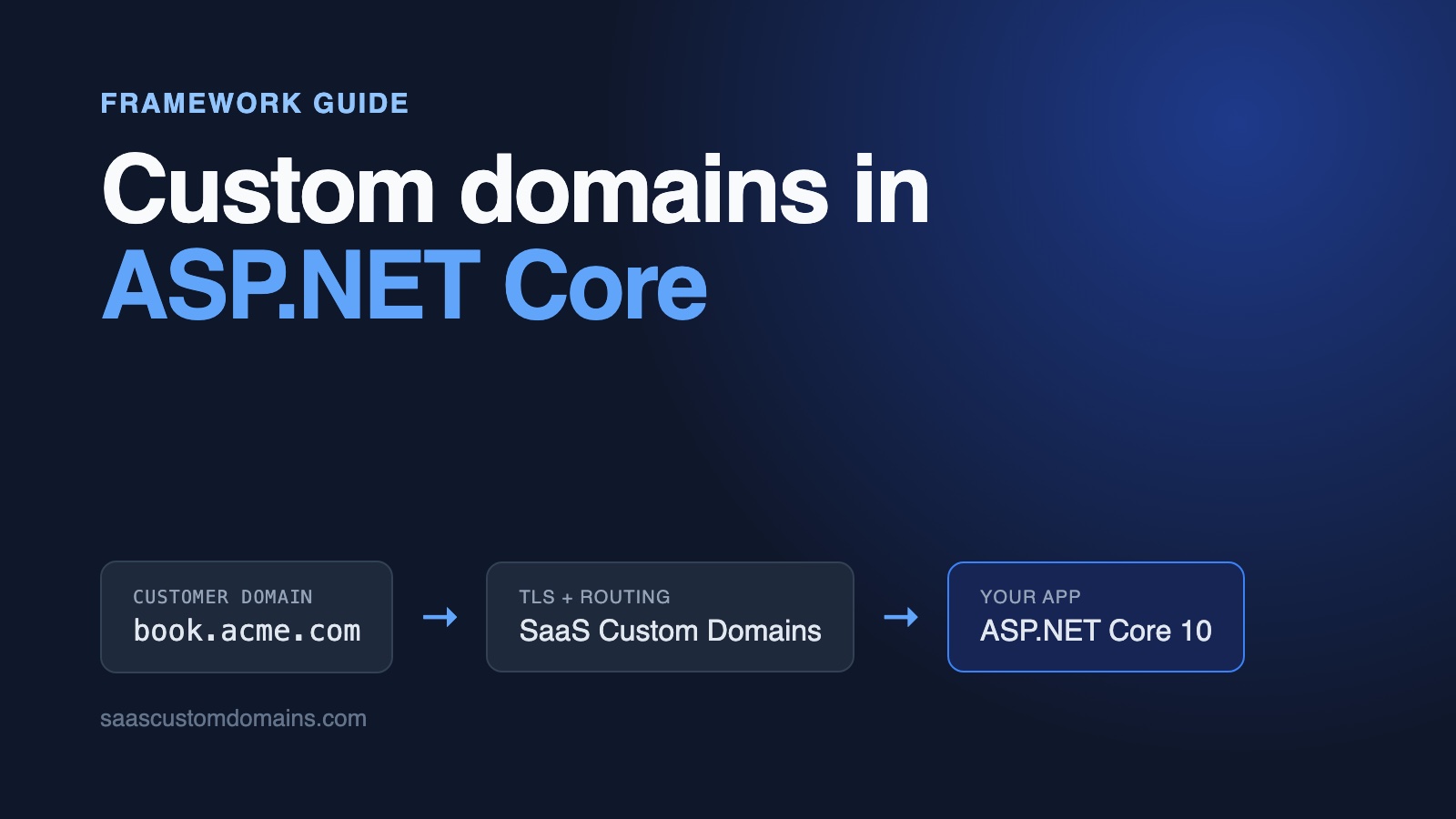
To add custom domains to an ASP.NET Core app, write one middleware that reads the hostname, looks it up in a table of verified domains and attaches the matching tenant to HttpContext before routing runs. Customers aim a DNS record at SaaS Custom Domains; we keep a certificate for their domain, terminate HTTPS and pass each request to Kestrel with the visitor's domain in X-Served-For.
The middleware is short. What takes longer is everything ASP.NET Core does around it: AllowedHosts answers "Bad Request - Invalid Hostname" to health checks and webhooks, Url.PageLink() writes your own hostname into links meant for a customer's visitors, the forwarded headers middleware ignores the proxy unless you list its IP addresses, and routing picks an endpoint before your middleware has seen the host.
We ran into each of these while building Bookwell, an example booking portal on GitHub, on .NET 10. Every snippet below is copied from it, and removing any of the fixes makes a test go red.
In this guide:
- Run the Bookwell example
- How book.acme.com reaches Kestrel
- Store the domains with EF Core
- Resolve the tenant in middleware
- "Bad Request - Invalid Hostname" from AllowedHosts
- Url.PageLink() and Url.Action() use your app's hostname
- ForwardedHeaders: KnownProxies, KnownIPNetworks and ASPDEPR005
- The dashboard appears on a customer's domain
- Antiforgery tokens on custom domains
- Finbuckle.MultiTenant instead of your own middleware
- A certificate for every customer domain
- Connect SaaS Custom Domains to ASP.NET Core
- Status webhooks and domain removal
- Run everything locally
- ASP.NET Core custom domains FAQ
Run the Bookwell example
Bookwell gives each studio or clinic a booking page with a Razor Pages form: pick a service, a day and a time, leave a name and an email. Two tenants are seeded, Acme Physio and Globex Yoga, and either can move its page to a domain like book.acme.com. All you need is Docker:
git clone \
  https://github.com/saas-custom-domains/custom-domains-aspnetcore
cd custom-domains-aspnetcore
docker compose up --build
Go to http://localhost:3000, add acme.localhost under Acme Physio, and reload after a few seconds: the badge says Live. Now visit http://acme.localhost. A small mock of our proxy listens on port 80, which means the request arrives at Kestrel with the headers a real customer's domain brings. Book an appointment, and the confirmation page links back to acme.localhost rather than to the app's own name. Every *.localhost name resolves to your machine, so /etc/hosts stays untouched.
| Tested with | |
|---|---|
| ASP.NET Core | 10.0.14 |
| .NET SDK | 10.0.403 |
| EF Core (SQLite) | 10.0.14 |
| xUnit v3 | 4.0.2 |
| Playwright for .NET | 1.64.1 |
Run on October 29, 2026. The unit tests also pass on the .NET 11 release candidate.
How book.acme.com reaches Kestrel
Acme's IT person creates one DNS record for book.acme.com that targets SaaS Custom Domains; a bare acme.com uses A records instead of a CNAME. Step 4 has the values. From then on our proxy terminates the visitor's HTTPS connection with a certificate for book.acme.com and passes the request on:
Browser
  │  https://book.acme.com
  ▼
SaaS Custom Domains (certificate, proxy)
  │  Host: app.bookwell.app
  │  X-Served-For: book.acme.com
  │  X-SaaS-Domains-Auth-Token: <your upstream's token>
  ▼
Kestrel, your ASP.NET Core app
The CNAME target can also carry your brand, for example in.bookwell.app, so customers never type our hostname. Our guide to custom domains for SaaS apps explains verification and apex domains in depth.
On the ASP.NET Core side, the order of the pipeline does most of the work. Bookwell's Program.cs ends like this:
// Docker and load balancers call this by IP address, so it runs
// before the host check.
app.UseHealthChecks("/up");

app.UseMiddleware<CustomDomainMiddleware>();

// Explicitly after the middleware: routing needs the tenant to choose
// between the dashboard and the booking site (TenantEndpointPolicy).
// Without this line, WebApplication would run routing first.
app.UseRouting();

app.MapStaticAssets();
app.MapRazorPages().WithStaticAssets();
app.MapCustomDomainEndpoints();
Those three lines, in that order, each fix a problem we ran into, and the sections below explain them.
Store the domains with EF Core
A custom domain belongs to one studio and is pending until DNS checks out. Bookwell uses EF Core with SQLite; the model moves to SQL Server or Postgres without changes:
public enum DomainStatus { Pending, Active }

public class CustomDomain
{
    public int Id { get; set; }
    public int StudioId { get; set; }
    public Studio Studio { get; set; } = null!;

    // Normalized (lowercase, no port, no trailing dot). Unique.
    public required string Host { get; set; }
    public DomainStatus Status { get; set; } = DomainStatus.Pending;
    public bool HttpsReady { get; set; }

    // The domain's UUID at SaaS Custom Domains.
    public string? ProviderUuid { get; set; }
    public DateTime CreatedAt { get; set; } = DateTime.UtcNow;
}
OnModelCreating gives Host a unique index with HasIndex(d => d.Host).IsUnique(). Every request to a customer domain queries that index, and it also keeps a second studio from connecting a domain that's taken. ProviderUuid stores the ID our API hands back, which the dashboard needs to verify or delete the domain later, and HttpsReady turns true once the certificate exists.
Hostnames arrive as Book.Acme.com. and book.acme.com:443, so normalize them before you compare or save anything:
public static string Normalize(string? input)
{
    var host = (input ?? "").Trim().ToLowerInvariant();
    host = PortSuffix().Replace(host, "");
    return host.TrimEnd('.');
}

public bool IsAppHost(string host) => AppHosts.Contains(host);

public bool IsReserved(string host) =>
    IsAppHost(host)
    || (!string.IsNullOrEmpty(AppDomain)
        && (host == AppDomain || host.EndsWith("." + AppDomain)));
AppHosts comes from the APP_HOSTS setting and names every hostname that serves Bookwell itself. Anything else is assumed to be a customer's domain. IsReserved stops a studio from claiming admin.bookwell.app or any other name under your own domain. Both checks, and a syntax check per label, run in DomainService before anything is sent to our API.
Resolve the tenant in middleware
A single middleware maps the hostname to a studio. Here's the core of it; step 5 adds the proxy header and the token check:
public async Task InvokeAsync(HttpContext context, AppDbContext db)
{
    var host = Hosts.Normalize(context.Request.Host.Host);

    if (_options.IsAppHost(host))
    {
        await next(context);
        return;
    }

    var tenant = await db.CustomDomains
        .Where(d => d.Host == host)
        .Where(d => d.Status == DomainStatus.Active)
        .Select(d => new Tenant(d.StudioId, d.Studio.Name, d.Host))
        .SingleOrDefaultAsync(context.RequestAborted);
    if (tenant is null)
    {
        await Results.Text("Unknown domain", statusCode: 404)
            .ExecuteAsync(context);
        return;
    }
    context.Features.Set(tenant);

    await next(context);
}
InvokeAsync takes AppDbContext as a parameter, so it gets the request's scoped instance while the middleware itself stays a singleton. Tenant is a small record (studio ID, name, host) kept in HttpContext.Features, and a GetTenant() extension method reads it back from any page or endpoint.
Pending and unknown hosts get a 404 before any page runs. People can point their own domains at your servers without asking, and a 404 means your app never answers for them.
Two pages at "/": a MatcherPolicy
The dashboard is Pages/Index.cshtml at /, and a studio's booking page wants / too. ASP.NET Core can split endpoints by host with RequireHost(), but only for host names you know when the app starts, and your customers' domains aren't among them.
What the app does know, after the middleware, is whether the request has a tenant. A MatcherPolicy lets routing use that. Mark each page model with an attribute and drop the candidates that don't fit:
public Task ApplyAsync(HttpContext context, CandidateSet candidates)
{
    var onCustomerDomain = context.GetTenant() is not null;
    for (var i = 0; i < candidates.Count; i++)
    {
        var metadata = candidates[i].Endpoint.Metadata;
        var allowed = onCustomerDomain
            ? metadata.GetMetadata<AppHostOnlyAttribute>() is null
            : metadata.GetMetadata<TenantSiteAttribute>() is null;
        if (!allowed) candidates.SetValidity(i, false);
    }
    return Task.CompletedTask;
}
The booking page model carries [TenantSite], the dashboard and the webhook endpoint carry [AppHostOnly], and the policy is one line of registration: builder.Services.AddSingleton<MatcherPolicy, TenantEndpointPolicy>(). Booking pages now return 404 on localhost:3000, the dashboard returns 404 on book.acme.com, and static files, which carry neither attribute, load on both.
The booking form reads the studio from the request, never from a form field:
private Task<Studio> LoadStudioAsync() =>
    db.Studios.SingleAsync(
        s => s.Id == HttpContext.GetTenant()!.StudioId);
A hidden studioId field would let anyone book appointments at any studio you host. The domain a request came in on can't be edited in the browser.
"Bad Request - Invalid Hostname" from AllowedHosts
WebApplication.CreateBuilder switches on host filtering for you and configures it from AllowedHosts in appsettings.json. The template sets "*". Hardening checklists tell you to replace it with your real hostnames, and from then on any request with a different Host gets a 400 and an HTML page that reads:
Bad Request - Invalid Hostname
HTTP Error 400. The request hostname is invalid.
Traffic from SaaS Custom Domains gets through, because the proxy sends your own hostname in Host. The trouble is the other traffic. Host filtering is added as a startup filter, so it runs before the first line of your own pipeline, and these all fail:
- Docker's health check and most load balancers, which call
http://10.0.3.17:3000/upby IP address. - Webhooks sent to an internal name, like
http://app:3000/...inside Docker Compose. - Any request that does carry the customer's domain in
Host, for examplehttp://acme.localhost:3000during development.
A static list can't name your customers' domains, and host filtering never reads X-Served-For, so it isn't protecting customer traffic either. Bookwell keeps "*" and lets the middleware do the real check against the database:
{
  // Host filtering can't list your customers' domains, so it stays off.
  // CustomDomainMiddleware checks every host against the database
  // instead. See "Bad Request - Invalid Hostname" in the README.
  "AllowedHosts": "*"
}
APP_HOSTS lists your public hostname plus every internal name that reaches the app (app in the compose file), and UseHealthChecks("/up") sits above the middleware so a probe by IP address never meets the host check. A test in the repo sets AllowedHosts to bookwell.app, expects the 400 for the health check, the webhook and a direct request, and checks the exact text, so a framework release that changes the message shows up in CI.
Url.PageLink() and Url.Action() use your app's hostname
Bookwell's confirmation page shows a "manage your booking" link, the kind you'd also put in a confirmation email:
ManageUrl = Url.PageLink(
"/Site/Booking", values: new { reference })!;Url.PageLink(), Url.Action(..., protocol: "https") and LinkGenerator.GetUriByPage(HttpContext, ...) all build the absolute URL from Request.Scheme and Request.Host. Behind our proxy, with no further changes, the link comes out as:
http://app.bookwell.app/bookings/0b6c2f6e-…That's your app's own hostname, which SaaS Custom Domains sends in Host on purpose: it's the name your hosting platform routes on, and many apps only work under it. It's also http, since the app itself is reached over plain HTTP. For a link that a visitor on book.acme.com will click, though, you want the customer's domain and https.
Redirects aren't affected. RedirectToPage() sends a relative Location such as /bookings/0b6c2f6e-…, and the browser resolves it against the domain it's on.
When your app has to know the customer's domain for links like this, hand it X-Served-For once the token shows where the request came from. The middleware does that right after it has found the tenant:
if (proxied)
{
    request.Host = new HostString(host);
    request.Scheme =
        request.Headers["X-Forwarded-Proto"] == "http"
            ? "http"
            : "https";
    var ip = request.Headers["X-SaaS-Domains-IP"].ToString();
    if (IPAddress.TryParse(ip, out var address))
    {
        context.Connection.RemoteIpAddress = address;
    }
}
Every component after it, Razor Pages, LinkGenerator, logging, rate limiting, then sees https://book.acme.com and the visitor's real IP address. In the repo, a WebApplicationFactory test books an appointment through simulated proxy headers and expects https://book.acme-form.test/bookings/...; with those lines removed it gets http://bookwell.app/bookings/... and fails.
ForwardedHeaders: KnownProxies, KnownIPNetworks and ASPDEPR005
app.UseForwardedHeaders() is the standard answer to "ASP.NET Core behind a reverse proxy", so it's natural to reach for it here. We tested it with exactly the headers our proxy sends, and it doesn't do this job.
It only believes proxies on its allow lists, and the defaults are KnownProxies = [::1] and KnownIPNetworks = [127.0.0.0/8]. Since 8.0.17 and 9.0.6, a request from any other address has all of its X-Forwarded-* headers ignored, not only X-Forwarded-For. So from a proxy at 172.18.0.3 the app still sees http://bookwell.app and the proxy's own IP. Setting ASPNETCORE_FORWARDEDHEADERS_ENABLED=true empties both lists, which fixes the scheme and also lets anyone who can reach your app directly choose their own X-Forwarded-For.
Add the proxy's network to KnownIPNetworks and the scheme and client IP become correct, while the host stays bookwell.app: ForwardedHeaders.XForwardedHost copies X-Forwarded-Host, and that header holds your own hostname too, by the same design as Host. You can point ForwardedHostHeaderName at X-Served-For, and the host does change, but trust is still decided by the connecting IP address, so your allow list would need every address our proxy connects from. The upstream token proves the same thing without an IP list, which is why Bookwell leaves this middleware out for proxied traffic. (Support can also switch your upstream to send the customer's domain in X-Forwarded-Host, if you'd rather go that way.)
You may still want the middleware for your own hostname behind your own load balancer. In .NET 10, KnownNetworks and Microsoft.AspNetCore.HttpOverrides.IPNetwork are obsolete, and code that uses them compiles with:
warning ASPDEPR005: 'ForwardedHeadersOptions.KnownNetworks' is
obsolete: 'Please use KnownIPNetworks instead. For more information,
visit https://aka.ms/aspnet/deprecate/005.'
The replacement takes System.Net.IPNetwork:
var forwarded = new ForwardedHeadersOptions
{
    ForwardedHeaders = ForwardedHeaders.XForwardedFor
        | ForwardedHeaders.XForwardedProto,
};
forwarded.KnownIPNetworks.Add(
    System.Net.IPNetwork.Parse("10.0.0.0/16"));
app.UseForwardedHeaders(forwarded);
Write System.Net.IPNetwork out in full. The ForwardedHeaders enum lives in Microsoft.AspNetCore.HttpOverrides, and once that namespace is imported, a bare IPNetwork means the obsolete type with the same name. Put the middleware above CustomDomainMiddleware, which then sets host, scheme and IP for requests that carry a valid proxy token.
The dashboard appears on a customer's domain
Our first run of the booking page on acme.localhost rendered the dashboard instead. If you never call app.UseRouting(), WebApplication inserts it at the start of the pipeline, so the endpoint is chosen before your middleware has run. The MatcherPolicy saw no tenant, kept the dashboard's /, and that's what Acme's visitors got. The webhook endpoint answered on customer domains for the same reason.
The fix is one explicit line after the middleware, app.UseRouting();, as in the Program.cs excerpt near the top. With it removed, six tests in the repo fail. Any middleware that has to influence which endpoint matches, not just what the endpoint does, needs the same ordering.
Antiforgery tokens on custom domains
Razor Pages validates an antiforgery token on every POST, and the booking form worked through the proxy without changes. The check compares the hidden form token with the antiforgery cookie. It doesn't compare Origin with Host, which we confirmed on 10.0.14 with and without the Request.Host change. The cookie is host-only, so each customer domain gets its own.
Two things are worth knowing. The tokens are encrypted with Data Protection keys, so with more than one instance, or containers that get replaced, store the keys somewhere shared (PersistKeysToFileSystem on a shared volume, Redis, Azure Blob Storage) or forms posted to a different instance fail. And because the middleware sets Request.Host to the customer's domain, a future check that does compare Origin with Host will still pass; a test in the repo posts with Origin: https://book.acme-origin.test to guard that.
Finbuckle.MultiTenant instead of your own middleware
If you already use Finbuckle.MultiTenant, its host strategy can find the tenant. With the template __tenant__, the whole hostname is the identifier. It reads Request.Host, so behind the proxy it needs the token check and host change to happen first:
builder.Services.AddMultiTenant<TenantInfo>()
    .WithHostStrategy("__tenant__")
    .WithEFCoreStore<MultiTenantStoreDbContext, TenantInfo>();

app.UseMiddleware<CustomDomainMiddleware>();
app.UseMultiTenant();
Bookwell doesn't use it; a middleware and a GetTenant() extension cover what the app needs. Finbuckle pays off when you also want per-tenant options, authentication schemes or EF Core query filters.
A certificate for every customer domain
Up to this point the app has spoken plain HTTP. For https://book.acme.com to open without a warning, a certificate has to exist for that hostname, and it has to be replaced every few months. Running that for every studio yourself is a separate system:
- A TLS layer that gets a certificate on the first handshake for a new name, but only for names a customer really connected, or junk domains pointed at your IP use up your certificate authority's rate limits.
- Shared storage for certificates across instances, renewals that keep working, and a fallback certificate authority when your main one is down.
- Stable IPv4 addresses for root-domain customers, whose A records can't follow you if you move.
- Monitoring, and someone on call when a studio's booking page shows a certificate warning.
Our main guide covers these one by one. We run all of that at SaaS Custom Domains, while your app keeps serving HTTP on its usual port.
Connect SaaS Custom Domains to ASP.NET Core
SaaS Custom Domains sits between your customers' visitors and your ASP.NET Core app, wherever that app is hosted: containers, virtual machines or a platform service.
- Let's Encrypt issues certificates, with ZeroSSL as the fallback, and we store and renew them.
- The proxy runs in 119 AWS locations; if one has a problem, visitors are routed to another nearby.
- Root domains use a pair of anycast IPs that we never change.
- Your code adds a domain with one API request and removes it with another, and webhooks report DNS and certificate changes.
- Pass an email address and we send that person the DNS records for the domain, then keep checking until they're in place. The customer makes the change in their DNS themselves.
Pricing: $29 a month includes 100 domains. Above that, each domain is $0.29 a month, and from 1,000 domains the per-domain rate goes down. You can try it for 7 days at no charge (a card is required; cancel whenever you want).
1. Create an API token
Under API tokens, make a new token and set it as SCD_API_TOKEN. Your account UUID is in account settings; set it as SCD_ACCOUNT_UUID.
2. Create an upstream
Bookwell's upstream is app.bookwell.app, the address our proxy forwards to. You set it up once, by hand in our dashboard or with a call to the upstreams API. Then put the upstream's UUID in SCD_UPSTREAM_UUID and its auth token in PROXY_AUTH_TOKEN, where the middleware reads it in step 5.
3. Add domains with a typed HttpClient
The API client is a typed HttpClient, registered with AddHttpClient, so it gets pooled handlers and a 10-second timeout from the factory:
builder.Services.AddHttpClient<SaasDomainsClient>((services, http) =>
{
    var config = services.GetRequiredService<IConfiguration>();
    var apiUrl = config["SCD_API_URL"]
        ?? "https://app.saascustomdomains.com";
    http.BaseAddress = new Uri(apiUrl.TrimEnd('/') + "/");
    http.DefaultRequestHeaders.Authorization =
        new AuthenticationHeaderValue(
            "Bearer", config["SCD_API_TOKEN"]);
    http.Timeout = TimeSpan.FromSeconds(10);
});private static readonly JsonSerializerOptions Json =
new(JsonSerializerDefaults.Web)
{
PropertyNamingPolicy = JsonNamingPolicy.SnakeCaseLower,
DefaultIgnoreCondition =
JsonIgnoreCondition.WhenWritingNull,
};
private string DomainsPath =>
$"api/v1/accounts/{config["SCD_ACCOUNT_UUID"]}" +
$"/upstreams/{config["SCD_UPSTREAM_UUID"]}/custom_domains";
public Task<ProviderDomain> CreateDomainAsync(
string host, string? instructionsRecipient) =>
SendAsync<ProviderDomain>(HttpMethod.Post, DomainsPath, new
{
host,
// We email this address the exact DNS records to add.
instructions_recipient = instructionsRecipient,
});
public Task<DnsVerification> VerifyDnsAsync(string uuid) =>
SendAsync<DnsVerification>(HttpMethod.Post,
$"{DomainsPath}/{uuid}/verify_dns_records");JsonNamingPolicy.SnakeCaseLower maps DnsStatus to the API's dns_status without attributes on every record. Errors come back as a 400 with a body like {"error": "Host has already been taken", "error_code": "host_taken"}, which the client turns into a SaasDomainsException that carries ErrorCode.
The dashboard's form has an optional email field that becomes instructions_recipient. The person running a clinic's bookings is often not the one who can edit its DNS, and this way the records land with whoever can.
DomainService.AddAsync writes the local row before any HTTP call, so a duplicate is caught by your own database and never costs a request to our API. When our API refuses the domain, the row is deleted again:
try
{
    var created = await api.CreateDomainAsync(host, dnsContact);
    domain.ProviderUuid = created.Uuid;
    await db.SaveChangesAsync();
    return null;
}
catch (Exception e)
{
    // Don't keep a row the proxy doesn't know about.
    db.CustomDomains.Remove(domain);
    await db.SaveChangesAsync();
    if (e is SaasDomainsException { ErrorCode: "host_taken" })
        return $"{host} is connected to another account.";
    logger.LogError(e, "Could not add {Host}", host);
    return "Could not add the domain. Try again.";
}
4. Give the customer one DNS record
A subdomain needs a CNAME to our proxy; a root domain needs both of our anycast IPs as A records:
book.acme.com.   CNAME  in.saascustomdomains.com.
acme.com.        A      75.2.96.173
acme.com.        A      99.83.186.151
If you white-label the target, customers enter in.bookwell.app in the CNAME instead. Behind Cloudflare, the record must be grey-clouded ("DNS only"). A customer who wants to keep Cloudflare's proxy can: create their domain with challenge_type: "dns01" and have them add one extra CNAME under _acme-challenge, and we validate the domain through DNS.
5. Check the proxy token, then read X-Served-For
In Host and X-Forwarded-Host, our proxy puts your upstream's hostname, app.bookwell.app. Your platform's load balancer routes on that name, and plenty of apps accept no other in their allowed-host lists and OAuth redirect URIs. The visitor's domain travels separately in X-Served-For, which your app reads wherever it needs the customer's domain: choosing the tenant, building links, redirects.
A header is easy to fake, though. Anyone who reaches app.bookwell.app directly can send X-Served-For: book.acme.com. To rule that out, every request we forward carries the upstream's auth token in X-SaaS-Domains-Auth-Token (docs), and the middleware checks it before it believes X-Served-For. The complete version, with the host change from earlier at the end:
public async Task InvokeAsync(HttpContext context, AppDbContext db)
{
    var request = context.Request;

    // Behind SaaS Custom Domains, Host is your own hostname and
    // the customer's domain arrives in X-Served-For. Only trust it
    // with the upstream's auth token, or anyone could claim any
    // customer's domain.
    var proxied = request.Headers.ContainsKey("X-Served-For");
    if (proxied && !HasValidProxyToken(request))
    {
        await Results.Text("Forbidden", statusCode: 403)
            .ExecuteAsync(context);
        return;
    }

    var host = Hosts.Normalize(proxied
        ? request.Headers["X-Served-For"]
        : request.Host.Host);

    // ...app hosts, tenant lookup and 404 as above...

    if (proxied)
    {
        // The token proved the request came through the proxy, so
        // describe it the way the visitor sent it.
        request.Host = new HostString(host);
        // ...Scheme and RemoteIpAddress as above...
    }

    await next(context);
}

private bool HasValidProxyToken(HttpRequest request) =>
    Tokens.Matches(
        request.Headers["X-SaaS-Domains-Auth-Token"],
_options.ProxyAuthToken);public static class Tokens
{
// Constant-time comparison, so a wrong guess doesn't reveal how
// many leading characters were right. An unset expected token
// never matches.
public static bool Matches(string? given, string? expected) =>
!string.IsNullOrEmpty(expected)
&& CryptographicOperations.FixedTimeEquals(
Encoding.UTF8.GetBytes(given ?? ""),
Encoding.UTF8.GetBytes(expected));
}CryptographicOperations.FixedTimeEquals returns false straight away when the lengths differ, and otherwise takes the same time however many bytes match. The IsNullOrEmpty guard is for the deploy that goes out without PROXY_AUTH_TOKEN: an empty header would otherwise match an empty setting. The dashboard is unaffected: traffic on your own hostname never includes X-Served-For.
Status webhooks and domain removal
Clicking Check DNS asks our API (verify_dns_records) and saves what it says. To have status change without anyone clicking, create a webhook in our dashboard that points at /webhooks/saascustomdomains. It's a minimal API endpoint marked [AppHostOnly], so it only exists on your own hostname:
// Check the token before reading the body.
var token = request.Query["token"];
if (!Tokens.Matches(token, options.Value.WebhookToken))
    return Results.Text("Unauthorized", statusCode: 401);

// ...read { event, domain: { uuid } } and find the row...

switch (webhook!.Event)
{
    case "domain_dns_proxy_record_valid":
        domain.Status = DomainStatus.Active;
        break;
    case "domain_dns_proxy_record_invalid":
        domain.Status = DomainStatus.Pending;
        break;
    case "tls_certificate_issued":
        domain.HttpsReady = true;
        break;
    case "domain_deleted":
        db.CustomDomains.Remove(domain);
        break;
}
await db.SaveChangesAsync();
return Results.NoContent();
The token sits in the query string and goes through the same constant-time helper. The handler reads the body itself instead of binding a parameter, so a request with a bad token gets a 401 before any JSON is parsed. A uuid that isn't in your table still gets a 204, so we don't keep retrying it. Respond quickly with a 2xx; failed deliveries are retried up to ten times over several hours, and the webhooks docs list every event.
The badge reads "Waiting for DNS" until the DNS event arrives, "DNS OK, waiting for HTTPS" until the certificate event, and "Live" after both.
To remove a domain, RemoveAsync deletes it at our end before it deletes your row. A failed API call then leaves everything as it was and the Remove button still works; the opposite order could leave a domain served by the proxy that your app no longer knows about. A 404 from our API counts as done.
Run everything locally
docker compose up runs Bookwell beside scd-mock, our local mock of the API and the proxy. It answers the same API calls, posts the same webhooks and adds the same forwarded headers as production, including the auth token. The mock speaks plain HTTP, so the compose file sets SCD_MOCK_FORWARDED_PROTO=http and local links stay clickable; production always sends https.
The unit tests use xUnit v3 and WebApplicationFactory<Program>, which runs the whole app in memory with its own SQLite file and a fake HttpMessageHandler behind the API client. A helper adds the headers our proxy would:
var headers = request.Headers;
headers.Host = "bookwell.app";
headers.Add("X-Served-For", customerDomain);
headers.Add("X-Forwarded-Host", "bookwell.app");
headers.Add("X-Forwarded-Proto", "https");
headers.Add("X-Forwarded-For", "203.0.113.7");
headers.Add("X-SaaS-Domains-IP", "203.0.113.7");
if (token is not null)
    headers.Add("X-SaaS-Domains-Auth-Token", token);
The suite checks both ways of finding the tenant, a missing token, a wrong one and an unset PROXY_AUTH_TOKEN, pending and unknown domains, the booking form with its antiforgery token, the manage link, the 400 from AllowedHosts, the forwarded headers cases and each webhook event.
Playwright for .NET then drives Chromium against the running stack. The browser context routes all *.test traffic through the mock's proxy port, which keeps Host and Origin production-like no matter which port the mock was given:
public static BrowserNewContextOptions ContextOptions() => new()
{
    BaseURL = AppUrl,
    Proxy = new Proxy
    {
        Server = ProxyUrl,
        Bypass = new Uri(AppUrl).Host,
    },
};
The main test adds a fresh *.test domain, reloads until the webhook has made it Live, opens Acme's booking page through the proxy and books a slot. It checks that the manage link points at the customer's domain, and finally deletes the domain and gets a 404. Other tests make sure a spoofed X-Served-For or a wrong token gets a 403, and a bad webhook token a 401.
For a quick check without a browser, curl can pretend to be the proxy:
curl http://localhost:3000/ \
  -H "X-Served-For: acme.localhost" \
  -H "X-SaaS-Domains-Auth-Token: local_proxy_token"
Drop the token header and the app answers 403. CI runs both suites for each push and every Monday, which means an ASP.NET Core release that changes any of this breaks our build first.
ASP.NET Core custom domains FAQ
How do I fix "Bad Request - Invalid Hostname" in ASP.NET Core?
That page comes from host filtering, configured by AllowedHosts. Either add the host to the list (separated by semicolons) or, for multi-tenant apps where customers bring their own domains, set it to "*" and check hosts yourself in a middleware that looks them up in your database. Keep health checks in front of that middleware, since load balancers call them by IP address.
How do I serve one ASP.NET Core app on many customer domains?
Resolve the tenant from the hostname in one middleware, store it in HttpContext.Features, and use a MatcherPolicy if tenant pages and your own pages share URLs. Call app.UseRouting() explicitly after that middleware. Put the customer domains behind a proxy that handles certificates, and read the domain from X-Served-For after checking the proxy's token.
Why does Url.Action or PageLink return the wrong host behind a reverse proxy?
They build absolute URLs from Request.Host and Request.Scheme, which hold whatever the proxy sent, usually your app's own hostname and http. Once you've verified the request came through the proxy, set Request.Host and Request.Scheme to the visitor's values early in the pipeline. Relative redirects from RedirectToPage() work without this.
Should I use KnownProxies or KnownIPNetworks in .NET 10?
KnownProxies takes single addresses and KnownIPNetworks takes CIDR ranges; both still exist. What changed in .NET 10 is that KnownNetworks and the old IPNetwork type are obsolete (warning ASPDEPR005), so use KnownIPNetworks with System.Net.IPNetwork. Neither list makes the middleware read the customer's domain from X-Served-For.
Does antiforgery work on custom domains in ASP.NET Core?
Yes. Razor Pages and MVC compare the form token with the antiforgery cookie, and the cookie is set per domain, so forms work on each customer's domain without configuration. Share the Data Protection keys between instances, or a form rendered by one instance fails on another.
Can a studio connect its bare domain, like acme.com?
It can. DNS doesn't allow a CNAME on a bare domain, so acme.com gets two A records with 75.2.96.173 and 99.83.186.151. If their DNS host supports CNAME flattening or ALIAS records, the root can point at in.saascustomdomains.com instead.
Next steps
Each Bookwell studio can now take bookings on its own domain. Hosts are normalized and indexed in EF Core, one middleware checks the proxy token and picks the studio, routing keeps the dashboard and the booking pages apart, absolute links use the visitor's domain, and SaaS Custom Domains looks after the certificates. All of it runs, with tests, in the example repo.
Using a JavaScript framework for the front end? The Next.js guide covers routing and Server Actions there. For the bigger picture, start with what custom domains involve for a SaaS.
If your own ASP.NET Core setup raises questions, send them to support@saascustomdomains.com or ask in the chat on saascustomdomains.com. When you want to connect a real customer, sign up for the 7-day trial, or pick a 15-minute slot and we'll go through it together.