Custom Domain SSL: 12 Reasons Not to Build It Yourself

Don't build SSL termination for your customers' custom domains unless running edge infrastructure is the product you sell. Issuing the first certificate takes an afternoon. Keeping thousands of them valid, on domains you don't control, while other people's traffic flows through your servers, turns into a second product with its own on-call rotation.
We run a TLS-terminating proxy for other SaaS companies' custom domains, so this list comes from production, not from a whiteboard. Parts of it are about to get harder: by 2028, Let's Encrypt certificates will last 45 days instead of 90.
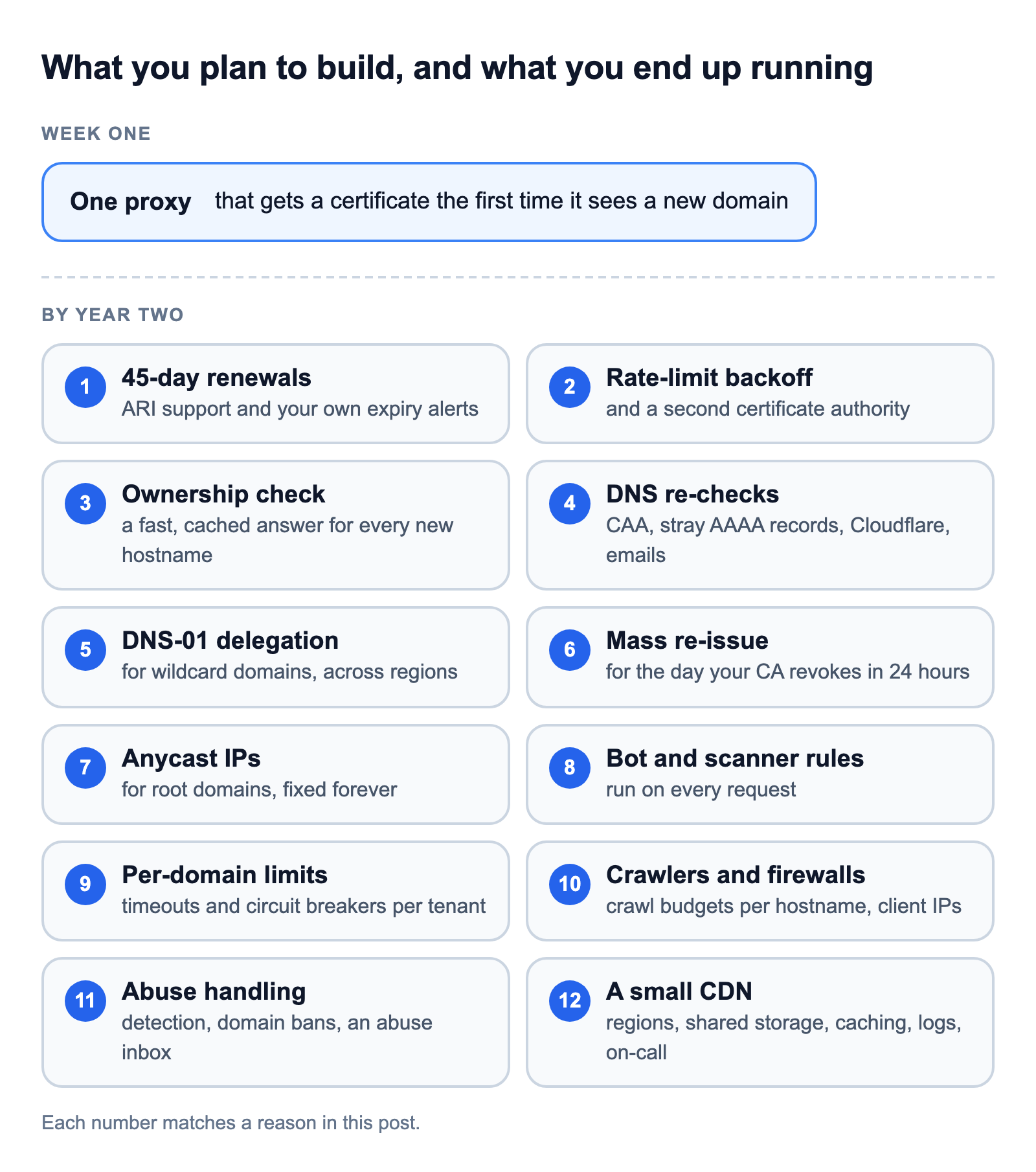
The 12 reasons fall into four groups:
- Certificates: renewals, rate limits, DNS and certificate authorities (1 to 6)
- Root domains and the IP addresses they need (7)
- Traffic: scanners, noisy neighbors, crawlers and abuse (8 to 11)
- The CDN you end up running (12)
Building does make sense in a few cases, and we cover those near the end.
1. Certificates will soon last 45 days
Every custom domain needs its own certificate, and certificates are getting shorter. In April 2025, the CA/Browser Forum, where certificate authorities and browser makers set the rules for public certificates, voted to cut their maximum lifetime from 398 days to 47 in three steps (ballot SC-081v3):
| Issued on or after | Maximum lifetime |
|---|---|
| March 15, 2026 | 200 days |
| March 15, 2027 | 100 days |
| March 15, 2029 | 47 days |
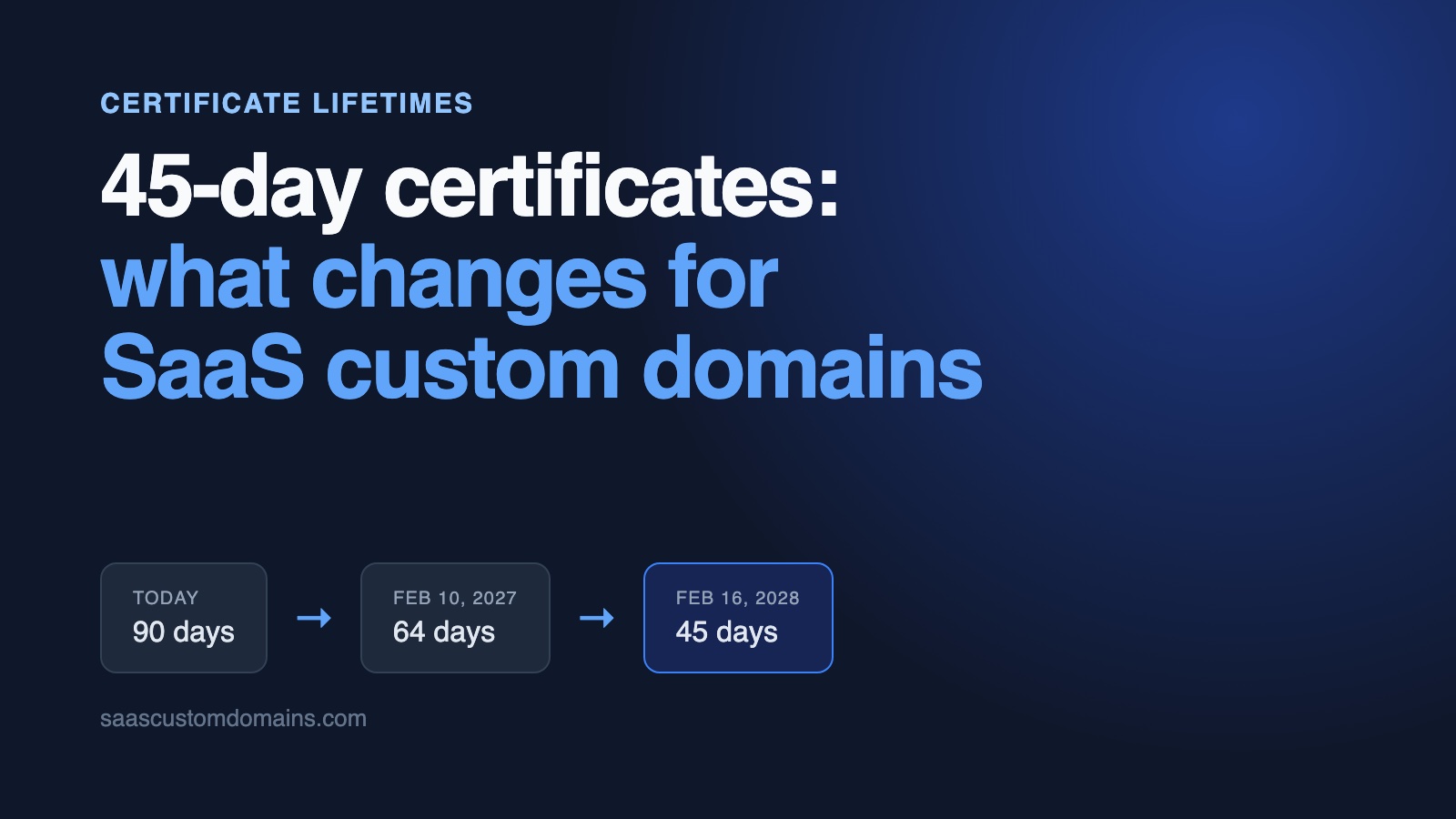
Let's Encrypt is moving faster (announcement). On February 10, 2027, its default certificates drop from 90 days to 64. On February 16, 2028, they drop to 45 days, and a completed domain validation can be reused for only 7 hours instead of today's 30 days.
Let's Encrypt recommends renewing at about two-thirds of a certificate's lifetime. At 45 days, that's a renewal every 30 days instead of every 60. With 5,000 custom domains, you run about 170 renewals a day, and each one is a fresh test of DNS that belongs to someone else. A renewal schedule hard-coded for 90-day certificates stops working, which is why Let's Encrypt points clients to ACME Renewal Information (ARI), a way for the CA to tell your client when to renew.
Nobody will warn you when one is about to lapse, either. Let's Encrypt stopped sending expiration emails on June 4, 2025. Expiry monitoring is yours to build. We cover what 45-day certificates change for custom domains in a separate post, with a checklist for February 10, 2027.
2. Let's Encrypt rate limits are easy to hit
Let's Encrypt is free, and it protects itself with rate limits. A platform that issues certificates for other people's domains runs into them in ways an ordinary website never does:
- Each account can create 300 new orders every 3 hours. Importing 10,000 domains from another provider, or re-issuing everything after you lose your certificate storage, takes more than four days on one account.
- A registered domain can get 50 new certificates every 7 days, counted across every account that issues for it. A franchise customer adding
store1.brand.comthroughstore80.brand.comruns out in the first week, and their IT team shares the same budget. - An account gets 5 failed validations per hostname per hour. A customer who adds their domain before fixing DNS uses that up quickly if you retry on every visit.
- Failures add up over days. A hostname that keeps failing gets paused for your account, and someone has to unpause it by hand. At 120 failures a day, that takes 10 days.
- Revoking certificates doesn't reset any of these limits.
The answer is more engineering: back off on domains that keep failing, renew through ARI (ARI renewals are exempt from all rate limits), and keep a second certificate authority ready for the day you hit a limit anyway. We issue through both Let's Encrypt and ZeroSSL for that reason.
3. Anyone can point a domain at your servers
DNS doesn't ask permission. Anyone can point any domain at your IP addresses. If your proxy requests a certificate for whatever hostname shows up in a TLS handshake, a stranger can make you request thousands of them, fill your storage and use up your rate limits. Caddy's documentation is blunt about it: on-demand TLS "must be both enabled and restricted to prevent abuse" (Caddy docs).
The restriction is a question your app answers: is this hostname a connected customer domain that's allowed to have a certificate right now? That check sits on a hot path. The proxy asks it for every handshake on a hostname it has no certificate for, and the internet sends plenty of those: random names, typos, lapsed customer domains. It has to be fast, cached and always up. If it goes down, no new domain can get a certificate. If it says yes too easily, you're issuing certificates for strangers again.
It's also where you decide who owns a domain. You want one tenant per hostname, a DNS or TXT check before you serve it, and a re-check later, because a domain that's verified today can expire, change hands or move to another provider next month. The verification section of our custom domains guide compares the options.
4. Your customers will break their own DNS
Your customers change their DNS without telling you, and you can't fix DNS you don't control. Each of these breaks issuance or renewal, and none of them shows up until a certificate is due:
- A CAA record that doesn't list your certificate authority. Let's Encrypt checks CAA before every certificate it issues, so a customer whose security team allowed only their usual CA blocks your renewal.
- An old AAAA record. When a domain has both A and AAAA records, Let's Encrypt always tries IPv6 first and falls back to IPv4 only when the IPv6 connection itself fails. If the AAAA record still points at the customer's old host and that host answers, validation fails.
- Cloudflare's proxy. A customer who switches on the orange cloud puts Cloudflare's TLS in front of yours, and depending on their SSL mode, their visitors get 525 or 526 errors.
- A DNS migration that drops your CNAME, or a domain nobody renewed.
When the certificate finally lapses, visitors see a full-page browser warning, and the customer emails you, not their DNS provider. So you also build DNS re-checks for every domain, a status page that says what's wrong in plain language, and emails that reach the customer before the certificate expires.
5. Wildcard domains need DNS you don't control
Some customers want *.customer.com, so every subdomain works without adding each one. Let's Encrypt issues wildcard certificates only through the DNS-01 challenge: you prove control by publishing a TXT record in the domain's DNS. You can't write to your customer's DNS, so you ask them to delegate _acme-challenge.customer.com to a zone you control with a one-time CNAME record, and then publish the TXT records there through your DNS provider's API.
Now every wildcard certificate depends on another company's API, its rate limits and its propagation delays. And with proxies in more than one region, two of them can start the same challenge at the same moment and overwrite each other's TXT records. We've had to solve exactly that.
6. Certificate authorities have bad days too
When your certificate authority has an outage, new domains wait. When it makes a mistake, you may get a day to replace everything. In July 2024, DigiCert found a flaw in how it had validated some domains and had to revoke 83,267 certificates belonging to 6,807 customers. CA/Browser Forum rules gave it 24 hours (The Hacker News).
If that happens to your CA, you need a second one that's already configured and tested, a way to re-issue every affected certificate fast, and enough rate-limit headroom to do it. ARI helps here as well, because a CA can use it to ask clients to renew early.
7. Root domains need IP addresses that never change
Many customers want customer.com itself, not only app.customer.com. A root domain can't be a CNAME, because a CNAME can't sit next to the other records every root domain has (RFC 1034, section 3.6.2). Some DNS providers offer ALIAS records or CNAME flattening as a workaround, and many don't, so most root domains point at you with A records.
Those IP addresses end up in thousands of DNS zones you can't edit. You can never change them, and they have to keep working when a server dies, when a region goes down and when you move clouds. An elastic IP on one server is a single point of failure. The real answer is anycast: the same addresses announced from many locations, through a service like AWS Global Accelerator ($0.025 an hour per accelerator, plus a per-GB premium on top of normal data transfer) or your own IP range and BGP sessions.
Cloudflare for SaaS offers root-domain proxying only as a paid Enterprise add-on (plans, checked November 2026). Supertape ran into exactly this, and the ALIAS-record workaround didn't work with many of their users' DNS providers. For most teams, this is the point where a TLS proxy turns into a network.
8. Every new domain gets scanned within minutes
Every certificate you issue is published in public Certificate Transparency (CT) logs, and attackers read them. A 2018 study set up a CT honeypot and found that CT data was used to pick scanning targets "only minutes after certificate issuance" (Scheitle et al., IMC 2018). Your customer's new domain is public the moment it has a certificate.
Our proxies see the same thing. Across the custom domains we serve, roughly 4 in 10 requests come from bots or data center IP addresses, and about 1 in 20 is a scanner looking for files like /.env or /.git/config. On one day we sampled, about half of the domains that had any traffic at all were probed for one of those two.
That makes your proxy the first line of defense for sites you didn't build. Customers will ask you to block a country, an IP range or a bad bot, add security headers, or rate-limit their login page. That's a rules engine, and it runs on every request.
9. One customer's traffic can take everyone down
Every customer shares the same proxies. A flash sale, a link on the front page of Hacker News, a scraper, someone pointing a load-testing tool at a customer's domain, or a flood aimed at one site uses the connections, CPU and memory that every other domain needs. TLS makes floods more expensive than they look, because each new connection costs a handshake.
Slow failures are worse. When one customer's backend hangs, requests to it pile up and hold resources while they wait. You add timeouts per backend, rate limits per domain, and circuit breakers that stop sending traffic to a backend that keeps failing. We ended up writing our own per-hostname circuit breaker for Caddy.
Then there are attacks on the protocol itself. The HTTP/2 Rapid Reset technique (CVE-2023-44487), disclosed in October 2023, powered attacks that peaked at 398 million requests per second at Google and 201 million at Cloudflare. If you run the proxy, shipping the patch that day is your job.
10. Crawlers count hostnames, firewalls count IPs
Search engines don't see one app. They see each customer domain as its own site. Google's crawlers define a site as a unique hostname, with a separate crawl budget for each. Put 2,000 customer domains in front of one backend, and Googlebot's politeness limits apply 2,000 times over. Add the AI crawlers, and about a quarter of the requests through our proxies identify themselves as bots.
Your backend has the opposite problem. It sees every custom domain's visitors arrive from a handful of proxy IP addresses. If it sits behind Cloudflare, a web application firewall or a per-IP rate limiter, that protection will sooner or later treat your proxies as one very busy client and start blocking them, which takes down every customer domain at once. You have to forward the visitor's IP, trust it only when it comes from your proxies, and keep that allowlist current as proxies come and go. We've had to handle both problems.
11. Custom domains attract abuse
Anything that hands strangers a domain, a valid certificate and someone else's bandwidth gets abused. Expect phishing pages on lookalike domains, malware downloads and pirated video streams. Abuse complaints go to whoever owns the IP addresses, and that's you.
Streams are the expensive kind. Data transfer out of AWS costs $0.09 per GB for the first 10 TB a month in US East (AWS pricing), so 10 TB of someone else's pirated football costs you about $900 before anyone notices.
So you build detection for bandwidth spikes and streaming patterns, a way to switch off one domain and every subdomain under it at once (without accidentally blocking a public suffix like co.uk), an abuse inbox, and a policy for the day the problem is your paying customer's customer.
12. You'll end up running a CDN
You set out to terminate TLS. A year later, you're running:
- Proxies in several regions, because a TLS handshake from Sydney to a server in Virginia takes several round trips before the first byte.
- Certificate storage that every proxy shares, with locking so two servers don't issue the same certificate.
- A config rollout that reaches every proxy in every region each time a domain is added, and a check that each one actually loaded it. A proxy that silently missed an update looks healthy on your dashboard and shows one customer a certificate error.
- Health checks and failover behind the anycast IPs from reason 7.
- Caching, as soon as a customer asks for it. Cache keys need the hostname in them, or visitors on one customer's domain get another customer's cached page. Then come purging per domain and respecting each backend's
Cache-Control. - Logs and analytics per domain, because "my site is down" needs an answer about that site, not your fleet average. That's a log pipeline and a database of its own.
- On-call. Certificates and proxies don't fail during office hours.
That's a small CDN, and it still isn't your product.
When building it yourself makes sense
Building is reasonable when:
- You have a handful of domains on one server, no root domains and no uptime promise. A proxy with on-demand certificates and a strict ownership check will do.
- Running edge infrastructure is what you sell, or you're big enough that a team of network engineers costs less than any per-domain price.
- Your contracts require everything to run on your own infrastructure. Even then, look at self-hosted options before writing one from scratch. We offer a self-hosted package as part of an enterprise contract.
For everyone else, the question isn't whether you can build it. It's whether you want to own it for as long as you sell custom domains. Val Town, a cloud programming platform, puts its savings at 450+ engineering hours from not building its own. Memberstack looked at building it on AWS and decided it was too complicated to maintain.
Use SaaS Custom Domains instead
SaaS Custom Domains runs the whole list above for you. Your customers point a CNAME at us, or two anycast IPs for root domains, and we pass each request on to your app, with the domain the visitor used in a header. A secret token header comes with it, so a firewall in front of your app can let our traffic through without an IP allowlist.
Here's how the 12 reasons map to what we run:
| You'd have to build | SaaS Custom Domains |
|---|---|
| Renewals for 45-day certificates | Issues and renews certificates automatically |
| Rate-limit handling and a backup CA | Let's Encrypt and ZeroSSL, so one CA's limits or outages don't stop issuance |
| An ownership check before issuing | Certificates only for domains you've added through the dashboard or API |
| DNS re-checks and customer emails | DNS validation, and step-by-step DNS instructions emailed to your customers |
| Wildcards through DNS-01 | Wildcard custom domains |
| Static IPs for root domains | Two anycast IPs that don't change |
| Scanner and bot rules | Rules to block countries or IPs, set headers and rate-limit paths |
| Per-tenant limits | Per-domain limits and circuit breakers |
| Abuse handling | Abuse monitoring, and individual domains switched off when needed |
| Regions, caching and logs | 119 locations on AWS, plus optional Caching and Domain Analytics add-ons |
You add domains through the REST API, and webhooks tell you when DNS or a certificate changes. It costs $0.29 per domain per month, with $29/month covering your first 100 domains, volume discounts from 1,000 domains, and no bandwidth charges. See pricing for details.
Frequently asked questions
What is SSL termination?
SSL termination (TLS termination, strictly) is the point where encrypted HTTPS traffic is decrypted before it reaches your app. A reverse proxy holds the certificate, completes the TLS handshake with the visitor and forwards the request to your backend. For custom domains, that proxy needs a valid certificate for every customer's hostname.
Is Caddy's on-demand TLS enough for production?
It issues and renews certificates well, and it's where many teams start. It doesn't give you static IPs for root domains, multi-region failover, per-tenant limits, DNS monitoring or abuse handling, and those make up most of this list.
How many custom domains can I handle before building gets hard?
There's no fixed number. It gets hard at specific moments: the first root domain (static IPs), the second server (shared certificate storage and config rollout), the first customer with real traffic, and the first abuse report. Most teams reach the first two early.
Are SSL certificates for custom domains free?
Yes. Neither Let's Encrypt nor ZeroSSL charges for certificates. What costs money is the infrastructure and engineering time to request, store, renew and monitor them, and to run the proxy that serves them.
Do I need a CDN for custom domains?
Not on day one. Once your customers' visitors are spread across the world, or customers use root domains that need static IPs, you need several regions behind anycast addresses. That's a CDN in everything but name.
What do 45-day certificates change for custom domains?
Renewals come twice as often: every 30 days instead of every 60, if you renew at two-thirds of the lifetime as Let's Encrypt recommends. Each renewal is another chance for a customer's DNS change to break things, and schedules hard-coded for 90-day certificates stop working. Let's Encrypt moves to 64-day certificates on February 10, 2027 and to 45-day certificates on February 16, 2028.
Next steps
If you'd rather ship custom domains this week than run a CDN for the next five years, start a 7-day trial of SaaS Custom Domains. You'll need a card to start it, and you can cancel whenever you want. Or book a 15-minute demo.
To see how the pieces fit together first, read our end-to-end custom domains guide, or jump to the guide for your framework: Rails, Next.js, Laravel, Django and more.