How to Add Custom Domains to a Multi-Tenant Next.js App

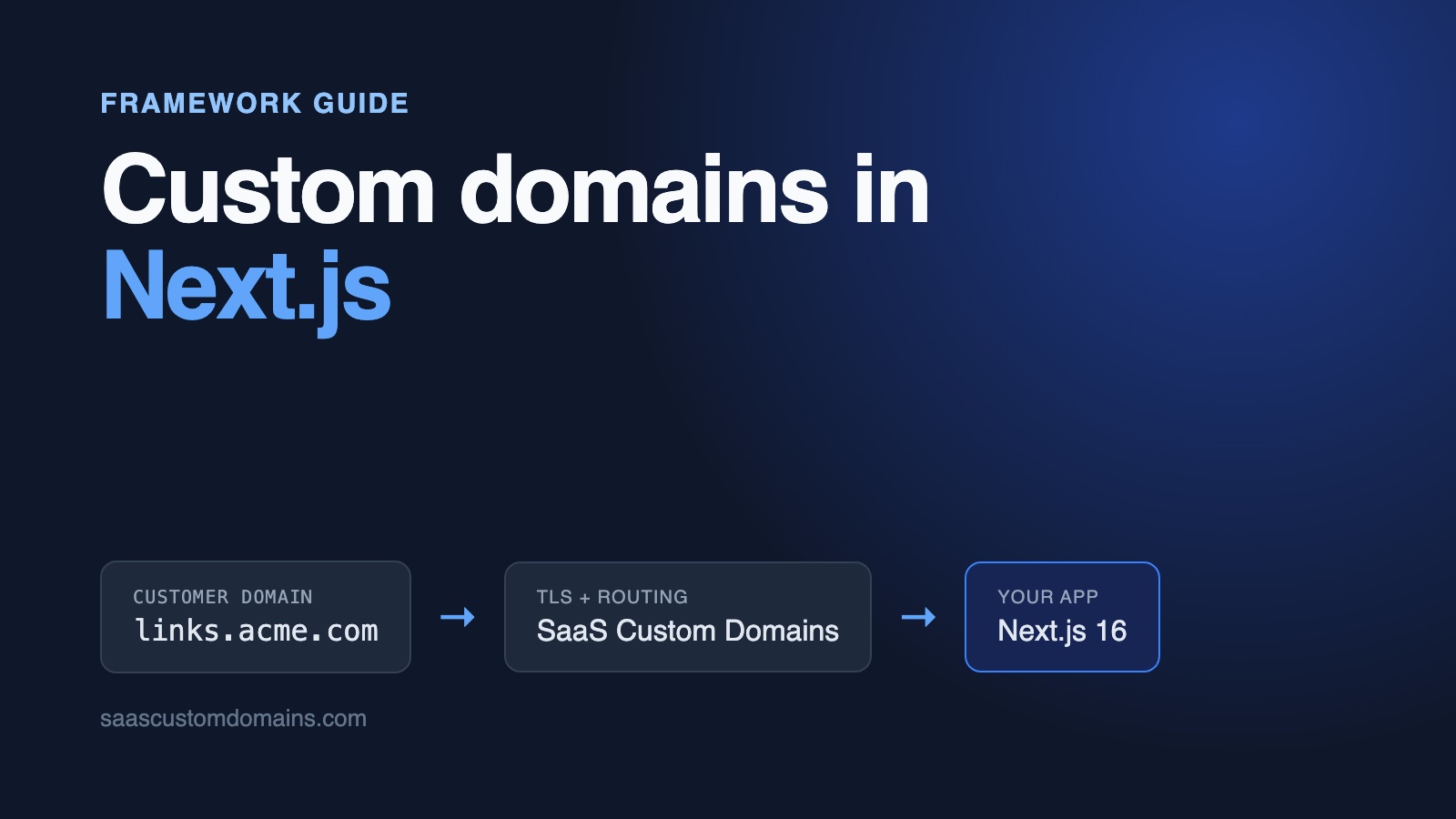
To add custom domains to a Next.js app, read the hostname in proxy.ts and rewrite each customer's domain to a dynamic route like /sites/[domain]. Your customer points a CNAME at you, and every domain needs its own TLS certificate.
The routing takes a few lines. The trouble starts in production: a cache that serves one tenant's page on another tenant's domain, Server Actions that fail with "Invalid Server Actions request" behind a proxy, and health checks that your own routing turns into 404s.
This guide builds it step by step for Next.js 16, from the domains table to HTTPS for every customer. Every snippet comes from a working example app on GitHub with end-to-end tests.
In this guide:
- Run the example in two minutes
- How a custom domain reaches your Next.js app
- Store your customers' domains
- Route each domain to its site in proxy.ts
- Render the site and cache it per domain
- Fix "Invalid Server Actions request" on custom domains
- Every customer domain needs its own certificate
- Use SaaS Custom Domains as your TLS proxy
- Track DNS status with webhooks
- Frequently asked questions
Run the example in two minutes
The example is Linkpage, a small link-in-bio product. Each site has a page of links and a subscribe form, and its owner can serve it on a domain like links.acme.com. You need Docker:
git clone https://github.com/saas-custom-domains/custom-domains-nextjs
cd custom-domains-nextjs
docker compose up --build
Open http://localhost:3000, add acme.localhost to Acme Coffee, and wait a few seconds for the status to change to Live. Then open http://acme.localhost. That request goes through a local stand-in for our proxy on port 80 and arrives at Next.js exactly the way a real customer domain would. Browsers and curl resolve every *.localhost name to your own machine, so you don't touch /etc/hosts.
| Tested with | |
|---|---|
| Next.js | 16.4.3 (App Router, cacheComponents: true) |
| React | 19.3 |
| Node.js | 24 |
Checked on October 28, 2026.
How a custom domain reaches your Next.js app
Your customer adds one DNS record that sends their domain to SaaS Custom Domains. For a subdomain like links.acme.com that's a CNAME; a bare domain such as acme.com isn't allowed a CNAME, so it gets two A records with our fixed anycast IPs:
links.acme.com.   CNAME  in.saascustomdomains.com.
acme.com.         A      75.2.96.173
acme.com.         A      99.83.186.151
Prefer your own brand in that record? White-label the target, so customers enter in.linkpage.app and never see our hostname. Either way, our proxy holds the certificate for links.acme.com, accepts the visitor's HTTPS connection and forwards the request to your Next.js app with the customer's domain attached. The complete guide to custom domains for SaaS covers DNS, verification and apex domains in more depth.
In Next.js, the place to act on the hostname is proxy.ts. It runs before routing on every request, so one function can send links.acme.com/about to the right tenant's about page without any of your pages knowing about domains.
Store your customers' domains
Each domain belongs to one site and starts out pending. The example uses SQLite through Node's built-in node:sqlite to stay dependency-free; the SQL is the same in Postgres:
CREATE TABLE custom_domains (
  id INTEGER PRIMARY KEY,
  site_id INTEGER NOT NULL REFERENCES sites(id) ON DELETE CASCADE,
  host TEXT NOT NULL UNIQUE,
  status TEXT NOT NULL DEFAULT 'pending'
    CHECK (status IN ('pending', 'active')),
  https_ready INTEGER NOT NULL DEFAULT 0,
  provider_uuid TEXT UNIQUE,
  created_at TEXT NOT NULL DEFAULT CURRENT_TIMESTAMP
);
UNIQUE on host stops two sites from claiming the same domain, and it's also the index behind the lookup that every customer request makes. status keeps a domain from serving anything until its DNS points at you, and provider_uuid is the ID your TLS provider gives the domain, so you can check and delete it later.
Normalize hostnames before they reach the database, so Links.Acme.com. and links.acme.com can't become two rows:
export const APP_HOSTS = (process.env.APP_HOSTS ?? 'localhost')
  .split(',')
  .map((h) => normalizeHost(h))
  .filter(Boolean)

const APP_DOMAIN = normalizeHost(process.env.APP_DOMAIN ?? '')

export function normalizeHost(input: string): string {
  return input
    .trim()
    .toLowerCase()
    .replace(/:\d+$/, '')
    .replace(/\.$/, '')
}

export function isAppHost(host: string): boolean {
  return APP_HOSTS.includes(host)
}

export function isReservedHost(host: string): boolean {
  if (isAppHost(host)) return true
  if (!APP_DOMAIN) return false
  return host === APP_DOMAIN || host.endsWith(`.${APP_DOMAIN}`)
}
isReservedHost matters more than it looks. Without it, a customer can connect admin.linkpage.app to their own site and serve their page on your domain. APP_HOSTS is the list of hostnames that serve your own app, the dashboard and marketing pages. Anything not on that list is treated as a customer's domain, which comes up again below.
Route each domain to its site in proxy.ts
proxy.ts is the file Next.js 16 calls middleware.ts in earlier versions. It now runs on the Node.js runtime by default, so it can query your database directly instead of calling out to an edge key-value store.
The customer-facing pages live under app/sites/[domain]/. The proxy rewrites links.acme.com/about to /sites/links.acme.com/about, and the browser never sees the internal path:
import { NextResponse, type NextRequest } from 'next/server'
import { isActiveHost } from '@/lib/domains'
import { isAppHost, normalizeHost } from '@/lib/hosts'

export function proxy(request: NextRequest) {
  const host = normalizeHost(request.headers.get('host') ?? '')
  const { pathname } = request.nextUrl

  // x-site-host tells the app which site this request is for.
  // Never accept one from the outside.
  const headers = new Headers(request.headers)
  headers.delete('x-site-host')

  if (isAppHost(host)) {
    // Customer sites are only reachable on their own domain.
    if (pathname.startsWith('/sites/')) {
      return new NextResponse('Not found', { status: 404 })
    }
    return NextResponse.next({ request: { headers } })
  }

  if (!isActiveHost(host)) {
    return new NextResponse('Unknown domain', { status: 404 })
  }

  headers.set('x-site-host', host)
  const url = request.nextUrl.clone()
  url.pathname = `/sites/${host}${pathname}`
  return NextResponse.rewrite(url, { request: { headers } })
}

export const config = {
  matcher: ['/((?!_next/static|_next/image|favicon.ico|api/up$).*)'],
}
Three details in there are easy to get wrong:
- The 404 for
/sites/*on your own host. Without it,linkpage.app/sites/links.acme.comrenders Acme's page on your domain, including sites whose DNS was never verified. - Unknown and pending domains get a 404 from the proxy, before anything renders. Any stranger can aim their own domain at your servers, and your app shouldn't answer for it. Doing the check here also gives you a real 404 status code, which a
notFound()inside a streamed page can't always do. isActiveHostruns on every request to a customer domain. It's one indexed query; if that shows up in your metrics, put a short in-memory cache in front of it.
The x-site-host header is for Server Actions, covered in a moment.
Health checks and webhooks that suddenly return 404
The first time we ran the example in Docker, the container never became healthy. The health check called http://127.0.0.1:3000/api/up, and 127.0.0.1 isn't in APP_HOSTS, so proxy.ts treated it as an unknown customer domain and answered "Unknown domain". Load balancers on AWS and elsewhere call health checks by IP address too.
Webhooks failed the same way. Our local stand-in for the proxy sent them to http://app:3000/..., Docker's internal hostname, which wasn't in APP_HOSTS either.
Two fixes, both in the example: leave the health check out of the matcher (that's the api/up$ part above), and list every hostname your own infrastructure uses in APP_HOSTS, not just your public domain.
Render the site and cache it per domain
New Next.js 16 apps have Cache Components turned on, so data is dynamic unless you cache it with 'use cache'. For a multi-tenant app this is the safe default. The thing to avoid is a cache key that doesn't include the tenant, because then one customer's page gets served on another customer's domain.
Pass the host as an argument and it becomes part of the cache key:
import { cacheLife, cacheTag } from 'next/cache'
import { findSiteByActiveHost } from './domains'

export async function getSite(host: string) {
  'use cache'
  cacheLife('hours')
  cacheTag(siteTag(host))
  return findSiteByActiveHost(host)
}

export const siteTag = (host: string) => `site:${host}`
The page reads the domain from the route params. Because params is request data, it's awaited inside <Suspense>:
export async function generateMetadata({
  params,
}: PageProps<'/sites/[domain]'>): Promise<Metadata> {
  const { domain } = await params
  const site = await getSite(domain)
  return site ? { title: site.name, description: site.bio } : {}
}

export default function SitePage({
  params,
}: PageProps<'/sites/[domain]'>) {
  return (
    <main>
      <Suspense fallback={<p>Loading…</p>}>
        <Site params={params} />
      </Suspense>
    </main>
  )
}

async function Site({
  params,
}: Pick<PageProps<'/sites/[domain]'>, 'params'>) {
  const { domain } = await params
  const site = await getSite(domain)
  if (!site) notFound()

  return (
    <div>
      <h1>{site.name}</h1>
      <p>{site.bio}</p>
      {/* links, subscribe form */}
    </div>
  )
}
Each tenant gets its own title and description through generateMetadata, so search results and link previews show the customer's brand, not yours.
When a domain changes, expire its entry by tag. In a Server Action that's updateTag(siteTag(host)), which the next request sees immediately. In a route handler, such as a webhook, use revalidateTag(siteTag(host), 'max').
If you're not using Cache Components, the same rule applies to fetch caching and unstable_cache: the hostname must be part of every cache key.
Fix "Invalid Server Actions request" on custom domains
Run your app behind any reverse proxy that changes the Host header, submit a form that uses a Server Action on a customer's domain, and nothing happens. The server log says:
`x-forwarded-host` header with value `app.linkpage.app` does not match
`origin` header with value `links.acme.com` from a forwarded Server
Actions request. Aborting the action.
⨯ Error: Invalid Server Actions request.
That's Next.js's CSRF protection. It compares the host in the browser's Origin header with x-forwarded-host (or Host if that's missing) and rejects the action when they differ. Whatever sits in front of your app, whether a load balancer, a CDN or a TLS proxy like ours, usually forwards your app's own hostname in those headers. That's what hosting platforms route on and what most apps expect. The browser, though, is on the customer's domain.
The documented escape hatch, serverActions.allowedOrigins in next.config.ts, doesn't fit. It's a list fixed at build time, and your customers add domains every day. A wildcard broad enough to cover them all turns the check off.
If your customer-facing pages use Server Actions, tell Next.js the customer's domain once you know where the request came from. proxy.ts can change request headers before the action runs:
headers.set('x-site-host', host)
if (cameThroughOurProxy) {
  headers.set('x-forwarded-host', host)
}
Only do this after you've verified the request came through your proxy, which the token check below does. We tested it both ways: with the line, the subscribe form works on the custom domain through the proxy; without it, the end-to-end test fails with the error above.
Don't let a Server Action trust the form
Server Actions are public HTTP endpoints. Anyone can call one with any arguments, from any URL in your app. If the subscribe action took the site ID from a hidden field, or from a value bound to the action, a script could subscribe addresses to every site you host.
The example's action reads the site from the x-site-host header that proxy.ts set. The proxy deletes any x-site-host sent by a client, so on your own domain the header is missing and the action refuses:
'use server'

export async function subscribe(
  _prev: SubscribeState,
  formData: FormData,
): Promise<SubscribeState> {
  const site = await getRequestSite()
  if (!site) return { ok: false, message: 'Unknown site.' }

  const email = String(formData.get('email') ?? '').trim()
  if (!/^\S+@\S+\.\S+$/.test(email)) {
    return { ok: false, message: 'Enter a valid email.' }
  }
  addSubscriber(site.id, email)
  return { ok: true, message: `Subscribed to ${site.name}.` }
}export async function getRequestSite() {
const host = (await headers()).get('x-site-host')
return host ? getSite(host) : null
}The same goes for the dashboard's actions: check that the signed-in user owns the site and the domain inside each one. Next.js's own docs make the point that a matcher change can silently take an action out of proxy.ts's reach, so authorization belongs in the action.
Every customer domain needs its own certificate
Routing works over plain HTTP, but browsers won't open a customer's domain until it has a valid certificate for that exact hostname, and every certificate expires within a few months. Issuing them yourself turns into a second product to build and run:
- A TLS layer that requests a certificate the first time it sees a new hostname, and refuses hostnames that aren't connected, so nobody can burn through your Let's Encrypt rate limits by pointing junk domains at you.
- Certificate storage that every server shares, renewals that never lapse, and a second certificate authority for the day the first one is down.
- Static IP addresses that never change, for customers on bare domains.
- Monitoring, alerts and someone on call when a customer's site shows a certificate warning.
Our main guide goes deeper into each of these. SaaS Custom Domains runs all of it for you.
Use SaaS Custom Domains as your TLS proxy
SaaS Custom Domains runs in front of your Next.js app, whether it's deployed on Vercel or anywhere else:
- Certificates are issued through Let's Encrypt and ZeroSSL, renewed automatically and stored for you.
- The proxy runs in 119 locations on AWS. If one location has trouble, visitors go to the next closest.
- For bare domains, customers use two anycast IP addresses that stay fixed for good.
- One API call adds or removes a domain, and webhooks tell you when DNS or certificates change.
- You can have us email your customer's DNS admin the exact records to add, then we check the records for you.
Pricing starts at $29/month, which covers your first 100 domains; each domain beyond that is $0.29/month, and the rate drops from 1,000 domains up. You can try it free for 7 days. The trial asks for a card, and you can cancel whenever you like.
1. Create an API token
Generate a token under API tokens, and copy your account UUID from account settings. Store them as SCD_API_TOKEN and SCD_ACCOUNT_UUID.
2. Create an upstream
The upstream is your deployed app, for example app.linkpage.app. Create it once in the dashboard or with the upstreams API. Save its UUID as SCD_UPSTREAM_UUID and its auth token as PROXY_AUTH_TOKEN; step 5 uses the token.
3. Add domains from your app
The client is a thin wrapper around fetch:
const API_URL =
  process.env.SCD_API_URL ?? 'https://app.saascustomdomains.com'

async function request<T>(
  method: string,
  path: string,
  body?: object,
): Promise<T> {
  const url =
    `${API_URL}/api/v1/accounts/${process.env.SCD_ACCOUNT_UUID}` +
    `/upstreams/${process.env.SCD_UPSTREAM_UUID}/custom_domains${path}`

  const res = await fetch(url, {
    method,
    headers: {
      Authorization: `Bearer ${process.env.SCD_API_TOKEN}`,
      'Content-Type': 'application/json',
    },
    body: body && JSON.stringify(body),
    signal: AbortSignal.timeout(10_000),
  })
  if (!res.ok) throw new SaasDomainsError(res.status, await res.text())
  return res.json() as Promise<T>
}

export function createDomain(host: string, dnsContact?: string) {
  return request<DomainResponse>('POST', '', {
    host,
    ...(dnsContact && { instructions_recipient: dnsContact }),
  })
}

export function verifyDns(uuid: string) {
  return request<VerifyResponse>('POST', `/${uuid}/verify_dns_records`)
}
When instructions_recipient is set, we email that address the records to add for that specific domain. It helps when the person connecting the domain in your dashboard isn't the one with access to DNS.
The Server Action that adds a domain saves it locally, registers it with us, and undoes the local row if the API call fails, so you never keep a domain the proxy doesn't know about:
export async function addDomain(
  siteId: number,
  host: string,
  dnsContact?: string,
) {
  const domain = insertDomain(siteId, host)
  try {
    const res = await saasDomains.createDomain(host, dnsContact)
    setProviderUuid(domain.id, res.uuid)
  } catch (e) {
    deleteDomain(domain.id)
    throw e
  }
}
4. Have your customer add a DNS record
These are the records from the start of this guide: a CNAME to in.saascustomdomains.com (or your white-labelled target) for a subdomain, or our two A records for a bare domain. If you passed instructions_recipient in step 3, we've already emailed them to whoever runs the customer's DNS. If a customer's DNS is on Cloudflare, the record has to be set to "DNS only" (grey cloud). Customers who want to keep Cloudflare's proxy on can, if you create their domain with challenge_type: "dns01"; they then add one more CNAME under _acme-challenge, which lets us prove control of the domain through DNS and issue the certificate that way.
5. Read the customer's domain and check the proxy token
Behind our proxy, Host is your upstream's hostname, app.linkpage.app. Your hosting provider routes on it, and it's what most apps are set up for: allowed-host lists, OAuth callbacks and absolute URLs all expect your own hostname. The customer's domain arrives separately in X-Served-For, so your app can use it wherever it needs to, like the Server Actions case above.
Your app is now deciding whose site to show from a request header. Anyone who can reach app.linkpage.app directly could send X-Served-For: links.acme.com themselves. So every request we forward also carries your upstream's auth token in X-SaaS-Domains-Auth-Token (docs), and proxy.ts refuses X-Served-For without it. Here's the complete version:
import { NextResponse, type NextRequest } from 'next/server'
import { isActiveHost } from '@/lib/domains'
import { isAppHost, normalizeHost } from '@/lib/hosts'
import { secureCompare } from '@/lib/secure-compare'

export function proxy(request: NextRequest) {
  const servedFor = request.headers.get('x-served-for')
  if (servedFor !== null && !hasValidProxyToken(request)) {
    return new NextResponse('Forbidden', { status: 403 })
  }

  const host = normalizeHost(
    servedFor ?? request.headers.get('host') ?? '',
  )
  const { pathname } = request.nextUrl

  const headers = new Headers(request.headers)
  headers.delete('x-site-host')

  if (isAppHost(host)) {
    if (pathname.startsWith('/sites/')) {
      return new NextResponse('Not found', { status: 404 })
    }
    return NextResponse.next({ request: { headers } })
  }

  if (!isActiveHost(host)) {
    return new NextResponse('Unknown domain', { status: 404 })
  }

  headers.set('x-site-host', host)
  if (servedFor !== null) {
    // The token proved this came through the proxy, so tell
    // Server Actions which domain the browser is really on.
    headers.set('x-forwarded-host', host)
  }

  const url = request.nextUrl.clone()
  url.pathname = `/sites/${host}${pathname}`
  return NextResponse.rewrite(url, { request: { headers } })
}

function hasValidProxyToken(request: NextRequest) {
  const expected = process.env.PROXY_AUTH_TOKEN
  const token = request.headers.get('x-saas-domains-auth-token') ?? ''
  return Boolean(expected) && secureCompare(token, expected!)
}import { timingSafeEqual } from 'node:crypto'
export function secureCompare(given: string, expected: string) {
const a = Buffer.from(given)
const b = Buffer.from(expected)
return a.length === b.length && timingSafeEqual(a, b)
}The Boolean(expected) check is there for a reason: if PROXY_AUTH_TOKEN is missing from an environment, an empty token compared with an empty string would pass. Requests to your own domain don't carry X-Served-For, so the dashboard isn't affected.
Track DNS status with webhooks
Customers want to see when their domain is ready. The dashboard has a "Check DNS" button that calls verify_dns_records, but webhooks are better: add one in the dashboard pointing at /api/webhooks/saascustomdomains, and we call it whenever a domain's DNS or certificate changes.
export async function POST(request: Request) {
  const token = new URL(request.url).searchParams.get('token') ?? ''
  const expected = process.env.SCD_WEBHOOK_TOKEN
  if (!expected || !secureCompare(token, expected)) {
    return new Response('Unauthorized', { status: 401 })
  }

  const { event, domain: payload } = await request.json()
  const domain =
    payload?.uuid && findDomainByProviderUuid(payload.uuid)
  if (!domain) return new Response(null, { status: 204 })

  switch (event) {
    case 'domain_dns_proxy_record_valid':
      setStatus(domain.id, 'active')
      break
    case 'domain_dns_proxy_record_invalid':
      setStatus(domain.id, 'pending')
      break
    case 'tls_certificate_issued':
      setHttpsReady(domain.id)
      break
  }
  revalidateTag(siteTag(domain.host), 'max')
  return new Response(null, { status: 204 })
}
The dashboard shows "Waiting for DNS", then "DNS OK, waiting for HTTPS", then "Live". Answer with a 2xx quickly. If a delivery fails, we try again, up to ten times over the next few hours. The webhooks docs list every event.
To remove a domain, delete it from the proxy first and your database second. If the API call fails, the row is still there and the user can try again. The other order can leave a domain on the proxy that nobody in your app owns.
Test custom domains locally
The example's compose.yaml starts your app next to scd-mock, a local copy of our API and proxy. It accepts the same API calls, sends the same webhooks and forwards requests with the same headers, including the auth token, so the full flow runs without an account.
Without Docker, npm run dev and http://acme.localhost:3000 exercise the routing directly, since Next.js's dev server allows *.localhost origins by default. You can also fake the proxy with curl:
curl http://localhost:3000/ \
  -H "X-Served-For: acme.localhost" \
  -H "X-SaaS-Domains-Auth-Token: local_proxy_token"
Leave out the token and you get a 403.
The repo's Playwright tests run the whole flow in a browser: add a domain, wait for the webhook, open the site through the proxy, submit the Server Action form, remove the domain and get a 404. They also check that spoofed headers and bad webhook tokens are rejected.
Frequently asked questions
How do I get the hostname of a request in Next.js?
In proxy.ts, use request.headers.get('host'). In a Server Component, Server Action or route handler, use (await headers()).get('host') from next/headers. When the request came through SaaS Custom Domains, the customer's domain is in x-served-for; check x-saas-domains-auth-token before you use it.
Is middleware.ts still supported in Next.js 16?
It's deprecated and renamed to proxy.ts, with the function exported as proxy. It works the same way, but it now runs on the Node.js runtime by default and you can't set runtime in the file.
Why do Server Actions fail on custom domains?
Next.js rejects an action when the browser's Origin doesn't match x-forwarded-host or Host. Load balancers and TLS proxies usually forward your app's own hostname, so on a customer's domain they don't match. If you use Server Actions there, set x-forwarded-host to the customer's domain in proxy.ts, after verifying the request came through your proxy.
Does this work if my Next.js app is on Vercel?
Yes. Create your upstream with your Vercel production hostname. Our proxy sends that hostname in Host, so Vercel routes every customer's traffic to your project, and the customer's domain reaches proxy.ts in x-served-for. The same applies on Render, Railway, Fly or your own servers.
Can each custom domain have its own title and favicon?
Yes. generateMetadata in app/sites/[domain]/page.tsx runs per request with the domain in params, so return each site's title, description and icons from your database.
Can customers use a root domain like acme.com?
Yes. The DNS standard forbids a CNAME on a bare domain, so acme.com needs A records pointing at fixed IP addresses. If the customer's DNS host supports ALIAS records or CNAME flattening, those work as well.
Next steps
You now have custom domains in Next.js: domains stored and normalized, proxy.ts routing each one to its site, caching keyed by domain, Server Actions that work behind a proxy, and HTTPS for each of them through SaaS Custom Domains. Clone the example to see it all running together.
Running Express or plain Node.js on the backend? See custom domains in Node.js. Other stacks: Ruby on Rails, Django.
Stuck on something? Write to support@saascustomdomains.com or open the chat on our site. When you're ready to wire it into your own app, the 7-day trial is the quickest start, or grab 15 minutes with us for a walkthrough.