How to Add Custom Domains to a Multi-Tenant Hono App

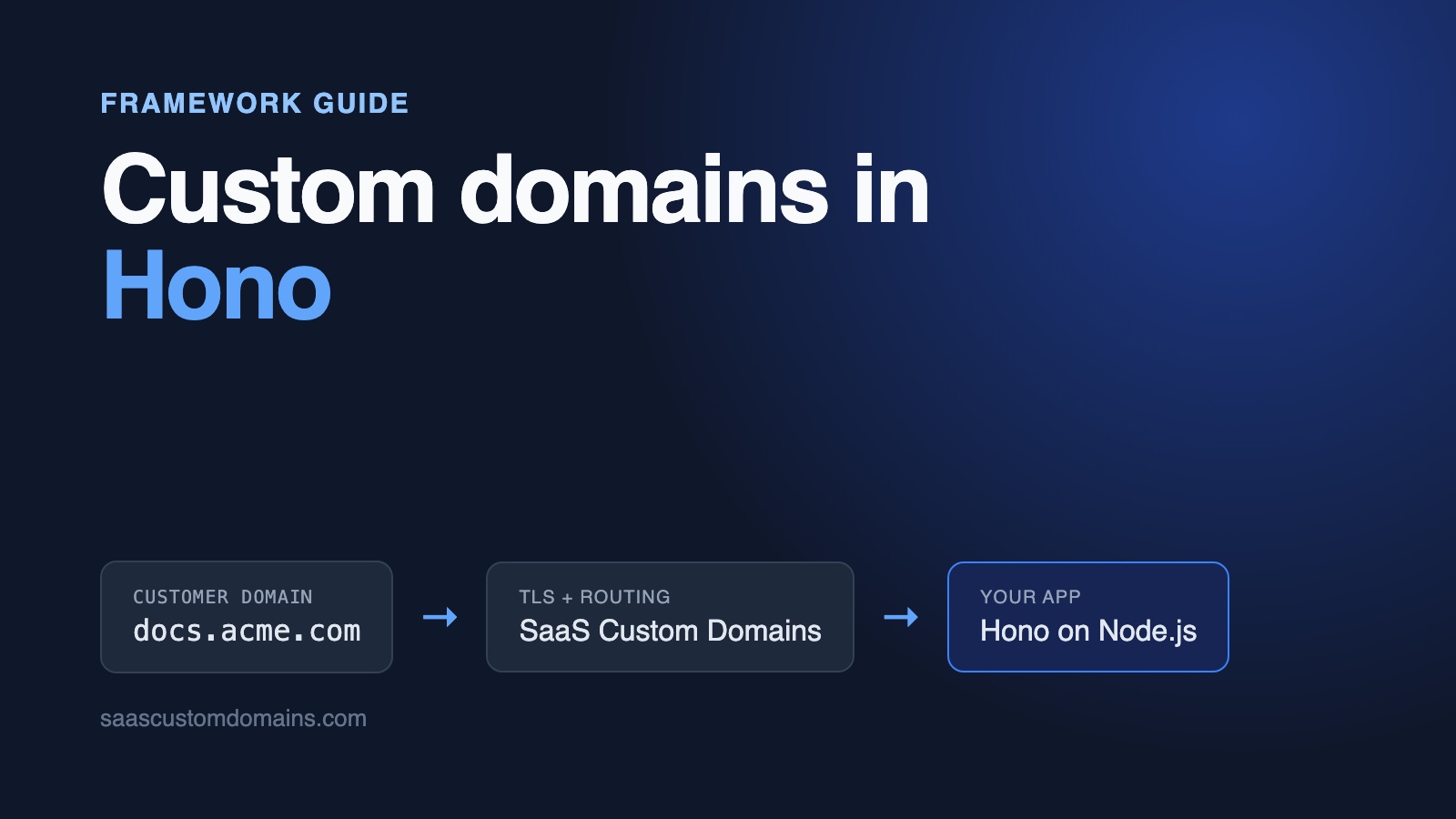
To add custom domains to a Hono app, run a middleware in front of your tenant routes that finds the customer from the request's hostname and stores it with c.set('tenant', ...). Your customers send their domains to SaaS Custom Domains with a single DNS record; we terminate TLS and pass each request to Hono with the visitor's domain in X-Served-For.
Hono gives you no host-based routing out of the box: its router only looks at the path, and your dashboard and your customers' sites both want a / page. Behind a proxy, three more things catch people out: hono/csrf answers a bare "Forbidden" to forms posted on a customer's domain, c.req.url names your own host with http://, and c.req.header('host') is undefined in the tests you write with app.request().
We hit each of these while building Refdocs, an example app on GitHub, with Hono 4.13 on Node.js 24. Every snippet below comes from that repo, and its tests fail when the fixes are removed.
In this guide:
- Run the Refdocs example
- The path from docs.acme.com to Hono
- Store the domains
- Pick the tenant by hostname
- hono/csrf returns "Forbidden" (403) on customer domains
- c.req.url shows your own host and http://
- c.req.header('host') is undefined in app.request() tests
- Each customer domain needs a certificate
- Connect SaaS Custom Domains to Hono
- Status updates from webhooks, and removal
- Run the tests against a local mock
- Hono custom domains FAQ
Run the Refdocs example
Refdocs hosts API documentation. Every API company on it gets a docs site with a few guide pages and a "Request an API key" form, and can move that site to a domain like docs.acme.com. Pages are rendered on the server with hono/jsx. Two companies come seeded, Acme Payments and Globex Maps. With Docker installed:
git clone https://github.com/saas-custom-domains/custom-domains-hono
cd custom-domains-hono
docker compose up --build
Visit http://localhost:3000, connect acme.localhost to Acme Payments, give it a few seconds and reload. The status turns Live. Then open http://acme.localhost. Port 80 is taken by a local stand-in for our proxy, so that request reaches Hono with the same headers a real customer's domain would bring. Fill in the key request form while you're there. Any name ending in .localhost resolves to your machine, so there's no /etc/hosts editing.
| Tested with | |
|---|---|
| Hono | 4.13.14 |
| @hono/node-server | 2.1.5 |
| Node.js | 24 |
| TypeScript | 7.0 |
Last run against these versions on October 29, 2026.
The path from docs.acme.com to Hono
Acme's developer creates one DNS record aimed at SaaS Custom Domains. Subdomains like docs.acme.com use a CNAME; a bare acme.com can't, so it gets a pair of A records. Step 4 lists the exact values. After that, our proxy holds the certificate for docs.acme.com, terminates the visitor's TLS session and hands the request to Hono:
Browser
  │  https://docs.acme.com
  ▼
SaaS Custom Domains (certificate, proxy)
  │  Host: app.refdocs.dev
  │  X-Served-For: docs.acme.com
  │  X-SaaS-Domains-Auth-Token: <your upstream's token>
  ▼
Your Hono app
If you'd rather customers never see our hostname, the CNAME target can live on your domain, for example in.refdocs.dev. For how verification works and what changes for apex domains, read our complete guide to SaaS custom domains.
On the Hono side, every request enters through one fetch handler. That's where the hostname decision goes, before any of your routes run, so the pages themselves only ever deal with a tenant object.
Store the domains
A domain belongs to one tenant and stays pending until DNS is confirmed. Refdocs uses SQLite via node:sqlite, which ships with Node, and plain SQL that moves to Postgres or D1 unchanged:
CREATE TABLE IF NOT EXISTS custom_domains (
  id INTEGER PRIMARY KEY,
  tenant_id INTEGER NOT NULL REFERENCES tenants(id) ON DELETE CASCADE,
  host TEXT NOT NULL UNIQUE,
  status TEXT NOT NULL DEFAULT 'pending'
    CHECK (status IN ('pending', 'active')),
  https_ready INTEGER NOT NULL DEFAULT 0,
  provider_uuid TEXT UNIQUE,
  created_at TEXT NOT NULL DEFAULT CURRENT_TIMESTAMP
);
The UNIQUE constraint on host does two jobs. It refuses a second tenant who tries to connect a domain someone already has, and it's the index the per-request lookup uses. https_ready flips when the certificate is issued, and provider_uuid holds the ID our API returns so you can verify or delete the domain later.
Before a hostname is compared or saved, normalize it. Browsers and people type Docs.Acme.com. and docs.acme.com:443, and those are the same host:
export function normalizeHost(input: string): string {
  return input
    .trim()
    .toLowerCase()
    .replace(/:\d+$/, '')
    .replace(/\.$/, '')
}

function hostList(value: string | undefined): string[] {
  return (value ?? '').split(',').map(normalizeHost).filter(Boolean)
}

const APP_HOSTS = hostList(process.env.APP_HOSTS ?? 'localhost')
const APP_DOMAIN = normalizeHost(process.env.APP_DOMAIN ?? '')

export function isAppHost(host: string): boolean {
  return APP_HOSTS.includes(host)
}

export function isReservedHost(host: string): boolean {
  if (isAppHost(host)) return true
  if (!APP_DOMAIN) return false
  return host === APP_DOMAIN || host.endsWith(`.${APP_DOMAIN}`)
}
APP_HOSTS lists the hostnames your own product answers on. Any other host counts as a customer's. isReservedHost stops a tenant from connecting status.refdocs.dev and publishing their docs on a name that looks like yours. The dashboard runs both checks, plus a label-by-label syntax check, before it calls our API.
Pick the tenant by hostname
One sub-app per kind of host
Hono matches routes on the path only. If the dashboard and the tenant docs live in one app, GET / has two candidates and middleware can't skip a whole group of routes. Hono's docs show a way to put the Host header into the routed path with the getPath option. We tried it and dropped it: the prefix leaks into c.req.path, and behind a proxy Host is the wrong header to route on anyway.
What worked better is two small Hono apps and a root app that picks one:
import { Hono } from 'hono'
import { dashboard } from './dashboard.tsx'
import { docs } from './docs.tsx'
import { isAppHost, normalizeHost } from './lib/hosts.ts'

export const app = new Hono()

// Load balancers call this by IP address, so it comes first.
app.get('/up', (c) => c.text('ok'))

// Your own hostnames get the dashboard and webhooks. Every other
// host, and anything carrying X-Served-For, is a docs site. Both
// have a "/" page, so pick the app before routing.
app.all('*', (c) => {
  // c.req.url, not c.req.header('host'): a Request built in code
  // (app.request() in tests) has no Host header.
  const host = normalizeHost(new URL(c.req.url).host)
  const fromProxy = c.req.header('x-served-for') !== undefined
  const target = !fromProxy && isAppHost(host) ? dashboard : docs
  return target.fetch(c.req.raw, c.env)
})
Routes for tenants are now physically separate from routes for you. docs.acme.com/domains is a 404 because the docs app has no such route, and localhost:3000/docs/authentication is a 404 for the same reason in reverse. Passing c.env along keeps runtime bindings (and @hono/node-server's connection info) available inside the sub-app.
A typed middleware that sets the tenant
Inside the docs app, one middleware turns the hostname into a tenant. Typing Variables on the app means every handler gets c.var.tenant as a Tenant, not any:
export type DocsEnv = {
  Variables: {
    tenant: Tenant
    // Where the visitor is, e.g. "https://docs.acme.com".
    origin: string
  }
}

export const resolveTenant = createMiddleware<DocsEnv>(
  async (c, next) => {
    const requested = new URL(c.req.url).host
    const tenant = findTenantByActiveHost(normalizeHost(requested))
    if (!tenant) return c.text('Unknown domain', 404)

    c.set('tenant', tenant)
    c.set('origin', publicOrigin(c, requested))
    await next()
  },
)

export const docs = new Hono<DocsEnv>()
docs.use(resolveTenant)
This is the short version; step 5 adds the proxy header and its token check. findTenantByActiveHost joins tenants to custom_domains on host and only matches status = 'active', so a domain somebody added but never pointed at you serves nothing. Strangers can aim their own domains at your server whenever they like, and the 404 makes sure your app doesn't answer for them.
Handlers read the tenant and never look at the hostname again. The key request form is the customer-facing POST in this app, and it takes the tenant from the request, not from a hidden field:
docs.post('/get-a-key', async (c) => {
  const { tenant } = c.var
  const body = await c.req.parseBody()
  const email = String(body.email ?? '').trim()
  const useCase = String(body.use_case ?? '').trim()

  if (!/^[^\s@]+@[^\s@]+\.[^\s@]+$/.test(email)) {
    c.status(422)
    return c.render(
      <KeyRequestPage tenant={tenant} useCase={useCase} invalid />,
      { title: `Request an API key | ${tenant.name} API` },
    )
  }

  addKeyRequest(tenant.id, email, useCase)
  // A relative Location keeps the visitor on the customer's domain.
  return c.redirect('/get-a-key?sent', 303)
})
A field like tenantId in the form would let anyone file requests against any company you host. The domain the request arrived on is the only input that can't be edited from the browser.
The health check and the webhooks
Two kinds of request don't arrive on a hostname you'd think of. Docker's health check calls http://127.0.0.1:3000/up, and so do most load balancers. And in the Docker setup, webhooks reach the app as http://app:3000/..., the service name. Neither is an app host by default, so both would land in the docs app and get "Unknown domain".
The example handles the first by registering /up on the root app before the host check, and the second by listing app in APP_HOSTS. In production, that list holds your public domain plus every internal hostname that reaches the app, such as service names and private DNS.
hono/csrf returns "Forbidden" (403) on customer domains
Add hono/csrf with its defaults to the docs app, deploy behind a proxy, and the key request form can come back with a 403 whose whole body is one word:
ForbiddenNothing is logged. To see why, look at what the middleware accepts. A form POST passes if the browser sends Sec-Fetch-Site: same-origin. Failing that, it passes if the Origin header equals the origin of c.req.url. On a customer's domain the browser's Origin is https://docs.acme.com, while c.req.url is built from your own host (more on that in the next section), so the second check can never succeed there.
Whether you see the 403 depends on the first check. Browsers only send Sec-Fetch-Site to secure origins, which MDN says every major browser has done since March 2023. Over HTTPS, a current browser passes on that header alone, and the bug hides. It shows up on plain HTTP, which includes local development and our local mock, in older browsers, and with any client that sends Origin without fetch metadata. Chromium, for example, leaves Sec-Fetch-Site off on http://*.test, which is why our Playwright run tripped over it.
The proxy sends your app's own hostname in Host and X-Forwarded-Host on purpose; your platform routes on it. If your forms need the CSRF check to know the customer's domain, give the middleware that domain through its origin option, which can be a function:
// Compare Origin with the customer's domain, which resolveTenant
// stored after checking the proxy token.
docs.use(
  csrf({ origin: (origin, c) => origin === c.get('origin') }),
)
Register it after resolveTenant, so c.var.origin exists, and compare the full origin with ===. Hono's docs warn against prefix matching for a reason: https://docs.acme.com.evil.example starts with the right characters. A cross-site POST still gets the 403, which the unit tests check.
The repo's tests/unit/hono-gotchas.test.ts sends the same request to a bare csrf() and gets 403 Forbidden, then to the docs app and gets a 303. Swap the fix out and both the unit test and the Playwright form test fail.
Your own dashboard has a smaller version of the same problem once it sits behind a load balancer that terminates TLS: the browser's Origin starts with https:// and c.req.url with http://. The example passes the same kind of function there.
c.req.url shows your own host and http://
@hono/node-server turns Node's request into a standard Request. It builds the URL from the Host header and from whether the socket itself is encrypted, and it doesn't read X-Forwarded-Host or X-Forwarded-Proto. A test in the repo starts a real server, sends Host: app:3000 with X-Forwarded-Proto: https and X-Forwarded-Host: docs.acme.com, and gets back:
http://app:3000/xBehind a proxy that terminates TLS, then, c.req.url has your upstream's hostname and an http:// scheme. That's the right value for routing. It's the wrong one for anything you show a visitor on a customer's domain: canonical links, Open Graph URLs, links in emails, or a redirect built with new URL('/thanks', c.req.url), which would send Acme's visitors to your own host.
The example avoids it in two ways. Redirects use a path, c.redirect('/get-a-key?sent', 303), which browsers resolve against the domain they're on. Absolute URLs come from publicOrigin(), which takes the scheme from X-Forwarded-Proto and the host from the domain the visitor used:
import type { Context } from 'hono'

export function publicOrigin(c: Context, host: string): string {
  const forwarded = c.req
    .header('x-forwarded-proto')
    ?.split(',')[0]
    ?.trim()
  const scheme =
    forwarded || new URL(c.req.url).protocol.slice(0, -1)
  return `${scheme}://${host}`
}
resolveTenant stores the result in c.var.origin, and the layout prints <link rel="canonical" href="https://docs.acme.com/docs/authentication"> on every page. Search engines then index the docs under Acme's domain, not under yours.
c.req.header('host') is undefined in app.request() tests
app.request() is the fastest way to test a Hono app: no server, just a Request in and a Response out. But a Request you construct yourself has no Host header. The URL carries the host, and nothing copies it into the headers:
const probe = new Hono().get('/', (c) =>
  c.json({
    header: c.req.header('host') ?? null,
    url: new URL(c.req.url).host,
  }),
)
const res = await probe.request('http://docs.acme.com/')
// { header: null, url: 'docs.acme.com' }
Our first version read c.req.header('host'), and seven unit tests failed: webhooks sent to http://app:3000/... were routed to the docs app as an unknown domain. On Node both values come from the same header, so production would have worked, but the tests were telling the truth about other callers. Reading new URL(c.req.url).host gives the same answer on Node and in tests, and on any runtime that hands Hono a standard Request.
Each customer domain needs a certificate
Up to here, plain HTTP has been enough. Browsers disagree: docs.acme.com needs a valid certificate issued for exactly that name, and certificates run out after a few months. Doing that for every tenant on your own means operating another system:
- A TLS layer that requests a certificate during the first handshake for an unfamiliar name, but only for names a tenant really connected. Otherwise anyone can point junk domains at you and exhaust Let's Encrypt's issuance limits.
- One certificate store for all your servers, renewals that can't quietly stop, and a backup issuer for the days your main one has an outage.
- IP addresses that never change, because customers on root domains hard-code them in A records.
- Monitoring and someone to page when a tenant's docs show a security warning.
Our main guide looks at each one. SaaS Custom Domains takes all of it off your plate, and Hono keeps serving plain HTTP behind it.
Connect SaaS Custom Domains to Hono
SaaS Custom Domains sits in front of your Hono app, wherever it runs: a container on Fly.io or Render, your own servers, or a serverless platform.
- Let's Encrypt issues the certificates and ZeroSSL is the fallback issuer; storing and renewing them is our job.
- Requests are served from 119 AWS locations. When one fails, traffic shifts to a neighbouring location.
- Customers on root domains point at two anycast IP addresses that don't change.
- Your app adds and removes domains with one API call each, and webhooks report DNS and certificate changes.
- Give us an email address and the DNS records for that domain go to that person; we recheck on a schedule until they appear. Your customer still makes the DNS change.
$29 a month covers your first 100 domains. Each additional one costs $0.29 a month, and the per-domain price goes down once you pass 1,000. Try it free for 7 days; a card is required, and cancelling is possible any time.
1. Create an API token
Generate one under API tokens and save it as SCD_API_TOKEN. Copy your account UUID from account settings into SCD_ACCOUNT_UUID.
2. Create an upstream
The upstream is the address we forward to, for Refdocs app.refdocs.dev. You set it up a single time, by clicking through our dashboard or by calling the upstreams API. Save its UUID in SCD_UPSTREAM_UUID. Its auth token goes in PROXY_AUTH_TOKEN, where the middleware from step 5 picks it up.
3. Add domains from your dashboard
The API client uses plain fetch, which every Hono runtime has:
const API_URL =
  process.env.SCD_API_URL ?? 'https://app.saascustomdomains.com'

async function request<T>(
  method: string,
  path = '',
  body?: object,
): Promise<T> {
  const url =
    `${API_URL}/api/v1/accounts/${process.env.SCD_ACCOUNT_UUID}` +
    `/upstreams/${process.env.SCD_UPSTREAM_UUID}` +
    `/custom_domains${path}`

  const res = await fetch(url, {
    method,
    headers: {
      Authorization: `Bearer ${process.env.SCD_API_TOKEN}`,
      'Content-Type': 'application/json',
    },
    body: body && JSON.stringify(body),
    signal: AbortSignal.timeout(10_000),
  })
  if (!res.ok) {
    throw new SaasDomainsError(res.status, await res.text())
  }
  return (await res.json()) as T
}

export function createDomain(host: string, recipient?: string) {
  return request<DomainResponse>('POST', '', {
    host,
    ...(recipient && { instructions_recipient: recipient }),
  })
}

export function verifyDns(uuid: string) {
  return request<VerifyResponse>(
    'POST',
    `/${uuid}/verify_dns_records`,
  )
}
The dashboard's form has an optional "DNS contact email" field that becomes instructions_recipient. The developer adding a domain in Refdocs often can't edit the company's DNS, and this way the records go straight to whoever can.
addDomain inserts locally before it talks to us, which lets the unique index turn away a duplicate without a network round trip. If our API then refuses the domain, the local row is deleted again:
export async function addDomain(
  tenantId: number,
  host: string,
  dnsContact?: string,
): Promise<CustomDomain> {
  const domain = insertDomain(tenantId, host)
  try {
    const res = await saasDomains.createDomain(host, dnsContact)
    setProviderUuid(domain.id, res.uuid)
    return { ...domain, provider_uuid: res.uuid }
  } catch (e) {
    // Don't keep a row the proxy doesn't know about.
    deleteDomain(domain.id)
    throw e
  }
}
Validation errors come back as a 400 with JSON like {"error": "Host has already been taken", "error_code": "host_taken"}. The dashboard shows host_taken and a local unique-index failure as the same message, "already connected to a docs site".
4. Point the customer's DNS at the proxy
A subdomain gets a CNAME to our proxy. A root domain gets our two anycast addresses as A records:
docs.acme.com.   CNAME  in.saascustomdomains.com.
acme.com.        A      75.2.96.173
acme.com.        A      99.83.186.151
With a white-labelled target the CNAME reads in.refdocs.dev instead. Customers on Cloudflare need the record set to "DNS only" (grey cloud). Customers who'd rather leave the orange cloud on aren't stuck: register their domain with challenge_type: "dns01", ask them for an extra CNAME under _acme-challenge, and we prove control of the domain with that record.
5. Verify the proxy token before trusting X-Served-For
Our proxy sets Host and X-Forwarded-Host to the upstream's hostname, app.refdocs.dev, by design. It's the name your hosting platform uses to find your app, and many apps accept no other name in their allowed-host settings or OAuth callbacks. The domain the visitor typed travels in a header of its own, X-Served-For.
Refdocs needs that domain in three places: to pick the tenant, for the CSRF check, and for canonical URLs. But it's only a header, and anyone who can reach app.refdocs.dev directly can send X-Served-For: docs.acme.com. To close that hole, each forwarded request includes the upstream's secret in X-SaaS-Domains-Auth-Token (docs). The middleware compares it before reading the domain. Here is the full version:
export const resolveTenant = createMiddleware<DocsEnv>(
  async (c, next) => {
    const servedFor = c.req.header('x-served-for')
    if (
      servedFor !== undefined &&
      !(await hasValidProxyToken(
        c.req.header('x-saas-domains-auth-token'),
      ))
    ) {
      return c.text('Forbidden', 403)
    }

    // Without X-Served-For, the request's own host is the
    // customer's domain (e.g. http://acme.localhost:3000).
    const requested = servedFor ?? new URL(c.req.url).host
    const tenant = findTenantByActiveHost(normalizeHost(requested))
    if (!tenant) return c.text('Unknown domain', 404)

    c.set('tenant', tenant)
    c.set('origin', publicOrigin(c, requested))
    await next()
  },
)import { timingSafeEqual } from 'hono/utils/buffer'
async function matches(
given: string | undefined,
secret: string | undefined,
) {
if (!secret || given === undefined) return false
return timingSafeEqual(given, secret)
}
export function hasValidProxyToken(token: string | undefined) {
return matches(token, process.env.PROXY_AUTH_TOKEN)
}timingSafeEqual from hono/utils/buffer is the helper Hono's own bearer-auth middleware uses. It's built on Web Crypto, so unlike node:crypto it also runs on Workers, Bun and Deno. The !secret guard matters on the day a deploy ships without PROXY_AUTH_TOKEN: an empty header would otherwise equal an empty setting. The root app sends every request with X-Served-For to the docs app, so a spoofed header on your dashboard's hostname meets this check too and gets a 403.
If you'd prefer the customer's domain in X-Forwarded-Host, support can switch that on for your upstream. Hono doesn't read that header either, so the middleware stays the place to handle it.
Status updates from webhooks, and removal
The dashboard's "Check DNS" button calls verify_dns_records and saves the answer. For updates nobody has to click for, register a webhook with us for /webhooks/saascustomdomains. It gets a POST whenever a domain's DNS or certificate state changes:
dashboard.post('/webhooks/saascustomdomains', async (c) => {
  if (!(await hasValidWebhookToken(c.req.query('token')))) {
    return c.text('Unauthorized', 401)
  }

  const { event, domain: payload } = await c.req.json<{
    event: string
    domain?: { uuid?: string }
  }>()
  const domain = payload?.uuid
    ? findDomainByProviderUuid(payload.uuid)
    : null
  // Not ours, or already removed: acknowledge it anyway.
  if (!domain) return c.body(null, 204)

  switch (event) {
    case 'domain_dns_proxy_record_valid':
      setStatus(domain.id, 'active')
      break
    case 'domain_dns_proxy_record_invalid':
      setStatus(domain.id, 'pending')
      break
    case 'tls_certificate_issued':
      setHttpsReady(domain.id)
      break
    case 'domain_deleted':
      deleteDomain(domain.id)
      break
  }
  return c.body(null, 204)
})
The route is registered before csrf() in the dashboard app. Hono runs middleware in registration order, so a handler added earlier never reaches it, which is what you want for server-to-server calls. The token comes in the query string, and hasValidWebhookToken compares it with SCD_WEBHOOK_TOKEN through the same constant-time helper. Every branch is safe to repeat, since a delivery can arrive twice.
From the status column and the HTTPS flag, the dashboard's badge goes from "Waiting for DNS" to "DNS OK, waiting for HTTPS" and finally "Live". Return a 2xx quickly; failed deliveries are retried up to 10 times over the following hours. Every event type is described in the webhooks docs.
Removing goes in the opposite order to adding: our API first, your row second. If the call fails, the row stays and the user can press Remove again, instead of a domain staying live on the proxy with no owner in your database. A 404 from our API counts as success, because the domain is gone either way. domain_deleted covers the case where someone removes a domain in our dashboard rather than yours.
Run the tests against a local mock
Running docker compose up brings up Refdocs together with scd-mock, a small container that plays our API and proxy. Its API paths, webhook payloads and forwarded headers, auth token included, match production. The mock serves plain HTTP, so the compose file sets SCD_MOCK_FORWARDED_PROTO=http to match what the browser sees; production always sends https.
Vitest covers most of the app through app.request(): tenant lookup by Host and by X-Served-For, missing and wrong tokens, pending and unknown domains, the key form with a good and a hostile Origin, webhooks, and the API client with fetch stubbed. The tests pass full URLs such as http://app:3000/get-a-key, for the reason in the section above.
Playwright then drives Chromium against docker compose. Its proxy setting sends every request for a *.test domain to the mock's proxy port, so Host and Origin look the way they would in production whatever port the mock listens on:
export default defineConfig({
  testDir: 'tests/e2e',
  use: {
    baseURL: `http://localhost:${appPort}`,
    proxy: {
      server: `http://127.0.0.1:${proxyPort}`,
      bypass: 'localhost',
    },
  },
})
In the browser test, a fresh *.test domain is added and the test polls until the webhook has marked it Live. It then reads Acme's docs through the proxy, checks the canonical link, submits the key form and lands back on the customer's domain, then removes the domain and expects a 404. Use page.goto for customer domains in these tests: Playwright's page.request tunnels plain HTTP through the proxy with CONNECT, which the mock doesn't support.
Without the browser, curl can play the proxy:
curl http://localhost:3000/ \
  -H "X-Served-For: acme.localhost" \
  -H "X-SaaS-Domains-Auth-Token: local_proxy_token"
Remove the second header and Hono replies 403. CI repeats both suites for each push and on a weekly schedule, and a Hono release that changes any of this fails our build before it reaches yours.
Hono custom domains FAQ
How do I read the request's hostname in Hono?
Use new URL(c.req.url).host. On Node it comes from the Host header; in tests built on app.request() it's the only place the host exists, since c.req.header('host') is undefined there. Requests that came through SaaS Custom Domains carry the customer's domain in X-Served-For, which you should read only once X-SaaS-Domains-Auth-Token checks out.
Why does hono/csrf return 403 Forbidden behind a proxy?
When the browser sends no Sec-Fetch-Site, hono/csrf compares Origin with the origin of c.req.url, and behind a proxy that URL has your own host and often http://. Pass origin as a function that compares with the domain the visitor is actually on, once the proxy token has shown where the request came from.
Why does c.req.url say http when my site is on https?
@hono/node-server sets the scheme from the socket, and behind a proxy that terminates TLS the socket is plain HTTP. It doesn't read X-Forwarded-Proto. Take the scheme from that header yourself when you build absolute URLs, and keep redirects relative.
How do I pass the tenant from middleware to handlers in Hono?
Call c.set('tenant', tenant) in the middleware and read c.var.tenant in the handler. Declare it in the app's Variables type, new Hono<{ Variables: { tenant: Tenant } }>(), and create the middleware with createMiddleware<YourEnv>() so both sides are typed.
Does this work on Cloudflare Workers, Bun or Deno?
Yes. The middleware, the CSRF fix and the API client use Hono and Web APIs only, so they run on all three behind SaaS Custom Domains. Replace node:sqlite with the database your runtime offers, and the Node-specific server file with that runtime's entry point.
Will an apex domain such as acme.com work?
It will. A root domain can't have a CNAME, so acme.com uses two A records pointing at 75.2.96.173 and 99.83.186.151. If the customer's DNS provider supports ALIAS records or CNAME flattening, pointing that at in.saascustomdomains.com works too.
Next steps
Refdocs now serves each API company's docs on its own domain: hostnames normalized behind a unique index, a root app that splits your hosts from theirs, one typed middleware that checks the proxy token and sets the tenant, CSRF and absolute URLs that use the customer's domain, and certificates handled by SaaS Custom Domains. The example repo has all of it with the tests.
On Express or plain Node.js? Read custom domains in Node.js. Rendering with React instead? See the Next.js guide.
Questions about your own Hono setup? Email support@saascustomdomains.com or use the chat on our site. To connect your first customer's domain, start the 7-day trial, or book 15 minutes and we'll walk through it with you.