How to Add Custom Domains to a Multi-Tenant Phoenix App

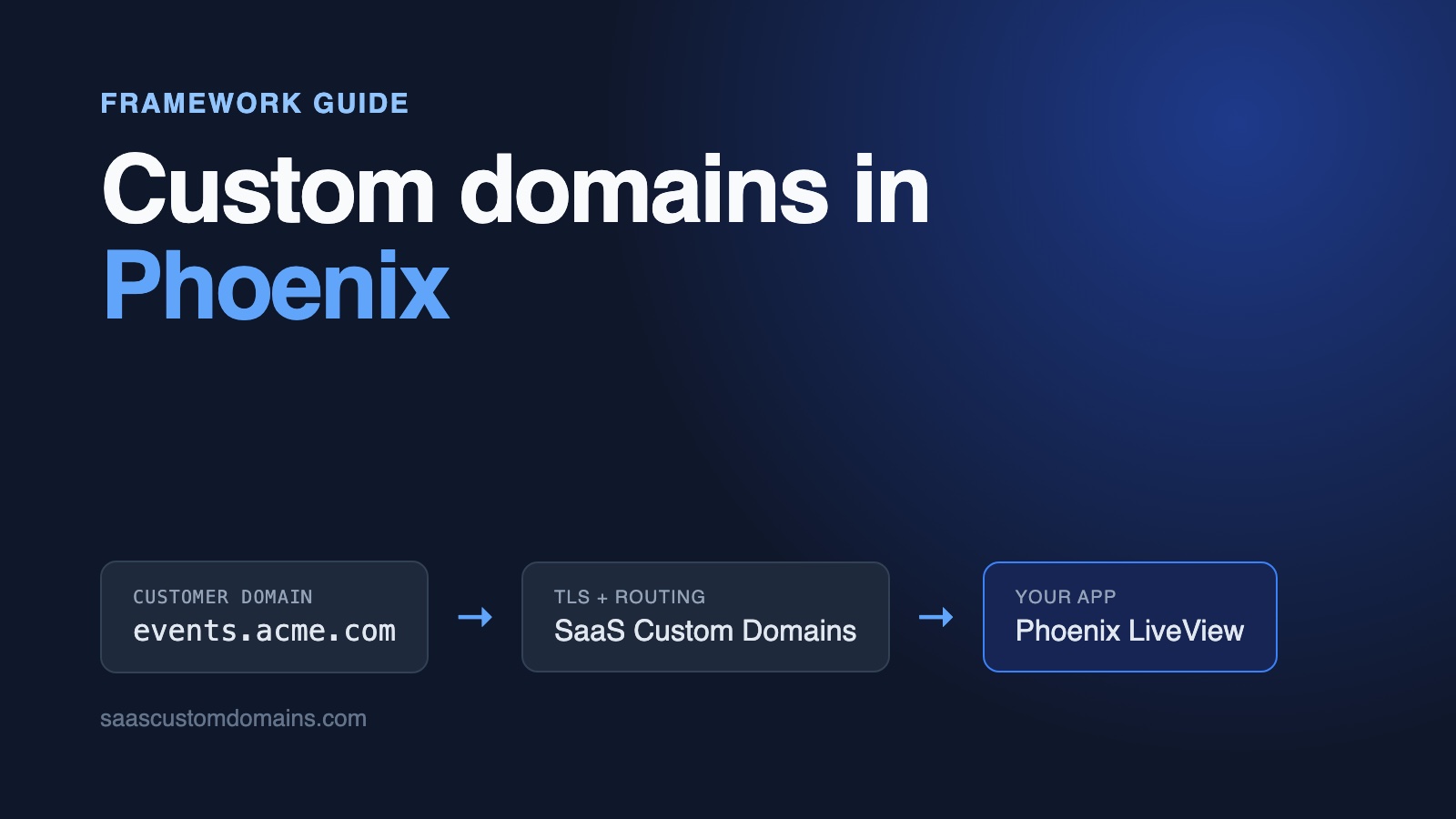
To add custom domains to a Phoenix app, put a plug in your endpoint that looks up the tenant by the request's hostname and hands the request to a router meant for customer domains. Each customer points their domain at SaaS Custom Domains with one DNS record, and our proxy holds the TLS certificate and forwards the traffic to Phoenix.
That plug is about thirty lines. LiveView is where it gets interesting: the page renders on a customer's domain, then the socket is refused with "Could not check origin for Phoenix.Socket transport", or the page reloads in a loop with nothing in your logs, or force_ssl quietly sends the visitor to your own domain.
All of them showed up while we built Eventpage, the example app on GitHub, on Phoenix 1.8 and LiveView 1.2. The code in this guide is copied from it, and its tests fail when you take the fixes out.
In this guide:
- Run the Eventpage example
- From the organiser's DNS record to Phoenix
- Store domains with an Ecto migration
- Pick the organiser by hostname in a plug
- Fix "Could not check origin for Phoenix.Socket transport"
- LiveView reloads forever: "LiveView session was misconfigured or the user token is outdated."
- force_ssl redirects customers to your own domain
- url/1 links point at your domain, not the customer's
- Carry the organiser into the LiveView process
- Every customer domain needs its own certificate
- Put SaaS Custom Domains in front of Phoenix
- Domain status from webhooks, and removing a domain
- Test it locally with the mock
- Phoenix custom domain FAQ
Run the Eventpage example
The example app is Eventpage. Organisers publish event pages, and visitors RSVP through a LiveView form that updates a "going" count for everyone watching the page. It ships with two organisers, Acme Coffee and Globex Studio. You need Docker; Elixir doesn't have to be installed:
git clone https://github.com/saas-custom-domains/custom-domains-phoenix
cd custom-domains-phoenix
docker compose up --build
Go to http://localhost:4000 and connect acme.localhost to Acme Coffee. After a few seconds the badge switches to Live on its own, because the dashboard is a LiveView subscribed to domain changes. Now open http://acme.localhost. Port 80 belongs to a local imitation of our proxy, so that request reaches Phoenix the same way a customer's real domain would, with the same headers. Click an event and RSVP. Every name under .localhost resolves to your own computer, so /etc/hosts stays untouched.
| Tested with | |
|---|---|
| Phoenix | 1.8.16 |
| Phoenix LiveView | 1.2.13 |
| Elixir / Erlang/OTP | 1.20.4 / 29.1 |
| Ecto SQL / ecto_sqlite3 | 3.14.0 / 0.26.0 |
| Bandit | 1.14.1 |
| Req | 0.7.5 |
Last verified October 29, 2026.
From the organiser's DNS record to Phoenix
An organiser who wants events.acme.com adds a DNS record at their DNS host that sends the domain to SaaS Custom Domains. Subdomains get a CNAME. A root domain like acme.com can't carry a CNAME, so it uses two A records instead. The exact records are in step 4. Our proxy then holds the certificate for events.acme.com, answers the browser over HTTPS, and forwards each request to your Phoenix app with the organiser's domain attached.
The CNAME target can be a name on your own domain, such as in.eventpage.app, so organisers never see ours. For DNS verification, root domains and the rest of the DNS side, see our SaaS custom domains guide.
Inside Phoenix, every request passes through EventpageWeb.Endpoint, a list of plugs that ends with your router. The tenant lookup belongs there, in front of the router, so routes, controllers and LiveViews never have to think about hostnames.
Store domains with an Ecto migration
Every domain row belongs to one organiser, and new rows are pending. Eventpage keeps its data in SQLite via ecto_sqlite3 so there's no database server to install; on Postgres the migration is identical:
create table(:custom_domains) do
  add :organiser_id,
      references(:organisers, on_delete: :delete_all),
      null: false

  # Stored normalized (lowercase, no port, no trailing dot), so
  # the unique index means "one organiser per hostname".
  add :host, :string, null: false
  add :status, :string, null: false, default: "pending"
  add :https_ready, :boolean, null: false, default: false
  add :provider_uuid, :string
  timestamps(type: :utc_datetime)
end

create unique_index(:custom_domains, [:host])
create unique_index(:custom_domains, [:provider_uuid])
The unique index on host stops two organisers from owning one domain, and it also speeds up the query that every page view on a customer domain makes. Until status reads active, the domain serves nothing. provider_uuid holds the ID our API returns, which "Check DNS" and removal need later.
Hostnames reach you in many spellings, Events.Acme.com. and events.acme.com:443 among them. The changeset normalizes them before validation, so the unique index compares like with like:
def create_changeset(domain, attrs) do
  domain
  |> cast(attrs, [:host])
  |> update_change(:host, &Hosts.normalize/1)
  |> validate_required([:host], message: "Enter a domain.")
  |> validate_change(:host, fn :host, host ->
    cond do
      not Hosts.valid?(host) ->
        [host: "Enter a valid domain, like events.example.com."]

      Hosts.reserved?(host) ->
        [host: "That's one of our domains."]

      true ->
        []
    end
  end)
  |> unique_constraint(:host,
    message: "That domain is already connected to an organiser."
  )
enddef normalize(host) when is_binary(host) do
host
|> String.trim()
|> String.downcase()
|> String.replace(~r/:\d+$/, "")
|> String.trim_trailing(".")
end
def app_host?(host), do: host in app_hosts()
def reserved?(host) do
app_domain = config(:app_domain)
app_host?(host) or
(app_domain not in [nil, ""] and
(host == app_domain or
String.ends_with?(host, "." <> app_domain)))
endapp_hosts comes from the APP_HOSTS environment variable: every hostname that serves your own app rather than an organiser's pages. reserved? is what keeps an organiser from claiming admin.eventpage.app and publishing their events under your name.
The lookup itself is one join. Keep it in one function, because the plug, the socket's origin check and LiveView's on_mount all call it:
def organiser_for_host(host) do
  Repo.one(
    from o in Organiser,
      join: d in assoc(o, :custom_domains),
      where: d.host == ^host and d.status == "active"
  )
end
Pick the organiser by hostname in a plug
Phoenix routers can match on hosts with scope "/", host: "admin.", but only on hosts you know when you write the router. Customer domains show up at runtime, by the hundreds. So the example uses two routers: EventpageWeb.Router for your own hosts (the dashboard and the webhook endpoint), and EventpageWeb.SiteRouter for organiser pages. A plug at the end of the endpoint chooses between them:
def call(conn, _opts) do
  host = Hosts.normalize(conn.host)

  cond do
    Hosts.app_host?(host) ->
      EventpageWeb.Router.call(conn, [])

    organiser = CustomDomains.organiser_for_host(host) ->
      conn
      |> assign(:organiser, organiser)
      |> EventpageWeb.SiteRouter.call([])

    true ->
      conn |> send_resp(404, "Unknown domain") |> halt()
  end
end# Before the host check: load balancers call it by IP address.
plug EventpageWeb.HealthCheck
plug Plug.RequestId
# ... the generated plugs ...
plug Plug.Session, @session_options
# Instead of `plug EventpageWeb.Router`.
plug EventpageWeb.HostRouterSplitting the routers has a side effect you want. Organiser pages simply don't exist on eventpage.app, and the dashboard doesn't exist on events.acme.com, so neither can leak onto the other's domain through a forgotten route. Unknown hostnames and pending domains get a plain 404 before any template renders. Nothing prevents a stranger from pointing their own domain at your servers, and Phoenix shouldn't serve anything for it.
The site router wraps its LiveViews in a live_session. That detail matters for the socket, and we'll come back to it:
scope "/", EventpageWeb.Site do
  pipe_through :browser

  live_session :site,
    session: {EventpageWeb.SiteHost, :session, []},
    on_mount: EventpageWeb.SiteHost do
    live "/", HomeLive
    live "/e/:slug", EventLive
  end
end
LiveViews for customer pages use the site router for verified routes, so ~p"/e/#{event.slug}" is checked against the routes that actually exist on that domain. The example adds a :site_live_view helper to eventpage_web.ex that passes router: EventpageWeb.SiteRouter to Phoenix.VerifiedRoutes.
The health check and the mock's webhooks
Not all of your own traffic uses your public hostname. A container platform or load balancer probes the health check at an IP address, which isn't in APP_HOSTS, so HostRouter would treat 10.0.0.5 as an unknown customer and answer 404 forever. That's why EventpageWeb.HealthCheck answers GET /up earlier in the endpoint. And locally, the mock delivers webhooks to http://app:4000, the Docker service name, so app is listed in APP_HOSTS in compose.yaml. In production, list every name your platform uses to reach the app.
Fix "Could not check origin for Phoenix.Socket transport"
With the plug in place, the first page on a customer's domain renders fine. Then nothing reacts. The RSVP button does nothing, and the production log shows:
[error] Could not check origin for Phoenix.Socket transport.

Origin of the request: https://events.acme.com

This happens when you are attempting a socket connection to
a different host than the one configured in your config/
files. For example, in development the host is configured
to "localhost" but you may be trying to access it from
"127.0.0.1".
Phoenix checks the Origin header of every socket connection to block cross-site websocket hijacking. The default, check_origin: true, accepts only the host in your endpoint's url: [host: ...], which is your own domain. A new app's config/dev.exs turns the check off, so this never happens in development and appears on the first deploy.
Neither of the two suggestions in the error message fits. The first, changing url: [host: ...], can only name one host. The second, a list in check_origin, is fixed at boot, and organisers connect domains all day.
There's also check_origin: :conn, which compares Origin with the connection's own host. It looks like the answer and isn't. Phoenix dispatches sockets near the top of the endpoint, before Plug.Session and before any plug you added, so HostRouter never sees the websocket request. Behind a proxy, that request's Host is your app's own hostname, and the comparison fails exactly like the default.
What works is the fourth form, a function. Phoenix calls it with the parsed Origin for every connection:
@check_origin {EventpageWeb.OriginCheck, :allowed?, []}

socket "/live", Phoenix.LiveView.Socket,
  websocket: [
    connect_info: [session: @session_options],
    check_origin: @check_origin
  ],
  longpoll: [
    connect_info: [session: @session_options],
    check_origin: @check_origin
]def allowed?(%URI{host: host}) when is_binary(host) do
host = Hosts.normalize(host)
Hosts.app_host?(host) or CustomDomains.active_host?(host)
end
def allowed?(_uri), do: falseSetting it on the socket rather than in config/ means development and production behave the same, so the dev-only check_origin: false line can go. Apply it to longpoll as well: LiveView falls back to long polling when a websocket fails, and that transport checks the origin too.
The repo's origin_check_test.exs opens /live/websocket the way a browser on a customer domain does, through the real endpoint. With check_origin: true it gets a 403 and the log above.
LiveView reloads forever: "LiveView session was misconfigured or the user token is outdated."
This one is quieter. The socket connects, then the page reloads, again and again. Production logs show requests and nothing else, because LiveView writes its explanation at debug level:
LiveView session was misconfigured or the user token is outdated.The LiveView socket reads the session cookie through connect_info: [session: @session_options] and compares the CSRF token in it with the one embedded in the page. If the cookie didn't arrive, LiveView refuses to mount and tells the browser to reload for a fresh page. The new page sets a cookie that is dropped again, and the loop continues.
On custom domains there are two common ways to lose that cookie.
The first is a :domain in @session_options. Apps that started with tenant subdomains often set domain: ".eventpage.app" so one cookie covers them all. A browser on events.acme.com refuses a cookie for eventpage.app, so on every custom domain the session is gone. Leave :domain out, and each domain gets its own cookie.
The second only bites in testing. Plug marks a cookie Secure when the request is HTTPS, and behind a TLS proxy with rewrite_on: [:x_forwarded_proto] (next section) Phoenix knows the visitor is on HTTPS. If you browse a local proxy over plain http://, the browser drops that Secure cookie, and you get the same loop. The example's compose.yaml tells the mock to forward X-Forwarded-Proto: http for that reason.
One thing that does work without changes: Phoenix's CSRF protection compares the token in the form with the one in the session and never looks at Origin. Once the cookie arrives, ordinary forms post fine on a customer's domain, which isn't true of every framework.
force_ssl redirects customers to your own domain
New Phoenix apps force HTTPS in config/prod.exs. Plug.SSL redirects any request it believes is plain HTTP, and Phoenix tells it to use the host from your url config for the redirect. A TLS proxy in front of Phoenix terminates HTTPS and forwards the request with X-Forwarded-Proto: https. If Phoenix ignores that header, every visitor to events.acme.com gets this:
HTTP/1.1 301 Moved Permanently
location: https://eventpage.app/e/latte-art-night
They leave the organiser's domain and land on yours, on a path that doesn't exist there. Form posts get a 307 to the same place. The generator includes the fix; just make sure it survives your edits:
config :eventpage, EventpageWeb.Endpoint,
  force_ssl: [
    rewrite_on: [:x_forwarded_proto],
    exclude: [
      paths: ["/up", "/api/webhooks/saascustomdomains"],
      hosts: ["localhost", "127.0.0.1"],
      conn: {EventpageWeb.HealthCheck, :skip_https_redirect?, []}
    ]
  ]
rewrite_on makes Phoenix believe the header, and Plug.SSL then leaves the request alone. The exclude list covers machines that call your app over plain HTTP from inside your network: health checks that would otherwise get a 301 instead of a 200, and the mock's webhooks in local runs. The conn: entry reads a FORCE_SSL variable at runtime, which compose.yaml sets to false because everything there is plain HTTP.
url/1 links point at your domain, not the customer's
Relative paths from ~p work on any domain. Absolute URLs don't. url(~p"/e/#{slug}") and url(@socket, ~p"/e/#{slug}") both build the URL from the endpoint's url config. The share link and <link rel="canonical"> on Acme's event page then point at https://eventpage.app/e/latte-art-night, and search engines give your domain the credit for the organiser's page.
HostRouter fixes it for controllers by calling Phoenix.Controller.put_router_url/2 with the customer's domain, after which url(conn, ~p"...") is correct. LiveView has no conn, so the example keeps the customer's URL as a %URI{} assign, @site_uri, and passes it to url/2, which accepts a URI:
|> assign(:share_url, url(socket.assigns.site_uri, ~p"/e/#{slug}"))<p class="text-sm text-base-content/70">
Share: <a href={@share_url} class="link">{@share_url}</a>
</p>The root layout renders <link rel="canonical"> from a @canonical_url assign built the same way. Where @site_uri comes from is the next section.
Carry the organiser into the LiveView process
A LiveView mounts twice. First during the HTTP request, which went through HostRouter, so conn.assigns.organiser is there. Then over the websocket, which skipped HostRouter and arrives with your app's own Host. The second mount needs another way to know whose page this is.
Reading it from the URL the browser reports, or from a connect param, would let a script ask for any organiser. Instead, live_session takes a session function that runs during the HTTP request. Phoenix signs its result into the page with your endpoint's secret, and hands it back to on_mount when the socket connects:
def session(conn) do
  %{"site_host" => conn.host, "site_url" => conn.assigns.site_url}
end

def on_mount(:default, _params, session, socket) do
  %{"site_host" => host, "site_url" => site_url} = session

  # On the HTTP render this reuses conn.assigns.organiser. On the
  # websocket it runs the same lookup as the plug, so a domain
  # removed while the page was open stops working on reconnect.
  socket =
    socket
    |> assign_new(:organiser, fn ->
      CustomDomains.organiser_for_host(host)
    end)
    |> assign(:site_uri, URI.parse(site_url))

  if socket.assigns.organiser do
    {:cont, socket}
  else
    {:halt, Phoenix.LiveView.redirect(socket, to: "/")}
  end
end
Every LiveView in live_session :site now starts with @organiser and @site_uri, and loads its data through them. The event page looks the event up as Events.get_event(socket.assigns.organiser, slug), so Globex's event slug on Acme's domain is a 404 instead of Globex's page.
Storing the hostname rather than the organiser's ID is deliberate. If a domain is removed while someone has the page open, the next reconnect runs the lookup, finds nothing and redirects to a 404. The repo's event_live_test.exs checks exactly that.
Every customer domain needs its own certificate
So far everything works over plain HTTP. Browsers won't load a customer's domain without a valid certificate for that exact hostname, though, and certificates expire after a few months. Issuing them for every organiser yourself adds a whole system to run:
- A TLS terminator that requests a certificate when an unfamiliar hostname first arrives, but only for domains an organiser actually connected, or strangers' domains will exhaust your Let's Encrypt rate limits.
- Shared storage for certificates across servers, renewal that can't silently stop, and a fallback CA for outages.
- Fixed IP addresses for organisers on root domains, kept forever.
- Alerts and an on-call person for the morning an event page shows a browser security warning.
Our main guide walks through each of these. SaaS Custom Domains runs them for you, and Phoenix keeps serving plain HTTP behind it.
Put SaaS Custom Domains in front of Phoenix
SaaS Custom Domains sits between visitors and your Phoenix app, on Fly.io, Gigalixir, Render or your own servers:
- Let's Encrypt issues the certificates, ZeroSSL stands by as a second CA, and storage and renewal are ours to worry about.
- Traffic is served from 119 AWS locations; when one has problems, visitors are routed to another close by.
- Organisers on root domains point at two anycast addresses that are permanent.
- Your app connects and disconnects domains through a REST API, and a webhook fires each time a domain's DNS or certificate state moves.
- Optionally, we email the person who runs the organiser's DNS the records for their domain, then re-check on a schedule until they're in place. Changing the DNS stays with the organiser.
The first 100 domains are covered by the $29 monthly plan. Each domain past that costs $0.29 a month, and volume discounts begin at 1,000 domains. A 7-day free trial lets you try it end to end. It needs a card on file, and cancelling is possible whenever you want.
1. Create an API token
Head to API tokens, generate one, and store it as SCD_API_TOKEN. Your account UUID, from account settings, goes in SCD_ACCOUNT_UUID.
2. Create an upstream for your app
An upstream is the place we forward requests to, for Eventpage that's app.eventpage.app. You only make it one time, by hand or with the upstreams API. Two of its values go into your config: the UUID as SCD_UPSTREAM_UUID, and the auth token as PROXY_AUTH_TOKEN for HostRouter to check in step 5.
3. Register domains with Req
Req is the HTTP client Phoenix projects use by default, and it's all the API client needs:
def create_domain(host, instructions_recipient \\ nil) do
  body =
    %{host: host, instructions_recipient: instructions_recipient}
    |> Map.reject(fn {_, v} -> v in [nil, ""] end)

  request(:post, "", json: body)
end

def verify_dns(uuid),
  do: request(:post, "/#{uuid}/verify_dns_records")

def delete_domain(uuid) do
  case request(:delete, "/#{uuid}") do
    # Already gone is fine: the goal is that it doesn't exist.
    {:error, %Error{status: 404}} -> :ok
    {:error, error} -> {:error, error}
    {:ok, _} -> :ok
  end
end

defp request(method, path, opts \\ []) do
  config = Application.fetch_env!(:eventpage, __MODULE__)

  [
    method: method,
    base_url:
      "#{config[:base_url]}/api/v1/accounts/" <>
        "#{config[:account_uuid]}/upstreams/" <>
        "#{config[:upstream_uuid]}/custom_domains",
    url: path,
    auth: {:bearer, config[:api_token]},
    receive_timeout: 10_000
  ]
  |> Keyword.merge(config[:req_options] || [])
  |> Keyword.merge(opts)
  |> Req.request()
  |> case do
    {:ok, %Req.Response{status: status, body: body}}
    when status in 200..299 ->
      {:ok, body}

    {:ok, %Req.Response{status: status, body: body}} ->
      {:error,
       %Error{
         status: status,
         code: is_map(body) && body["error_code"],
         message: (is_map(body) && body["error"]) || "HTTP #{status}"
       }}

    {:error, exception} ->
      {:error, %Error{message: Exception.message(exception)}}
  end
end
req_options is empty in production. In config/test.exs it sets plug: {Req.Test, Eventpage.SaasCustomDomains}, so the tests answer API calls with Req.Test.expect/2 stubs and never touch the network.
The dashboard has an optional field for the DNS contact's email. It becomes instructions_recipient, and we send that address the records for this domain, which saves a round of forwarding when the organiser isn't the person who manages DNS.
add_domain/2 writes the local row before calling us, which lets the unique index reject a domain another organiser already has with a readable message. If the API refuses the domain, the row is deleted again:
def add_domain(%Organiser{} = organiser, attrs) do
  changeset =
    CustomDomain.create_changeset(
      %CustomDomain{organiser_id: organiser.id},
      attrs
    )

  with {:ok, domain} <- Repo.insert(changeset),
       {:ok, domain} <- register(domain, attrs["dns_contact"]) do
    broadcast()
    {:ok, domain}
  end
end

defp register(domain, dns_contact) do
  case SaasCustomDomains.create_domain(domain.host, dns_contact) do
    {:ok, %{"uuid" => uuid}} ->
      domain
      |> Ecto.Changeset.change(provider_uuid: uuid)
      |> Repo.update()

    {:error, error} ->
      # Don't keep a row the proxy doesn't know about.
      Repo.delete!(domain)
      {:error, api_error(Ecto.Changeset.change(domain), error)}
  end
end
A 400 with "error_code": "host_taken" means the domain is connected to another SaaS Custom Domains account; api_error/2 turns it into "That domain is already connected to another account." on the form.
4. The organiser adds a DNS record
One CNAME for a subdomain, or two A records for a root domain:
events.acme.com.   CNAME  in.saascustomdomains.com.
acme.com.          A      75.2.96.173
acme.com.          A      99.83.186.151
You can put the CNAME target on your own domain, so organisers see in.eventpage.app instead of our name. On Cloudflare the record has to be "DNS only". Keeping Cloudflare's orange cloud is possible too: register that domain with challenge_type: "dns01", have the organiser add a second CNAME under _acme-challenge, and the certificate is validated through DNS instead.
5. Check the token, then read X-Served-For
Requests we forward carry your upstream's hostname, app.eventpage.app, in Host and X-Forwarded-Host. That's on purpose: platforms route to your app on that hostname, and lots of software expects to run under it alone, from allowed-host lists to OAuth callbacks. The domain the visitor typed comes in its own header, X-Served-For.
Eventpage wants the customer's domain for routing, for the LiveView session and for absolute links, so HostRouter takes it from X-Served-For and sets conn.host to it. After that, Phoenix sees the request as if the browser had connected directly. But a header is only as trustworthy as its sender, and anyone who can reach app.eventpage.app can send X-Served-For: events.acme.com. So each request we forward also includes your upstream's auth token in X-SaaS-Domains-Auth-Token (docs), and the plug compares it before anything else:
def call(conn, _opts) do
  case served_for(conn) do
    :forbidden ->
      conn |> send_resp(403, "Forbidden") |> halt()

    served_for ->
      host = Hosts.normalize(served_for || conn.host)

      cond do
        Hosts.app_host?(host) ->
          EventpageWeb.Router.call(conn, [])

        organiser = CustomDomains.organiser_for_host(host) ->
          site_url = site_url(conn, host, served_for)

          %{conn | host: host}
          |> assign(:organiser, organiser)
          |> assign(:site_url, site_url)
          |> Phoenix.Controller.put_router_url(site_url)
          |> EventpageWeb.SiteRouter.call([])

        true ->
          conn |> send_resp(404, "Unknown domain") |> halt()
      end
  end
end

# nil for direct requests, the customer's domain for proxied ones.
defp served_for(conn) do
  case get_req_header(conn, "x-served-for") do
    [] ->
      nil

    [served_for | _] ->
      token =
        conn
        |> get_req_header("x-saas-domains-auth-token")
        |> List.first("")

      if valid_proxy_token?(token),
        do: served_for,
        else: :forbidden
  end
end

def valid_proxy_token?(token) do
  expected =
    Application.fetch_env!(:eventpage, :custom_domains)[
      :proxy_auth_token
    ]

  expected not in [nil, ""] and
    Plug.Crypto.secure_compare(token, expected)
end
Plug.Crypto.secure_compare/2 takes the same time however many characters of a guess are right, so response times give nothing away. The expected not in [nil, ""] guard is for the deploy that forgot PROXY_AUTH_TOKEN: an empty header compared with an empty setting would otherwise pass. Requests to your dashboard have no X-Served-For and go straight to EventpageWeb.Router.
site_url/3 builds https://events.acme.com from the forwarded scheme and the customer's domain; it's the value behind put_router_url/2 and @site_uri. Support can also set your upstream to put the customer's domain in X-Forwarded-Host. Phoenix doesn't read that header by default either, so the plug remains the simplest place to handle it.
Domain status from webhooks, and removing a domain
"Check DNS" in the dashboard calls verify_dns_records for an immediate answer. For everything else, create a webhook in our dashboard pointing at /api/webhooks/saascustomdomains. It receives a POST each time a domain's DNS records or certificate change state:
def create(conn, params) do
  if valid_token?(params["token"]) do
    # Unknown domains are acknowledged too, so they aren't retried.
    CustomDomains.handle_webhook(params["event"], params["domain"])
    send_resp(conn, 204, "")
  else
    send_resp(conn, 401, "Unauthorized")
  end
enddef handle_webhook(event, %{"uuid" => uuid}) when is_binary(uuid) do
case Repo.get_by(CustomDomain, provider_uuid: uuid) do
nil -> :ignored
domain -> apply_event(event, domain)
end
end
def handle_webhook(_event, _domain), do: :ignored
defp apply_event("domain_dns_proxy_record_valid", domain),
do: update!(domain, status: "active")
defp apply_event("domain_dns_proxy_record_invalid", domain),
do: update!(domain, status: "pending")
defp apply_event("tls_certificate_issued", domain),
do: update!(domain, https_ready: true)
defp apply_event(_event, _domain), do: :ignoredvalid_token?/1 compares the token query parameter with SCD_WEBHOOK_TOKEN using the same secure_compare and the same guard against an empty setting. Each handler can safely run twice, since a delivery may repeat.
update!/2 also broadcasts on Phoenix.PubSub, and the dashboard LiveView reloads its list in handle_info/2. That's how the badge moves from "Waiting for DNS" to "DNS OK, waiting for HTTPS" to "Live" while the organiser watches, without a reload. The webhooks docs list every event.
Removing runs in the other order from adding: the API call first, then the row. If our API is unreachable, the row stays and the organiser can press Remove again. delete_domain/1 treats a 404 as success, because a domain that no longer exists is the result you were after.
Test it locally with the mock
docker compose up starts Eventpage beside scd-mock, which imitates our API and proxy inside Docker. Its endpoints, webhook payloads and forwarded headers (the auth token too) match production, which means you can test the full lifecycle with no account and no DNS changes. Production always sends X-Forwarded-Proto: https; the compose file sets SCD_MOCK_FORWARDED_PROTO=http so the session cookie isn't marked Secure over plain HTTP.
The repo has two layers of tests. ExUnit covers hostname rules, the API client against Req.Test stubs, HostRouter with valid, wrong and missing tokens, the socket's origin check through the real endpoint, and the LiveViews with Phoenix.LiveViewTest, including an RSVP on a custom domain. Playwright then drives Chromium against docker compose, with a host-resolver rule that sends every *.test name to the mock proxy, so Host and Origin look the way production sends them. The browser test connects a domain, waits until the webhook flips it to Live, opens the organiser's page, confirms the LiveView websocket was opened through the proxy, RSVPs while a second tab watches the count change, then deletes the domain and expects a 404.
Why a resolver rule instead of Playwright's proxy setting: Chromium sends websocket connections through an HTTP proxy with CONNECT, and LiveView can't work without its websocket. CI runs everything weekly, so a Phoenix or LiveView release that changes this behavior fails our build before it surprises you.
Phoenix custom domain FAQ
How do I use custom domains with Phoenix LiveView?
Resolve the tenant from the hostname in a plug, then pass it to LiveView through live_session's session option and an on_mount hook, because the websocket doesn't go through your plugs. Give the socket a check_origin function that accepts your customers' active domains, and keep :domain out of the session cookie options.
Why do I get "Could not check origin for Phoenix.Socket transport" in production?
The default origin check only accepts the host in your endpoint's url config, and config/dev.exs disables the check, which is why development works. On a customer's domain the browser's Origin is their domain. Pass check_origin: {MyAppWeb.OriginCheck, :allowed?, []} to the socket and look the host up in your domains table.
Why does my LiveView keep reloading the page on a custom domain?
The socket arrived without the session cookie, and LiveView reloads to get one. Its log line, "LiveView session was misconfigured or the user token is outdated.", is at debug level. Check for a :domain in your session options, and for Secure cookies when you test over plain HTTP.
How do I do multi-tenancy by hostname in Phoenix?
scope host: only matches hostnames written into the router. For hostnames that live in your database, look them up in a plug at the end of the endpoint and call a separate router for tenant pages, which also keeps tenant routes off your own domain.
Why does force_ssl redirect to the wrong domain behind a proxy?
Plug.SSL redirects to the host from your url config when it thinks a request is plain HTTP. Behind a TLS proxy every request reaches Phoenix as HTTP, so set rewrite_on: [:x_forwarded_proto] in force_ssl and exclude health checks that come in over HTTP.
Do root domains like acme.com work?
They do. The DNS standard rules out a CNAME at the apex, so acme.com takes two A records, 75.2.96.173 and 99.83.186.151. ALIAS records or CNAME flattening, where the organiser's DNS provider has them, are fine too.
Next steps
Eventpage now puts each organiser on their own domain: domains normalized behind a unique index, one plug and two routers deciding who gets what, a socket that knows your customers' domains, the session cookie, HTTPS redirects and absolute URLs that respect them, and certificates through SaaS Custom Domains. Everything here runs, test suite included, in the example repo.
Building in another framework? Read the guides for Ruby on Rails and Next.js.
If your Phoenix app behaves differently from what we describe, email support@saascustomdomains.com or reach us through the chat on our site. Start the 7-day trial to connect your first customer's domain, or book 15 minutes and we'll go through it with you.