How to Add Custom Domains to a Multi-Tenant FastAPI App

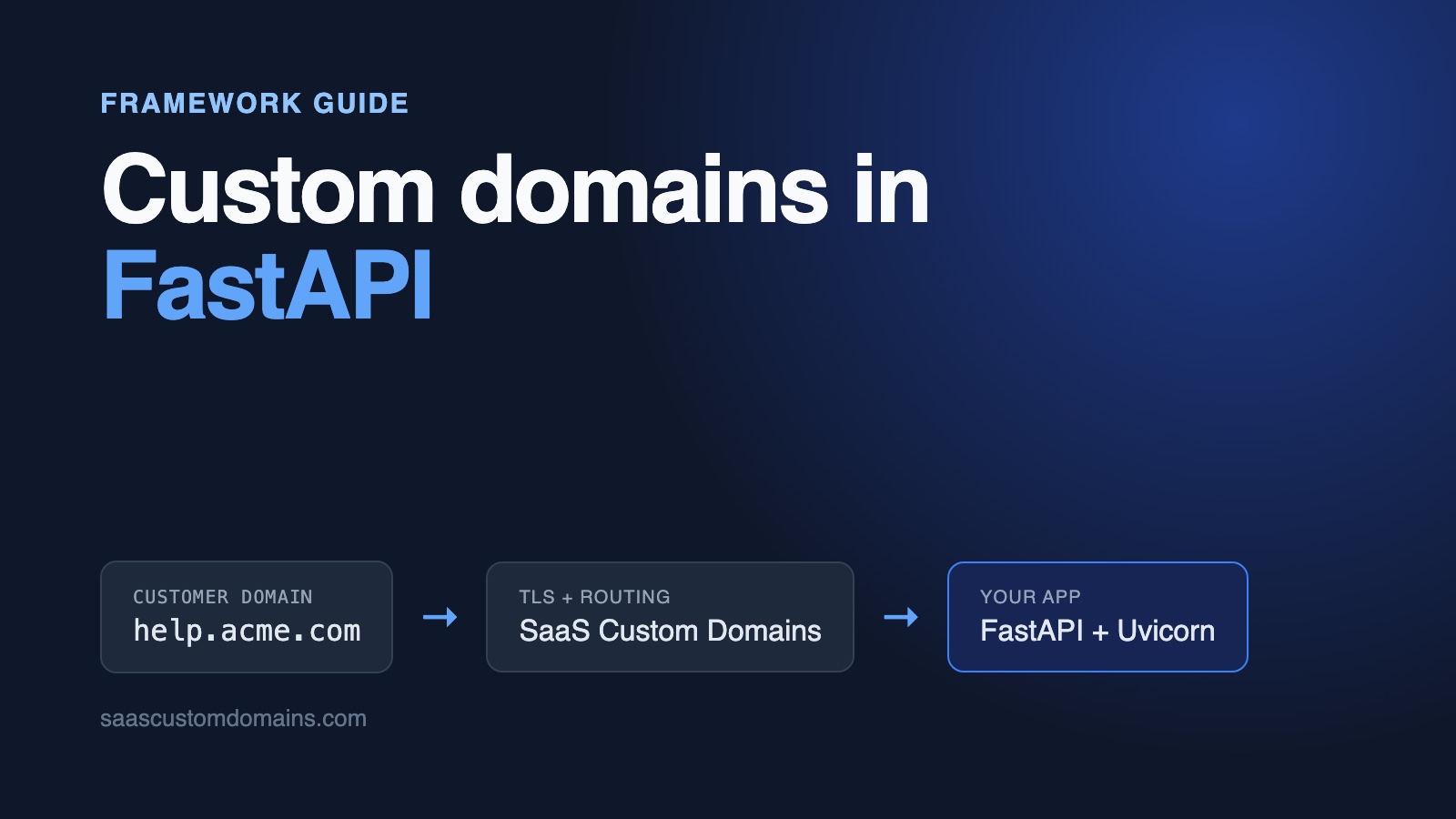
To add custom domains to a FastAPI app, read the hostname in an ASGI middleware, look up the tenant that owns it, and pass that tenant to your routes as a dependency. Your customer adds a CNAME pointing at you, and something in front of FastAPI holds a TLS certificate for each domain.
The lookup is short. What takes longer is everything around it: Starlette's TrustedHostMiddleware answering "Invalid host header", request.url_for() building links with the wrong hostname once a proxy sits in front, Uvicorn ignoring X-Forwarded-For from addresses it doesn't trust, and a 403 raised in middleware that comes out as a 500.
This guide walks through all of it with a real app: a help center where every company gets articles, a JSON API and a "Was this helpful?" form on its own domain. The code below is copied from the example repo on GitHub, which has unit tests and Playwright tests that go through a local copy of our proxy.
In this guide:
- Run the example in 2 minutes
- How a customer's domain gets to FastAPI
- Store your customers' domains with SQLModel
- Find the tenant for each hostname
- Fix "Invalid host header"
- Fix url_for() returning your app's hostname
- Fix "Internal Server Error" from HTTPException in middleware
- HTTPS for every customer domain
- Use SaaS Custom Domains as your TLS proxy
- Webhooks, DNS status and removing a domain
- Test custom domains locally
- Frequently asked questions
Run the example in 2 minutes
The example product is called Helpdock. Two companies are seeded, Acme Robotics and Globex Payroll, each with a few help articles. With Docker installed:
git clone https://github.com/saas-custom-domains/custom-domains-fastapi
cd custom-domains-fastapi
docker compose up --build
Go to http://localhost:3000, connect acme.localhost to Acme Robotics, and in a few seconds its badge turns to Live. Now visit http://acme.localhost. Port 80 belongs to scd-mock, a local imitation of our API and proxy, so FastAPI receives the request carrying the headers that production traffic for a real customer domain carries. Open an article, vote on it, and try http://acme.localhost/api/articles for the JSON. Every *.localhost name points back at your machine in modern browsers and in curl, so your hosts file stays untouched.
| Tested with | |
|---|---|
| FastAPI | 0.162.0 |
| Starlette | 1.10.0 |
| Uvicorn | 0.54.0 |
| SQLModel | 0.0.48 (SQLAlchemy 2.1.6) |
| Python | 3.13 |
Checked on October 28, 2026.
How a customer's domain gets to FastAPI
On the customer's side, connecting a domain means one DNS change that sends it to SaaS Custom Domains: a CNAME for a subdomain like help.acme.com, or two A records with our fixed anycast IPs for an apex domain like acme.com, which the DNS rules don't allow to carry a CNAME. Step 4 below lists the exact records. You can white-label the CNAME target, so customers type in.helpdock.app and our name never appears. DNS verification, apex domains and the rest of the background are in our complete guide to custom domains for SaaS.
Once the record is live, a browser opening help.acme.com reaches our proxy, which holds the certificate and forwards the request to your app with the customer's domain attached (more on the headers in step 5). Uvicorn passes the request to FastAPI as an ASGI scope, and from there your app has to answer one question on every request: is this one of our own hostnames, a connected customer, or a stranger?
Store your customers' domains with SQLModel
Every domain belongs to one tenant and starts as pending until DNS checks out. The example uses SQLModel on SQLite; the model works unchanged on Postgres:
class DomainStatus(StrEnum):
    pending = "pending"
    active = "active"


class CustomDomain(SQLModel, table=True):
    __tablename__ = "custom_domain"

    id: int | None = Field(default=None, primary_key=True)
    tenant_id: int = Field(foreign_key="tenant.id", index=True)
    # Normalized (lowercase, no port, no trailing dot). The unique index
    # is what every customer request is looked up by.
    host: str = Field(unique=True)
    status: DomainStatus = DomainStatus.pending
    https_ready: bool = False
    # The domain's UUID at SaaS Custom Domains.
    provider_uuid: str | None = Field(default=None, unique=True)
    created_at: datetime = Field(default_factory=_now)
The unique constraint on host does two jobs. It prevents two companies from connecting the same domain, and it's the index that makes the per-request lookup cheap. https_ready lets the dashboard tell "DNS is fine" apart from "the certificate exists", and provider_uuid remembers the ID that SaaS Custom Domains assigned, for checking and deleting the domain later.
Hostnames show up in several spellings, so normalize them first, before storing or comparing:
def normalize_host(value: str) -> str:
    """'Help.Acme.com.' and 'help.acme.com:443' are the same host."""
    return _PORT.sub("", value.strip().lower()).removesuffix(".")


def app_hosts() -> list[str]:
    hosts = (normalize_host(h) for h in settings.app_hosts.split(","))
    return [h for h in hosts if h]


def is_app_host(host: str) -> bool:
    return host in app_hosts()


def is_reserved_host(host: str) -> bool:
    if is_app_host(host):
        return True
    domain = normalize_host(settings.app_domain)
    return bool(domain) and (
        host == domain or host.endswith(f".{domain}")
    )
APP_HOSTS holds every hostname that belongs to your own product: the dashboard, the marketing site, and any internal names your infrastructure uses. is_reserved_host stops a customer from claiming docs.helpdock.app and publishing their content under your brand. The dashboard rejects reserved and malformed hosts before calling anything else.
Find the tenant for each hostname
FastAPI gives you three places to hook in: Starlette middleware, dependencies, and the routes themselves. The example uses the first two.
A dashboard at / and a help center at / can't share one router, so the app is split into two FastAPI applications. app holds the dashboard, the webhook and the health check. site holds the help center. A plain ASGI middleware looks at each request and hands it to one of them:
UNCHECKED_PATHS = {"/up"}


class CustomerDomainMiddleware:
    def __init__(self, app: ASGIApp, site: ASGIApp) -> None:
        self.app = app
        self.site = site

    async def __call__(
        self, scope: Scope, receive: Receive, send: Send
    ) -> None:
        if scope["type"] != "http" or scope["path"] in UNCHECKED_PATHS:
            await self.app(scope, receive, send)
            return

        headers = Headers(scope=scope)
        served_for = headers.get("x-served-for")
        if served_for is not None and not has_valid_proxy_token(
            headers
        ):
            await PlainTextResponse("Forbidden", 403)(
                scope, receive, send
            )
            return

        host = normalize_host(served_for or headers.get("host", ""))
        if is_app_host(host):
            await self.app(scope, receive, send)
            return

        scope = dict(
            scope,
            state={**scope.get("state", {}), "customer_host": host},
        )
        if served_for is not None:
            scope = as_seen_by_visitor(scope, host, headers)
await self.site(scope, receive, send)app = FastAPI(title="Helpdock", lifespan=lifespan)
# Instead of TrustedHostMiddleware: your own hostnames reach `app`,
# active customer domains reach `site`, everything else gets a 404.
app.add_middleware(CustomerDomainMiddleware, site=site)
app.include_router(dashboard.router)The X-Served-For and token lines matter once a proxy is involved; step 5 explains them. Without a proxy, the host comes straight from the Host header.
Because the help center is a separate application, its routes simply don't exist on your own hostname. Nobody can open helpdock.app/articles/reset-your-robot and read Acme's content outside Acme's domain, and the dashboard's POST /domains doesn't exist on a customer domain.
The tenant as a dependency
The middleware decides which app answers. Looking up the tenant is a database query, and in FastAPI that's what dependencies are for:
def find_tenant_by_active_host(
    session: Session, host: str
) -> Tenant | None:
    return session.exec(
        select(Tenant)
        .join(CustomDomain)
        .where(
            CustomDomain.host == host,
            CustomDomain.status == DomainStatus.active,
        )
    ).first()


def current_tenant(request: Request, session: SessionDep) -> Tenant:
    tenant = find_tenant_by_active_host(
        session, request.state.customer_host
    )
    if tenant is None:
        raise HTTPException(status_code=404, detail="Unknown domain")
    return tenant


CurrentTenant = Annotated[Tenant, Depends(current_tenant)]# Every route needs an active customer domain; anything else is a 404.
site = FastAPI(
dependencies=[Depends(current_tenant)],
docs_url=None,
redoc_url=None,
openapi_url=None,
)Declaring the dependency on the site application means a new route can't forget it: unknown and pending domains get a 404 on every path. Routes that need the tenant object take tenant: CurrentTenant, and FastAPI reuses the result within one request, so the query runs once. current_tenant is a plain def, which FastAPI runs in its threadpool, so the synchronous SQLModel session doesn't block the event loop.
That 404 matters. Any person can create DNS records that send their domain to your IP, and no help center should appear on it. Pending domains stay dark too, until the DNS check passes.
The customer-facing form uses the same dependency. The feedback route finds the article by slug inside the tenant that the domain belongs to, so a visitor on Acme's domain can't vote on a Globex article by changing the URL:
@site.post("/articles/{slug}/feedback", name="article_feedback")
def article_feedback(
    request: Request,
    slug: str,
    helpful: Annotated[Literal["yes", "no"], Form()],
    tenant: CurrentTenant,
    session: SessionDep,
):
    # The tenant comes from the domain, never from the form.
    article = get_article(session, tenant, slug)
    session.add(
        Feedback(
            article_id=article.id,
            helpful=helpful == "yes",
            client_ip=request.client.host if request.client else None,
        )
    )
    session.commit()
    # A relative Location keeps the visitor on the domain they used.
    path = site.url_path_for("article", slug=slug)
    return RedirectResponse(f"{path}?thanks=true", status_code=303)
Hold on to request.client.host and that redirect; both come back in the url_for() section.
Health checks and webhooks on internal hostnames
/up is in UNCHECKED_PATHS for a reason. Docker's health check calls http://127.0.0.1:3000/up, and cloud load balancers probe by IP address too. Neither address is in APP_HOSTS, so without the exception the middleware would treat them as unknown customer domains and the container would never report healthy.
Webhooks hit the same wall from a different side: inside docker compose they arrive with Host: app:3000. The example lists app in APP_HOSTS for that. In production, add each internal name your platform calls the app by, alongside the public hostname.
Fix "Invalid host header"
The usual advice for a FastAPI app with a known set of hostnames is Starlette's TrustedHostMiddleware:
app.add_middleware(
    TrustedHostMiddleware, allowed_hosts=["app.helpdock.app"]
)
Any request whose Host isn't on the list gets a 400 with a plain-text body:
Invalid host headerWith custom domains, the list is the problem. It's fixed when the process starts, while your customers connect domains all day. A wildcard like *.helpdock.app covers your own subdomains and nothing a customer owns, and ["*"] switches the check off. Health checks by IP and webhooks on app:3000 get the 400, and so does local development when you open acme.localhost:3000 directly, since the customer's domain is then in Host.
Behind SaaS Custom Domains the middleware passes, because Host carries your own hostname (more on that in step 5). It still doesn't do anything useful there, since it never looks at which customer the request is for.
The fix is to drop it and let the database decide. CustomerDomainMiddleware already does what TrustedHostMiddleware was for: your own hostnames go to the dashboard, active domains go to the help center, and everything else gets a 404. The repo has a test that asserts the exact 400 and its body, so if a Starlette release changes that behaviour, CI will say so.
Fix url_for() returning your app's hostname
A managed TLS proxy, a CDN or a load balancer normally forwards requests with your app's own hostname in Host. Hosting platforms route on it, and most apps are configured around it. Our proxy works that way and sends the customer's domain separately, in X-Served-For.
Starlette, however, builds every absolute URL from Host. So this common pattern for a form handler:
return RedirectResponse(
    request.url_for("article", slug=slug), status_code=303
)
answers a visitor on https://help.acme.com with:
location: http://app.helpdock.app/articles/reset-your-robotThat's your own hostname, where Acme's article isn't served. Inside the example's Docker network it's http://app:3000/articles/..., which a browser can't reach at all. The same wrong host shows up in url_for() inside Jinja templates, in canonical links, and in any URL your JSON API returns.
What --proxy-headers and --forwarded-allow-ips change
Uvicorn's proxy support looks like the answer and isn't. --proxy-headers is on by default and does two things: it sets the scheme from X-Forwarded-Proto and request.client from X-Forwarded-For. It does them only for connections from --forwarded-allow-ips, which defaults to 127.0.0.1,::1 (or the FORWARDED_ALLOW_IPS environment variable). It never touches Host, and no part of Uvicorn, Starlette or FastAPI reads X-Forwarded-Host.
We ran a small FastAPI app behind the mock proxy inside Docker to see the effect. The proxy connects from another container, so with the defaults the app reported:
scheme: http
client: 172.20.0.3
url_for: http://app:3000/x
With FORWARDED_ALLOW_IPS="*", the scheme became https and the client became the visitor's IP, but url_for still said https://app:3000/x. Trusting every address also lets anyone who reaches your app directly fake their IP.
One trap when testing this: if Uvicorn runs directly on your Mac and the proxy runs in Docker Desktop, the proxy's connections arrive from 127.0.0.1, which Uvicorn trusts by default, so the URLs look right. Deploy the same app behind a real proxy and it sees the proxy's IP and http.
Hand the customer's domain to FastAPI
If your app needs the visitor's domain for redirects, links or absolute URLs, give it that domain once the request has proved it came through the proxy. The middleware does this by rewriting the ASGI scope before the help center sees it:
def as_seen_by_visitor(
    scope: Scope, host: str, headers: Headers
) -> Scope:
    raw = [(k, v) for k, v in scope["headers"] if k != b"host"]
    raw.append((b"host", host.encode("latin-1")))
    scope = dict(scope, headers=raw)
    scope["scheme"] = headers.get("x-forwarded-proto", "https")
    if client_ip := headers.get("x-saas-domains-ip"):
        scope["client"] = (client_ip, 0)
    return scope
After that, request.url, request.url_for() and request.client all describe the visitor's request: https://help.acme.com/... and the visitor's IP. The proxy is trusted because of the auth token, not because of its IP address, so you don't need --forwarded-allow-ips for customer traffic. You still need it, set to your load balancer's addresses, for traffic to your own hostname.
The help center's JSON API uses url_for() and now returns the right links:
return [
    ArticleOut(
        slug=a.slug,
        title=a.title,
        url=str(request.url_for("article", slug=a.slug)),
    )
    for a in articles
]
The feedback redirect above uses a path (site.url_path_for) rather than a full URL. A relative Location keeps the browser on whatever domain it's already on, so it works in production, through the local mock over plain HTTP, and on localhost.
We checked the fix both ways. Without as_seen_by_visitor(), two unit tests fail, and the Playwright test reads the canonical link as http://app:3000/articles/reset-your-robot instead of the customer's domain.
Our support team can switch X-Forwarded-Host to the customer's domain for your account, but since FastAPI ignores that header, it wouldn't change anything here.
Fix "Internal Server Error" from HTTPException in middleware
The first version of a token check people write tends to look like this:
@app.middleware("http")
async def check_token(request: Request, call_next):
    if request.headers.get("x-served-for") and not valid(request):
        raise HTTPException(status_code=403)
    return await call_next(request)
The client doesn't get a 403. It gets:
500 Internal Server ErrorFastAPI's exception handlers wrap the router, and middleware runs outside them, so the HTTPException reaches Starlette's error handler as an unhandled exception. In middleware, return a response instead of raising. That's why CustomerDomainMiddleware sends PlainTextResponse("Forbidden", 403) itself. Raising HTTPException from a dependency, as current_tenant does, is fine.
HTTPS for every customer domain
Everything above runs over plain HTTP, and no browser will load a customer's domain that way. Each domain needs a certificate issued for that precise hostname, and the certificate expires and has to be replaced every few months. Doing that in-house means building and operating:
- A TLS layer that obtains a certificate the first time a new hostname shows up and turns away any hostname that isn't connected, so strangers who aim junk domains at you can't use up your certificate authority's rate limits.
- One certificate store that all of your servers read from.
- Renewals that always run on time, plus a fallback certificate authority for days when the main one is unavailable.
- Static IP addresses for apex domains, since customers hard-code them into their DNS.
- Monitoring, and someone on call for the morning a customer's help center shows a certificate warning.
Uvicorn covers none of this; it serves at most one certificate file. Our main guide's HTTPS section goes through each item in detail.
SaaS Custom Domains runs all of it, and connecting FastAPI to it takes five steps.
Use SaaS Custom Domains as your TLS proxy
SaaS Custom Domains sits between your customers' visitors and your FastAPI app, wherever it's deployed:
- Certificates come from Let's Encrypt and ZeroSSL, renew on their own, and are stored on our side.
- We operate it in 119 AWS locations, and visitors are moved to the next nearest one if a location has trouble.
- For apex domains there are two anycast IPs, and they stay the same for good.
- Adding or removing a domain is one API call, and webhooks report DNS and certificate changes.
- We can send whoever runs your customer's DNS the precise records to add, and we recheck until they're in place.
Pricing: $29 a month covers the first 100 domains, each additional one is $0.29 a month, and rates fall once you pass 1,000 domains. There's a free 7-day trial (a card is required, and you can cancel at any time).
1. Create an API token
Head to the API tokens page, make a new token, and look up your account UUID in account settings. Set them as SCD_API_TOKEN and SCD_ACCOUNT_UUID for the example.
2. Create an upstream
The upstream tells our proxy where your deployed app lives, for example app.helpdock.app. Add it once in the dashboard or through the upstreams API, then keep its UUID in SCD_UPSTREAM_UUID and its auth token in PROXY_AUTH_TOKEN. Step 5 checks that token.
3. Register domains through the API
The API client is a few async functions around an HTTP client. The example uses httpx2, the maintained continuation of httpx with the same API; Starlette 1.10's TestClient already prints a deprecation warning when it finds plain httpx installed without it.
async def _request(
    method: str, path: str = "", json: Any = None
) -> dict:
    url = (
        f"{settings.scd_api_url}/api/v1"
        f"/accounts/{settings.scd_account_uuid}"
        f"/upstreams/{settings.scd_upstream_uuid}"
        f"/custom_domains{path}"
    )
    async with client() as http:
        res = await http.request(method, url, json=json)
    if res.is_error:
        raise SaasDomainsError(res.status_code, res.text)
    return res.json()


async def create_domain(
    host: str, instructions_recipient: str | None = None
) -> dict:
    body = {"host": host}
    if instructions_recipient:
        # We email this address the exact DNS records to add.
        body["instructions_recipient"] = instructions_recipient
    return await _request("POST", json=body)


async def verify_dns(uuid: str) -> dict:
    return await _request("POST", f"/{uuid}/verify_dns_records")
The dashboard form has an optional field for that address. It's useful when the person connecting the domain doesn't control DNS and has to forward the instructions to someone in IT. We send the records; we don't change the customer's DNS for them.
Adding a domain writes the row first, so the unique index catches duplicates, then registers it with the API. If the API call fails, the row goes away again:
async def add_domain(
    session: Session,
    tenant_id: int,
    host: str,
    dns_contact: str | None = None,
) -> CustomDomain:
    domain = CustomDomain(tenant_id=tenant_id, host=host)
    session.add(domain)
    try:
        session.commit()
    except IntegrityError:
        session.rollback()
        raise DomainTakenError(host) from None

    try:
        res = await saas_domains.create_domain(host, dns_contact)
    except Exception:
        # Don't keep a row the proxy doesn't know about.
        session.delete(domain)
        session.commit()
        raise
    domain.provider_uuid = res["uuid"]
    session.commit()
    return domain
API errors come back as a 400 with error and error_code fields, for example host_taken when the domain is already connected to another upstream.
4. Ask your customer for one DNS record
A subdomain needs a single CNAME. An apex domain needs both A records:
help.acme.com.   CNAME  in.saascustomdomains.com.
acme.com.        A      75.2.96.173
acme.com.        A      99.83.186.151
You can white-label the target so customers point at in.helpdock.app. Customers whose DNS lives on Cloudflare must switch the record to "DNS only" (grey cloud). To keep Cloudflare's proxy on, create the domain with challenge_type: "dns01"; the customer adds one extra CNAME under _acme-challenge, and the certificate is issued through DNS validation.
5. Read X-Served-For and check the proxy token
When our proxy forwards a request, Host and X-Forwarded-Host still hold your upstream's hostname, app.helpdock.app, because that's what your hosting platform routes on. The customer's domain comes in X-Served-For, the visitor's IP in X-SaaS-Domains-IP, and X-Forwarded-Proto is https.
Reading the tenant from a header has a catch: anyone who can reach app.helpdock.app directly can send X-Served-For: help.acme.com too. So each forwarded request also carries the upstream's auth token in X-SaaS-Domains-Auth-Token (docs). The middleware returns 403 for any request that has X-Served-For without a matching token:
def has_valid_proxy_token(headers: Headers) -> bool:
    expected = settings.proxy_auth_token
    token = headers.get("x-saas-domains-auth-token", "")
return bool(expected) and secure_compare(token, expected)def secure_compare(given: str, expected: str) -> bool:
"""Constant-time comparison, so a wrong guess doesn't reveal how
many leading characters were right."""
return hmac.compare_digest(given.encode(), expected.encode())bool(expected) guards against a deployment where PROXY_AUTH_TOKEN was never set: an empty header would otherwise match the empty setting. Requests to your own hostname don't carry X-Served-For, so the dashboard behaves as before.
Only after the token matches does the middleware use X-Served-For as the host and call as_seen_by_visitor(). That order is what makes the scope rewrite safe.
Webhooks, DNS status and removing a domain
Customers want to know when their domain is live. "Check DNS" in the dashboard calls verify_dns_records on demand. Webhooks save the polling: create one in our dashboard that points at /webhooks/saascustomdomains?token=..., and we send it an event each time DNS or certificate status moves for one of your domains.
def verify_webhook_token(token: str = "") -> None:
    # Runs before the body is parsed, so a bad token is a 401 even when
    # the body is junk.
    expected = settings.scd_webhook_token
    if not expected or not secure_compare(token, expected):
        raise HTTPException(status_code=401)


@router.post(
    "/webhooks/saascustomdomains",
    status_code=204,
    dependencies=[Depends(verify_webhook_token)],
)
def webhook(payload: WebhookEvent, session: SessionDep):
    domain = (
        payload.domain
        and session.exec(
            select(CustomDomain).where(
                CustomDomain.provider_uuid == payload.domain.uuid
            )
        ).first()
    )
    # Not ours (or already removed): acknowledge so it isn't retried.
    if not domain:
        return Response(status_code=204)

    match payload.event:
        case "domain_dns_proxy_record_valid":
            domain.status = DomainStatus.active
        case "domain_dns_proxy_record_invalid":
            domain.status = DomainStatus.pending
        case "tls_certificate_issued":
            domain.https_ready = True
    session.commit()
    return Response(status_code=204)
Putting the token check in the route's dependencies has a FastAPI-specific benefit: dependencies are resolved before the body is validated, so a forged request gets a 401 rather than a 422 that describes your payload schema. The handlers only set fields, so a repeated delivery does no harm.
On the dashboard a fresh domain starts at "Waiting for DNS", becomes "DNS OK, waiting for HTTPS" after the record checks out, and lands on "Live". Reply with a 2xx quickly; failed deliveries are retried. The webhooks docs list every event, including domain_deleted.
Removing a domain runs in the opposite order to adding one, proxy first and database second:
async def remove_domain(session: Session, domain: CustomDomain) -> None:
    # Proxy first, database second: if the API call fails, the row is
    # still here and the user can retry.
    if domain.provider_uuid:
        await saas_domains.delete_domain(domain.provider_uuid)
    session.delete(domain)
    session.commit()
delete_domain counts a 404 from the API as success: the domain not existing is exactly the goal. Once the row is deleted, current_tenant stops finding it and the help center returns 404 on that domain.
Test custom domains locally
compose.yaml runs the app with scd-mock beside it. The mock implements the custom domain API, sends the same webhooks, and proxies requests with the production headers, the auth token included, so the whole flow runs without an account or real DNS.
Once acme.localhost is connected, you can also imitate the proxy with curl:
curl http://localhost:3000/api/articles \
  -H "X-Served-For: acme.localhost" \
  -H "X-SaaS-Domains-Auth-Token: local_proxy_token" \
  -H "X-Forwarded-Proto: https"
The URLs in the response use https://acme.localhost. Drop the token header and the answer is 403.
In unit tests, FastAPI's TestClient takes the same headers, which makes the proxy cases cheap to cover. The repo's suite checks the 403s, the 404 for pending and unknown domains, the health check on an IP address, url_for() through the proxy, and the visitor's IP on stored feedback. A separate file pins down plain FastAPI's behaviour (the "Invalid host header" 400, the url_for() host, the 500 from middleware), so the weekly CI run notices when a release changes any of it.
The Playwright tests run against docker compose and route every request for a *.test domain via the mock proxy, which keeps Host and Origin production-like: they connect a domain, wait for the webhook, browse the help center, vote on an article, then delete the domain and expect a 404.
Frequently asked questions
How do I serve multiple domains from one FastAPI app?
Point all of them at the same deployment and branch on the hostname per request. An ASGI middleware can send your own hostnames to one FastAPI application and customer domains to another, as in the example, and a dependency loads the tenant for the domain. For HTTPS, put SaaS Custom Domains in front: it holds a certificate for every customer domain and passes the domain to FastAPI in X-Served-For.
How do I get the tenant from the hostname in FastAPI?
Read request.headers["host"] (or X-Served-For behind SaaS Custom Domains, after checking the token), normalize it, and look it up in a table of domains. Wrap the lookup in a dependency that raises 404 when nothing matches, and declare it on the app or router that serves tenants so no route can skip it.
Why does FastAPI return "Invalid host header"?
Starlette's TrustedHostMiddleware returns that 400 when Host isn't in allowed_hosts. Customer domains, health checks by IP and internal names like app:3000 all trigger it. For a multi-tenant app, replace the static list with a check against your domains table.
Why does request.url_for() return http or the wrong host behind a proxy?
Starlette builds absolute URLs from the Host header and the scheme in the ASGI scope. Proxies usually forward your app's own hostname, and Uvicorn only applies X-Forwarded-Proto for IPs in --forwarded-allow-ips. Behind SaaS Custom Domains, set the scope's host from X-Served-For and the scheme from X-Forwarded-Proto once the auth token checks out, or use relative paths for redirects.
How do I get the real client IP in FastAPI behind a proxy?
Uvicorn sets request.client from X-Forwarded-For only when the connection comes from an address in --forwarded-allow-ips (127.0.0.1 by default). Set it to your load balancer's addresses rather than *. Requests from SaaS Custom Domains also carry the visitor's IP in X-SaaS-Domains-IP, which you can trust once the auth token matches.
Do apex domains like acme.com work?
Yes, with A records instead of a CNAME, since DNS doesn't allow a CNAME at the apex. Some DNS hosts offer ALIAS records or CNAME flattening, which work too. With SaaS Custom Domains the A records point at 75.2.96.173 and 99.83.186.151.
Next steps
Your FastAPI app now has the full set: normalized domains in SQLModel, one middleware that routes your hostnames and customer domains apart, the tenant as a dependency, a replacement for TrustedHostMiddleware, url_for() and client IPs that reflect the visitor, and HTTPS for every domain through our proxy. The example repo has all of it wired together with tests.
Building in another framework? There are guides for Django, Next.js, Node.js and Ruby on Rails.
If your setup doesn't match this guide, send a note to support@saascustomdomains.com or message us in the site chat. Ready for your first customer domain? The 7-day trial gets you going, and if you'd like a walkthrough, pick a 15-minute slot.