How to Add Custom Domains to a Multi-Tenant Nuxt App

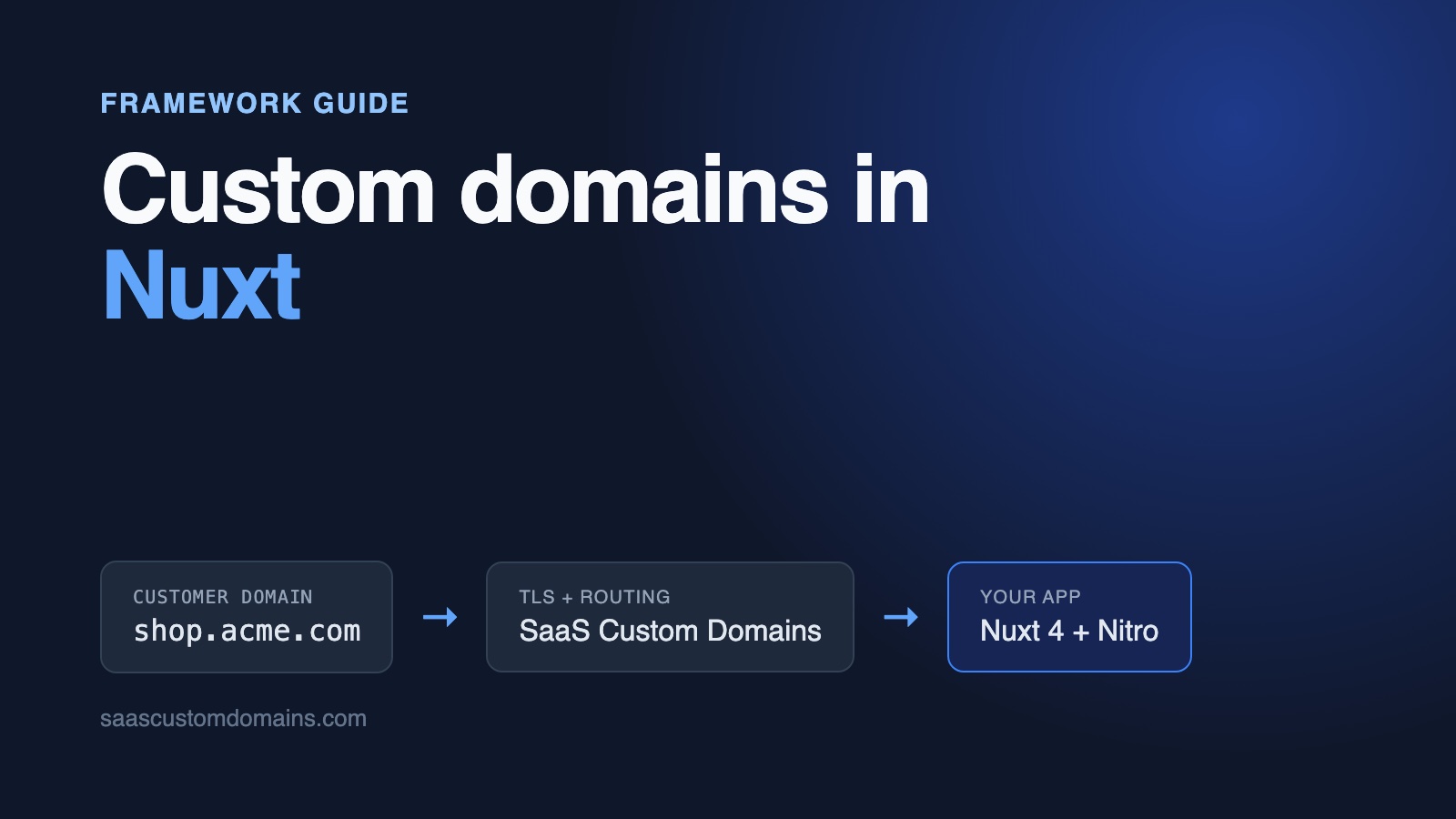
To add custom domains to a Nuxt app, resolve the tenant from the request's hostname in a Nitro server middleware and put it on event.context, where API routes read it directly and pages get it through useRequestEvent(). Each customer points a CNAME at a proxy that holds a TLS certificate for their domain and forwards the traffic to your Nuxt server.
The lookup is short. What catches Nuxt apps is everything around it: a routeRules cache that shows one shop's page on another shop's domain, useRequestURL() returning your own hostname and triggering "Hydration completed but contains mismatches", origin checks that reject every form on a customer domain, and Vite's dev server answering "Blocked request".
We hit each of these while building an example app on GitHub, a small storefront platform on Nuxt 4 and Nitro. Every snippet below comes from it, and its tests fail if you remove the cache, Host or token fixes.
In this guide:
- Run the Shopfront example
- How a customer's domain reaches Nuxt
- Keep domains in one table
- Find the shop in Nitro server middleware
- Cached page served on the wrong customer's domain
- useRequestURL() returns your hostname: "Hydration completed but contains mismatches"
- Forms fail with "Cross-site request blocked"
- Fix "Blocked request. This host is not allowed" in nuxt dev
- Every customer domain needs its own certificate
- Set up SaaS Custom Domains in five steps
- Webhooks for domain status, and removing a domain
- Test it on your machine
- Nuxt custom domain FAQ
Run the Shopfront example
The example is Shopfront. Two small shops come seeded, Fern & Clay (ceramics) and Harbor Tea Co., each with a few products. Sold-out products have a "notify me when it's back in stock" form, which is the customer-facing POST we need to keep working on every domain. With Docker installed:
git clone https://github.com/saas-custom-domains/custom-domains-nuxt
cd custom-domains-nuxt
docker compose up --build
Open http://localhost:3000, which redirects to the dashboard, and add fern.localhost to Fern & Clay. Reload after a few seconds and the status reads Live. Then visit http://fern.localhost: the request travels through a local copy of our proxy, listening on port 80, and reaches Nuxt carrying the headers production adds to every customer request. Any name ending in .localhost points at your own computer, so there is nothing to edit in /etc/hosts.
| Tested with | |
|---|---|
| Nuxt | 4.6.3 |
| Nitro (nitropack) | 2.13.5 |
| h3 | 1.15.11 |
| Vue | 3.5.44 |
| Node.js | 24 |
Checked on October 29, 2026.
How a customer's domain reaches Nuxt
The shop owner creates one DNS record pointing their domain at SaaS Custom Domains. A subdomain such as shop.fern.com gets a CNAME; the bare fern.com can't hold a CNAME under DNS rules, so it gets our two fixed A records instead (step 4 has them). Brand the CNAME target if you like, so shop owners enter in.shopfront.app. From then on, our proxy answers for shop.fern.com, holds its certificate and forwards each request to your Nuxt app. For verification, apex domains and the DNS side in general, see our main custom domains guide.
On the Nuxt side, the request lands in Nitro, the server engine underneath. Nitro runs every file in server/middleware/ before any API route or page render, in filename order. That's where the hostname turns into a shop.
Keep domains in one table
Every row ties one domain to one shop, and new rows start out pending. The example keeps data in SQLite through Node's built-in node:sqlite; the table is plain SQL and moves to Postgres unchanged:
CREATE TABLE IF NOT EXISTS custom_domains (
  id INTEGER PRIMARY KEY,
  shop_id INTEGER NOT NULL REFERENCES shops(id) ON DELETE CASCADE,
  host TEXT NOT NULL UNIQUE,
  status TEXT NOT NULL DEFAULT 'pending'
    CHECK (status IN ('pending', 'active')),
  https_ready INTEGER NOT NULL DEFAULT 0,
  provider_uuid TEXT UNIQUE,
  created_at TEXT NOT NULL DEFAULT CURRENT_TIMESTAMP
);
The UNIQUE constraint on host does two jobs: no two shops can hold the same domain, and the lookup that runs on every storefront request hits an index. A pending domain serves nothing. provider_uuid keeps the ID our API hands back; the dashboard uses it for "Check DNS" and for removal.
The same hostname can show up as Shop.Fern.com. or shop.fern.com:443, so every host goes through one normalizer before it's saved or looked up:
export const APP_HOSTS = (process.env.APP_HOSTS ?? 'localhost')
  .split(',')
  .map((h) => normalizeHost(h))
  .filter(Boolean)

const APP_DOMAIN = normalizeHost(process.env.APP_DOMAIN ?? '')

export function normalizeHost(input: string): string {
  return input
    .trim()
    .toLowerCase()
    .replace(/:\d+$/, '')
    .replace(/\.$/, '')
}

export function isAppHost(host: string): boolean {
  return APP_HOSTS.includes(host)
}

export function isReservedHost(host: string): boolean {
  if (isAppHost(host)) return true
  if (!APP_DOMAIN) return false
  return host === APP_DOMAIN || host.endsWith(`.${APP_DOMAIN}`)
}
APP_HOSTS names every hostname that belongs to you: the dashboard, your marketing site, internal names. Anything else counts as a customer's domain. isReservedHost keeps a shop owner from connecting admin.shopfront.app and putting their storefront on your domain; the dashboard's add-domain route rejects those with "That's one of our domains."
Find the shop in Nitro server middleware
Here is the middleware in its simplest form, before the proxy enters the picture. It reads Host, skips your own hostnames, and refuses domains that aren't active:
import {
  defineEventHandler,
  getRequestHeader,
  setResponseStatus,
} from 'h3'
import { isAppHost, normalizeHost } from '../utils/hosts'
import { findShopByActiveHost } from '../utils/shops'

export default defineEventHandler((event) => {
  if (event.path === '/api/up') return

  const host = normalizeHost(getRequestHeader(event, 'host') ?? '')
  if (isAppHost(host)) return

  const shop = findShopByActiveHost(host)
  if (!shop) {
    setResponseStatus(event, 404)
    return 'Unknown domain'
  }
  event.context.shop = shop
})
Returning a value from Nitro middleware ends the request with that body. A plain text 404 is deliberate: if you threw createError instead, Nuxt would render its error page through an internal request that passes through this same middleware again. Nothing stops a stranger from aiming their own domain's DNS at your IP, so an unrecognized hostname gets nothing.
The 1. prefix matters. Nitro sorts middleware by filename, and the CSRF check in the next sections lives in 2.same-origin.ts because it depends on what this file decides.
To type event.context.shop, extend h3's context interface once:
declare module 'h3' {
  interface H3EventContext {
    shop?: Shop
  }
}
Getting the shop into pages
API routes read event.context.shop directly. Vue components run on the server and then again in the browser, so they need a way that works in both places. The example uses a small composable around useState:
import type { Shop } from '#shared/types/shop'

export function useShop() {
  return useState<Shop | null>(
    'shop',
    () => useRequestEvent()?.context.shop ?? null,
  )
}
During server rendering, useRequestEvent() returns the Nitro event, so the initializer copies the shop out of the context. Nuxt serializes useState values into the page payload, and in the browser useShop() picks the same value up from there without another request. The Shop type sits in shared/, the Nuxt 4 folder whose code both the app and the server can import.
Product data comes from an API route with useFetch:
import { listProducts } from '../../utils/shops'
import { requireShop } from '../../utils/tenant'

export default defineEventHandler((event) => {
  return listProducts(requireShop(event).id)
})definePageMeta({ surface: 'shop' })
const shop = useShop()
const { data: products } = await useFetch('/api/storefront/products')When this runs on the server, Nuxt doesn't make a network call. It invokes the route in the same process and copies the incoming request's headers onto it, Host included. The middleware runs again on that inner request and finds the same shop. Keep that in mind; the caching section depends on it.
Keep storefront pages off your own domain
Storefront and dashboard live in one Nuxt app, so each needs to stay on its side. API routes call requireShop(event) or requireAppHost(event), which throw a 404 when the request is on the wrong kind of host. Pages declare which side they belong to with definePageMeta, and one global route middleware enforces it on the server and during client-side navigation alike:
export default defineNuxtRouteMiddleware((to) => {
  const shop = useShop()

  if (to.meta.surface === 'shop' && !shop.value) {
    if (to.path === '/') return navigateTo('/dashboard')
    return abortNavigation(createError({ statusCode: 404 }))
  }
  if (to.meta.surface === 'app' && shop.value) {
    return abortNavigation(createError({ statusCode: 404 }))
  }
})
Without this, shop.fern.com/dashboard would load your admin screens on a customer's domain, and a storefront route on your own host would render with no shop at all.
Health checks and webhooks on internal hostnames
Two kinds of your own traffic don't arrive on your public hostname. Docker and cloud load balancers call health checks by IP address, so 10.0.3.7 would look like an unknown customer domain and the container would never turn healthy. That's why the middleware returns early for /api/up. And in compose.yaml, webhooks reach the app as Host: app:3000, Docker's service name, so app goes into APP_HOSTS. In production, put every hostname your infrastructure calls the app by into APP_HOSTS, private ones included.
Cached page served on the wrong customer's domain
This one doesn't throw an error, which is what makes it dangerous. Add a stale-while-revalidate rule to the storefront, a very common Nuxt optimization:
routeRules: {
  '/': { swr: 60 },
},
Open Fern & Clay's domain, then Harbor Tea Co.'s. Harbor's domain shows Fern & Clay's page, title and all, and keeps showing it until the entry expires and the next visitor's shop takes its place.
Nitro builds the cache key for a cached route from the request path and from the headers you name in the varies option, and from nothing else. The hostname isn't part of the key unless you put it there. In Nitro 2.13 the key is a hash of the URL plus one hash per varies header.
There's a second, quieter effect we only found by reading Nitro's cache code. Before it renders a cached route, Nitro strips every request header that isn't in varies, so that two requests with different cookies or user agents can share an entry. Inside the render, Host is gone and useRequestURL().host reads localhost. The in-process useFetch call to the products route then carries no hostname and no X-Served-For, the middleware can't find a shop, and the product list comes back empty. You get the wrong shop's heading over no products, cached for everyone.
The fix is the varies option with host in it:
routeRules: {
  '/': { cache: { swr: true, maxAge: 60, varies: ['host'] } },
},
Now each hostname gets its own cache entry, and Host survives into the render, so the inner useFetch finds the shop by hostname. Behind SaaS Custom Domains that's only true once the middleware has copied the customer's domain into Host, which step 5 below does. Otherwise every customer's request carries your own hostname and they all share one entry again.
Why not vary on X-Served-For? It would split the cache correctly, but the inner useFetch would then carry X-Served-For without the auth token, and the middleware would answer 403. Moving the customer's domain into Host keeps a single header doing both jobs.
The example's integration test, never serves one shop's cached page on another shop's domain, fails without varies.
isr rules are a different mechanism. On Vercel, Nitro turns them into Vercel prerender functions that the platform caches by path, and varies isn't part of that configuration. When the proxy passes along your own hostname, every customer's request for / is the same request as far as that cache can tell. Keep isr for pages that look the same on every domain.
useRequestURL() returns your hostname: "Hydration completed but contains mismatches"
The storefront builds its canonical link from the request:
const { host } = useRequestURL()
const canonical = `https://${host}/`

useHead({
  title: shop.value?.name,
  link: [{ rel: 'canonical', href: canonical }],
})
On the server, useRequestURL() is h3's getRequestURL(event), which takes the host from the Host header. Our proxy, like most load balancers, forwards your app's own hostname there, so the server-rendered page says https://app.shopfront.app/ on every shop. Search engines read that canonical link and credit your domain, not the customer's.
In the browser, useRequestURL() reads window.location instead. Anything you render with it in the page body comes out differently on the two sides. The example prints "Served on" plus the host in its footer, and a production build logs:
Hydration completed but contains mismatches.During nuxt dev, Vue names the node and both values:
[Vue warn]: Hydration text content mismatch
  - rendered on server: Served on host.docker.internal:3210
  - expected on client: Served on fern.test
Reaching for getRequestHost(event, { xForwardedHost: true }) doesn't help either, because X-Forwarded-Host also holds your own hostname by default.
The fix belongs in the tenant middleware, and it has to come after the token check from step 5. Once the request is known to come from the proxy, set its Host and X-Forwarded-Host to the customer's domain:
if (servedFor !== undefined) {
  event.node.req.headers.host = host
  event.node.req.headers['x-forwarded-host'] = host
}
Every later step sees the customer's domain: route handlers, getRequestURL, the cache key from the previous section, and the page renderer. The middleware unit test sends a request shaped like ours and expects getRequestURL to return https://shop.fern.com/; it gets https://shopfront.app/ without these two lines.
Forms fail with "Cross-site request blocked"
Nuxt doesn't ship CSRF protection, so the example adds a small origin check as the second server middleware. For any request that changes something, the browser's Origin has to match the host it was sent to:
export default defineEventHandler((event) => {
  if (['GET', 'HEAD', 'OPTIONS'].includes(event.method)) return
  // Server to server, protected by its own token.
  if (event.path.startsWith('/api/webhooks/')) return

  const origin = getRequestHeader(event, 'origin')
  const originHost = normalizeHost(URL.parse(origin ?? '')?.host ?? '')
  const host = normalizeHost(getRequestHost(event))
  if (!origin || originHost !== host) {
    throw createError({
      statusCode: 403,
      statusMessage: 'Cross-site request blocked',
      message: `Origin ${origin ?? '(none)'} does not match ${host}.`,
    })
  }
})
Browsers attach Origin to every POST, so a form submitted from someone else's page carries their origin and gets rejected. The comparison ignores scheme and port: our proxy speaks HTTPS to browsers, and what reaches your app may be plain HTTP inside your network.
Before the Host fix from the previous section, this check rejects every "notify me" submission on a customer's domain, because the browser's origin is shop.fern.com and the request's host is yours. When we ran the browser test without the fix, the form answered with a 403 and this body:
{
  "statusCode": 403,
  "statusMessage": "Cross-site request blocked",
  "message": "Origin http://fern.test does not match app."
}
The app at the end is the upstream's hostname inside Docker. With the fix in 1.tenant.ts, the hosts match and the form works. The same applies to any origin check you write or install.
The handler behind the form takes the shop from the domain, never from the request body:
export default defineEventHandler(async (event) => {
  const shop = requireShop(event)
  const body = await readBody<{
    productId?: unknown
    email?: unknown
  }>(event)
  const email = String(body?.email ?? '').trim()
  const product = findProduct(shop.id, Number(body?.productId))

  if (!product) {
    throw createError({
      statusCode: 404,
      statusMessage: 'Unknown product',
    })
  }
  // email validation, then:
  addStockAlert(product.id, email)
  return {
    message: `We'll email you when ${product.name} is back in stock.`,
  }
})
findProduct filters by shop_id, so posting Fern & Clay's product ID on Harbor Tea Co.'s domain returns a 404 instead of signing someone up for the wrong shop.
What about nuxt-csurf and nuxt-security?
If you prefer a module, nuxt-csurf (also what nuxt-security installs when you turn on its csrf option) works differently. Reading its source for version 1.6.6, it compares a token sent in a request header with a secret kept in a cookie, and never looks at hostnames. It keeps working on customer domains without any change, since the browser stores the cookie per domain. One local catch: in production it names the cookie __Host-csrf and marks it Secure, and browsers drop it over plain-HTTP test setups such as our local mock.
Fix "Blocked request. This host is not allowed" in nuxt dev
Put nuxt dev behind a proxy, ours or a tunnel, and every page answers 403 with:
Blocked request. This host ("host.docker.internal") is not allowed.
To allow this host, add "host.docker.internal" to
`server.allowedHosts` in vite.config.js.
Nuxt's dev server runs Vite, and Vite only answers for localhost, *.localhost and IP addresses unless told otherwise, as protection against DNS rebinding. Behind our proxy the Host it checks is your app's own hostname, in this case the name Docker uses to reach your machine, never the customer's domain. So you add that one name in nuxt.config.ts, not a growing list of customer domains:
vite: {
  server: {
    allowedHosts: ['host.docker.internal'],
  },
},
Leave it out of production thinking entirely: built Nuxt apps don't run Vite and don't have this check.
Every customer domain needs its own certificate
Everything so far works over plain HTTP. Browsers, though, refuse a customer's domain until there's a valid certificate for that exact name, and each certificate lasts a few months at most. Doing that for thousands of domains yourself means building and running:
- A TLS layer that issues a certificate on the first request for a new hostname, and turns away hostnames nobody connected, so stray domains can't eat your certificate authority's rate limits.
- Shared certificate storage across servers, renewals that never slip, and a fallback authority for outages.
- Permanent IP addresses for shops on root domains.
- Monitoring and an on-call rotation for the day a shop's visitors see a certificate warning.
Our main guide explains each part. SaaS Custom Domains handles all of it, and your Nuxt server keeps speaking plain HTTP behind it.
Set up SaaS Custom Domains in five steps
Our proxy, SaaS Custom Domains, stands between shoppers and your Nuxt server, whichever host you deploy to:
- We obtain each certificate from Let's Encrypt, with ZeroSSL as a second authority, and handle storage and renewal.
- The proxy answers from 119 locations on AWS and fails over to the nearest healthy one.
- For apex domains there are two fixed anycast addresses, so customers never edit an A record because of us.
- One API call adds a domain and one removes it, and a webhook fires whenever a domain's DNS or certificate state moves.
- On request we email whoever runs the customer's DNS the records for their domain, and re-check until they show up. We never edit anyone's DNS ourselves.
The first 100 domains come in one $29 monthly plan. Beyond those, every domain is $0.29 per month, with volume discounts starting at 1,000 domains. You can try everything for 7 days free; the trial asks for a card, and cancelling is open to you throughout.
1. Create an API token
Your first credential comes from the API tokens page: create one and save it as SCD_API_TOKEN. The account UUID, shown in account settings, goes in SCD_ACCOUNT_UUID.
2. Register your app as an upstream
The upstream is where we forward traffic, here app.shopfront.app. Create it once in the dashboard or via the upstreams API, and note two values from it: the UUID (SCD_UPSTREAM_UUID) and the auth token (PROXY_AUTH_TOKEN), which the middleware in step 5 compares.
3. Add domains from the dashboard route
The API client is built on ofetch, the same library behind Nuxt's $fetch:
import { FetchError, ofetch } from 'ofetch'

function api() {
  const account = process.env.SCD_ACCOUNT_UUID
  const upstream = process.env.SCD_UPSTREAM_UUID
  const base =
    process.env.SCD_API_URL ?? 'https://app.saascustomdomains.com'
  return ofetch.create({
    baseURL:
      `${base}/api/v1/accounts/${account}` +
      `/upstreams/${upstream}/custom_domains`,
    headers: { Authorization: `Bearer ${process.env.SCD_API_TOKEN}` },
    timeout: 10_000,
    retry: 0,
  })
}

export const saasDomains = {
  create(host: string, instructionsRecipient?: string) {
    return api()<DomainResponse>('', {
      method: 'POST',
      body: {
        host,
        ...(instructionsRecipient && {
          instructions_recipient: instructionsRecipient,
        }),
      },
    })
  },

  verifyDns(uuid: string) {
    return api()<VerifyResponse>(`/${uuid}/verify_dns_records`, {
      method: 'POST',
    })
  },

  async remove(uuid: string) {
    try {
      await api()(`/${uuid}`, { method: 'DELETE' })
    } catch (e) {
      if (!(e instanceof FetchError && e.status === 404)) throw e
    }
  },
}
Validation errors come back as 400 with a body like {"error": "Host has already been taken", "error_code": "host_taken"}, available on the FetchError as e.data.
The dashboard form has an optional "Email DNS instructions to" field. Whatever goes in there becomes instructions_recipient, and we send that person the records for this one domain, which helps when the shop owner isn't the one who manages DNS.
Adding a domain writes the row first, registers it with us, and deletes the row again if the API refuses:
export async function addDomain(
  shopId: number,
  host: string,
  dnsContact?: string,
): Promise<CustomDomain> {
  const domain = insertDomain(shopId, host)
  try {
    const res = await saasDomains.create(host, dnsContact)
    setProviderUuid(domain.id, res.uuid)
    return { ...domain, provider_uuid: res.uuid }
  } catch (e) {
    deleteDomainRow(domain.id)
    throw e
  }
}
Inserting first lets the unique index catch a domain another shop already holds, with a clear message, before anything reaches the API.
4. Your customer adds a DNS record
For a subdomain that's one CNAME; for a root domain, two A records:
shop.fern.com.   CNAME  in.saascustomdomains.com.
fern.com.        A      75.2.96.173
fern.com.        A      99.83.186.151
The CNAME target can carry your brand, so customers see in.shopfront.app. Customers whose DNS sits on Cloudflare need the record on "DNS only". Shops that want Cloudflare's orange cloud kept on can have it: set challenge_type: "dns01" when you register the domain. The customer then adds a second CNAME under _acme-challenge, which lets us complete the certificate challenge with a DNS record.
5. Check the token, then use X-Served-For
On requests we forward, Host and X-Forwarded-Host still name your upstream. That's deliberate. Hosting platforms pick your app by that name, and many apps are built to run under their own hostname only, from allowed-host lists to OAuth callbacks to generated links. The customer's domain travels separately in X-Served-For, and the visitor's IP in X-SaaS-Domains-IP.
A Nuxt storefront does need the customer's domain in a few places: the cache key, canonical links, the origin check. The middleware provides it, but only after making sure the request came from us. Anyone who can reach app.shopfront.app directly can type an X-Served-For header, so we add your upstream's secret, in X-SaaS-Domains-Auth-Token, to every request we pass on (docs). The finished middleware:
export default defineEventHandler((event) => {
  if (event.path === '/api/up') return

  const servedFor = getRequestHeader(event, 'x-served-for')
  if (servedFor !== undefined && !hasValidProxyToken(event)) {
    setResponseStatus(event, 403)
    return 'Forbidden'
  }

  const host = normalizeHost(
    servedFor ?? getRequestHeader(event, 'host') ?? '',
  )
  if (isAppHost(host)) return

  const shop = findShopByActiveHost(host)
  if (!shop) {
    setResponseStatus(event, 404)
    return 'Unknown domain'
  }
  event.context.shop = shop

  if (servedFor !== undefined) {
    // The token proved where this came from: from here on, the
    // request is for the customer's domain.
    event.node.req.headers.host = host
    event.node.req.headers['x-forwarded-host'] = host
  }
})export function hasValidProxyToken(event: H3Event): boolean {
const expected = process.env.PROXY_AUTH_TOKEN
const token =
getRequestHeader(event, 'x-saas-domains-auth-token') ?? ''
return Boolean(expected) && secureCompare(token, expected!)
}import { timingSafeEqual } from 'node:crypto'
export function secureCompare(given: string, expected: string) {
const a = Buffer.from(given)
const b = Buffer.from(expected)
return a.length === b.length && timingSafeEqual(a, b)
}timingSafeEqual keeps the comparison from leaking, through response times, how much of a guess was right. Boolean(expected) protects a deployment where PROXY_AUTH_TOKEN was never set: without it, an empty header would equal an empty secret and anyone could claim any domain. Requests to your own dashboard carry no X-Served-For and pass straight through.
On request, our support team switches your upstream to send the customer's domain in X-Forwarded-Host. Nuxt reads Host by default, though, so the middleware remains the simpler fix.
Webhooks for domain status, and removing a domain
The dashboard's "Check DNS" button calls verify_dns_records for an instant answer. For everything else, add a webhook in our dashboard pointing at /api/webhooks/saascustomdomains, and we'll call it each time a domain's DNS or certificate status changes:
export default defineEventHandler(async (event) => {
  const token = String(getQuery(event).token ?? '')
  const expected = process.env.SCD_WEBHOOK_TOKEN
  if (!expected || !secureCompare(token, expected)) {
    throw createError({
      statusCode: 401,
      statusMessage: 'Unauthorized',
    })
  }

  const { event: name, domain: payload } =
    (await readBody(event)) ?? {}
  const domain =
    payload?.uuid && findDomainByProviderUuid(payload.uuid)
  setResponseStatus(event, 204)
  if (!domain) return null

  switch (name) {
    case 'domain_dns_proxy_record_valid':
      setDomainStatus(domain.id, 'active')
      break
    case 'domain_dns_proxy_record_invalid':
      setDomainStatus(domain.id, 'pending')
      break
    case 'tls_certificate_issued':
      setHttpsReady(domain.id)
      break
    case 'domain_deleted':
      deleteDomainRow(domain.id)
      break
  }
  return null
})
An event for a domain you don't know is acknowledged with a 204, so it isn't retried. Every handler is safe to run twice, since deliveries can repeat. In the dashboard, these events carry a domain through three badges, ending at "Live". The webhooks docs list every event.
There's no cache to purge when a status changes. The tenant middleware runs before Nitro's cache, so a removed or pending domain gets its 404 even while a cached page for it still exists.
Removing goes in the opposite order from adding: call the API first, then delete the row. If our API errors, the row stays and the owner can click Remove again. A 404 from the API is treated as done: the domain not existing is the outcome you wanted.
Test it on your machine
docker compose up runs the app next to scd-mock, a local version of our API and proxy. It answers the API calls you'd make in production, fires the matching webhooks and forwards with identical headers, auth token included. No account, no real DNS.
To imitate the proxy without a browser, send its headers with curl once fern.localhost is Live:
curl http://localhost:3000/ \
  -H "X-Served-For: fern.localhost" \
  -H "X-SaaS-Domains-Auth-Token: local_proxy_token"
The footer reads "Served on fern.localhost". Drop the token header and the reply is Forbidden.
The repo has three layers of tests. Vitest unit tests feed the two server middlewares requests through h3's toWebHandler: valid, wrong and missing tokens, pending and unknown domains, the health check by IP, and same-origin and cross-site POSTs. Integration tests use @nuxt/test-utils to build the real app and send it proxy-shaped requests; that's where the cache leak and the canonical link are checked. Playwright then drives a browser against docker compose, routing every *.test hostname through the mock proxy, keeping Host and Origin as production would send them. It adds a domain, lets the webhook mark it Live, loads the storefront, submits "notify me", compares two shops on the cached page, and finally deletes the domain and expects a 404. A scheduled CI run repeats everything once a week, so a Nuxt or Nitro release that changes this behavior breaks our build first.
Nuxt custom domain FAQ
How do I read the request's hostname in Nuxt server middleware?
Call getRequestHost(event) or read getRequestHeader(event, 'host') from h3. In a page, useRequestURL().host works on both server and client. With SaaS Custom Domains in front, take the customer's domain from X-Served-For once X-SaaS-Domains-Auth-Token checks out, and copy it into Host so the rest of Nuxt sees it.
Why do Nuxt routeRules with swr or isr serve the same page on different domains?
Nitro's cache key is the path plus the headers listed in varies, so without varies: ['host'] every domain shares one entry. Nitro also removes unlisted headers before rendering a cached route. isr on Vercel is cached by the platform per path, so keep pages that differ per tenant out of isr.
Why does useRequestURL() show the wrong host behind a reverse proxy?
On the server it's built from the Host header, and most proxies forward your app's own hostname there. In the browser it reads window.location. Set Host to the customer's domain in a server middleware, after verifying the request came from your proxy, and both sides agree.
How do I fix "Blocked request. This host is not allowed" in nuxt dev?
Add the hostname from the message to vite.server.allowedHosts in nuxt.config.ts. Behind a proxy that's your app's own hostname, not your customers' domains. Production builds don't run Vite and never show this error.
Does nuxt-security or nuxt-csurf CSRF protection work on custom domains?
Yes. nuxt-csurf, which nuxt-security uses for its CSRF option, compares a header token with a cookie secret and doesn't check hostnames, so custom domains need no extra setup. Origin-based checks are different: they need the customer's domain in Host.
Can a shop use a root domain like fern.com?
Yes. A zone apex can't hold a CNAME record, so fern.com uses A records, which for our proxy are 75.2.96.173 and 99.83.186.151. ALIAS records and CNAME flattening, where the DNS host supports them, are fine too.
Next steps
Your Nuxt app now serves each shop on its owner's domain: one row per domain behind a unique index, the shop found in a single Nitro middleware, a page cache split by domain, URLs and origin checks that see the customer's domain, and a certificate for every domain through SaaS Custom Domains. It all runs, tests included, in the example repo.
Working in another framework? There are guides for Next.js, SvelteKit, FastAPI and Node.js.
If your Nuxt setup behaves differently from what's described here, tell us at support@saascustomdomains.com or through the chat widget on our website. The 7-day trial is the fastest way to put your own customers on their own domains, and a short call gets you a guided tour.