How to Add Custom Domains to a Multi-Tenant SvelteKit App

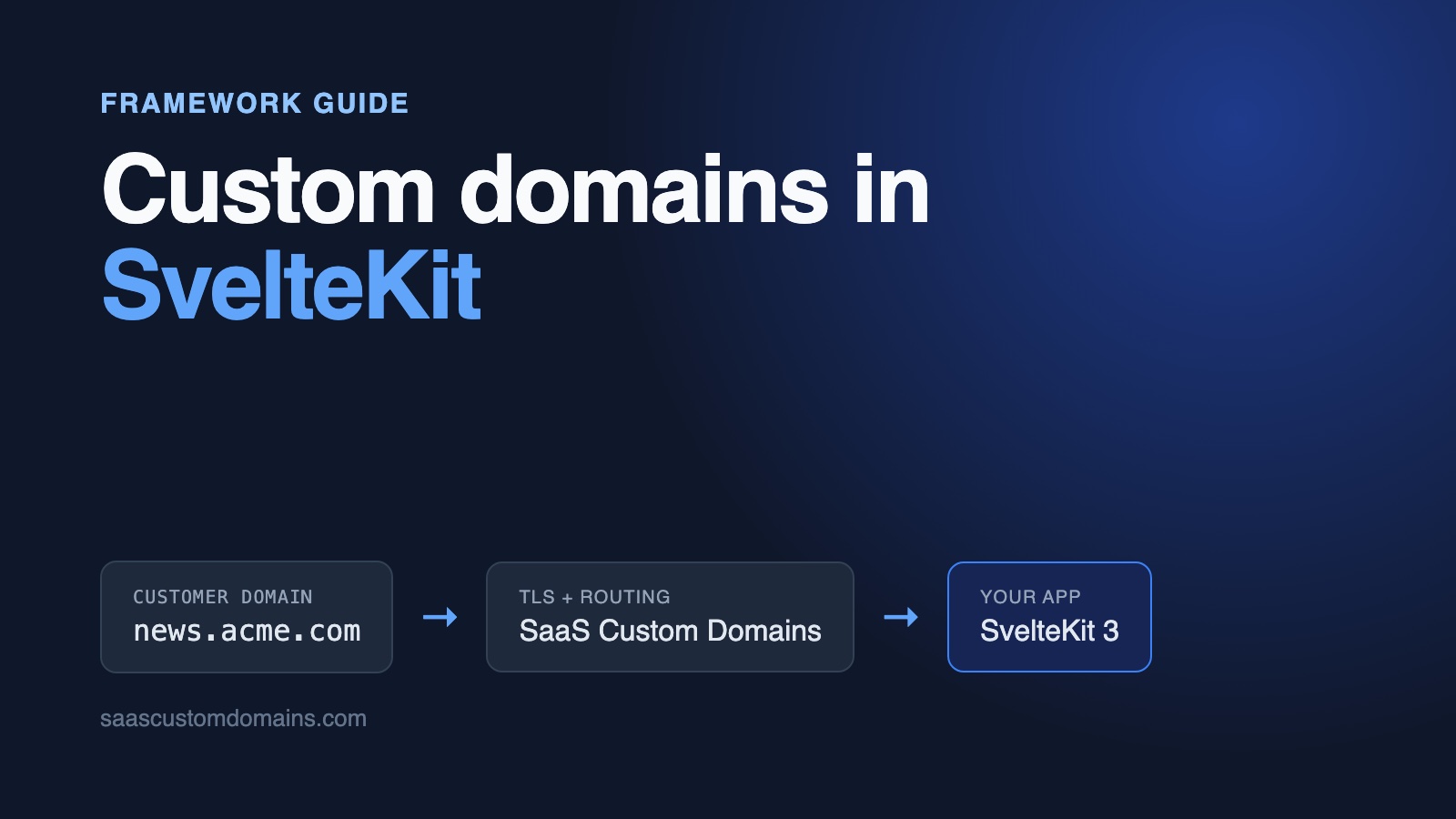
To add custom domains to a SvelteKit app, look up the tenant for each request's hostname in the handle hook of hooks.server.ts and store it in event.locals, where every load function and form action can read it. Each customer points one DNS record at SaaS Custom Domains, which holds the certificate for their domain and forwards readers to your app.
The lookup takes a dozen lines. The surprises come once real traffic flows through a proxy: form actions on customer domains fail with "Cross-site POST form submissions are forbidden", the ORIGIN variable that used to fix that is gone in SvelteKit 3, prerendering breaks the build, and Vite's dev server answers "Blocked request".
This guide covers each of those for SvelteKit 3 with adapter-node. The code comes from an example app on GitHub, a small newsletter platform with Vitest unit tests and browser tests that route through a stand-in for our proxy running on your machine.
In this guide:
- Try the example app
- What happens when someone opens a customer's domain
- Keep domains in a table with a unique host
- Pick the publication in hooks.server.ts
- Fix "Cross-site POST form submissions are forbidden"
- What SvelteKit 3 removed: ORIGIN and csrf.checkOrigin
- Fix "Failed to prerender" on tenant pages
- Fix "Blocked request. This host is not allowed" in dev
- HTTPS for every customer domain
- Five steps to running on SaaS Custom Domains
- Domain status from webhooks, and removal
- Test the whole flow locally
- Frequently asked questions
Try the example app
The example is Inkletter, a newsletter platform. It ships with two publications, Acme Weekly and Globex Digest, each with a few posts and a subscribe form. With Docker running:
git clone https://github.com/saas-custom-domains/custom-domains-sveltekit
cd custom-domains-sveltekit
docker compose up --build
Open http://localhost:3000, which redirects to the dashboard, and connect acme.localhost to Acme Weekly. After a few seconds the badge reads Live. Now load http://acme.localhost and subscribe with any email address. Port 80 is held by scd-mock, our open imitation of the SaaS Custom Domains API and proxy, so your request reaches SvelteKit carrying the same headers as production traffic. All *.localhost names resolve to your own computer, which means no edits to /etc/hosts.
| Tested with | |
|---|---|
| SvelteKit | 3.1.0 |
| Svelte | 5.57.3 |
| @sveltejs/adapter-node | 6.0.0 |
| Vite | 8.3.5 |
| Node.js | 24 |
Last verified on October 28, 2026. If you're still on SvelteKit 2, the differences are called out where they matter.
What happens when someone opens a customer's domain
A customer who wants news.acme.com for their newsletter adds a single DNS record that sends the name to SaaS Custom Domains: a CNAME when it's a subdomain, or, for a root domain like acme.com that can't hold a CNAME, our two A records. Step 4 lists the precise records. To keep our name out of sight, the CNAME target can carry your own brand, such as in.inkletter.app.
After that, a reader who types news.acme.com reaches our proxy first. It holds a certificate issued for that exact hostname, decrypts the request, and passes it on to your SvelteKit app with the customer's domain attached in a header. Host keeps your app's own hostname, which is what your hosting platform routes on.
That leaves SvelteKit a narrow job: accept the customer's domain from the header once it's proven genuine, make it the request's hostname, then use event.url.hostname to choose the publication. The rest of this guide builds exactly that, in one place. For more on DNS records, verification and root domains, see the main custom domains guide on our blog.
Keep domains in a table with a unique host
A domain belongs to exactly one publication and stays pending until its DNS checks out. The example uses node:sqlite, which ships with Node; the schema is plain SQL that runs on Postgres too:
CREATE TABLE IF NOT EXISTS custom_domains (
  id INTEGER PRIMARY KEY,
  publication_id INTEGER NOT NULL
    REFERENCES publications(id) ON DELETE CASCADE,
  host TEXT NOT NULL UNIQUE,
  status TEXT NOT NULL DEFAULT 'pending'
    CHECK (status IN ('pending', 'active')),
  https_ready INTEGER NOT NULL DEFAULT 0,
  provider_uuid TEXT UNIQUE,
  created_at TEXT NOT NULL DEFAULT CURRENT_TIMESTAMP
);
The UNIQUE index on host keeps one domain from being connected to two publications, and the per-request lookup uses it. https_ready separates "DNS is right" from "the certificate exists" in the dashboard. provider_uuid holds the ID your TLS provider assigns, which you need to check or delete the domain later.
People type hostnames in every possible shape, so normalize before storing or comparing:
import { APP_DOMAIN, APP_HOSTS } from '$app/env/private';

// "Acme.Example.com." and "acme.example.com:443" are the same host.
export function normalizeHost(input: string): string {
  return input
    .trim()
    .toLowerCase()
    .replace(/:\d+$/, '')
    .replace(/\.$/, '');
}

const appHosts = APP_HOSTS.map(normalizeHost);
const appDomain = APP_DOMAIN ? normalizeHost(APP_DOMAIN) : undefined;

export function isAppHost(host: string): boolean {
  return appHosts.includes(host);
}

export function isReservedHost(host: string): boolean {
  if (isAppHost(host)) return true;
  if (!appDomain) return false;
  return host === appDomain || host.endsWith(`.${appDomain}`);
}
APP_HOSTS names every hostname that serves your own product. Anything else is treated as a customer's domain. isReservedHost stops a customer from connecting blog.inkletter.app and publishing under your brand; the dashboard's add action rejects reserved and malformed hosts before it calls anything.
The import from $app/env/private is new in SvelteKit 3. Variables are declared in src/env.ts with defineEnvVars, where a schema can parse them, so APP_HOSTS arrives as an array with localhost as its default. On SvelteKit 2 you'd read the same values from $env/dynamic/private.
Pick the publication in hooks.server.ts
SvelteKit has one hook that sees every request before any route code: handle in src/hooks.server.ts. It's where the example decides whether a request belongs to your dashboard, to a publication, or to nobody.
There's a routing problem first. The dashboard and every publication both want /. The example keeps publication pages in a route group, src/routes/(publication)/, and the dashboard at /dashboard. Groups don't change URLs, so news.acme.com/ matches (publication)/+page.svelte, and event.route.id tells handle which side of the app a request is for:
import type { Handle } from '@sveltejs/kit/hooks';
import { findPublicationByActiveHost } from '#lib/server/domains.ts';
import { isAppHost, normalizeHost } from '#lib/server/hosts.ts';

export const handle: Handle = async ({ event, resolve }) => {
  // Load balancers call the health check by IP address.
  if (event.url.pathname === '/api/up') return resolve(event);

  const host = normalizeHost(event.url.hostname);

  // X-Served-For without a matching host means proxy-headers.ts
  // didn't run, so nothing checked the token.
  const servedFor = event.request.headers.get('x-served-for');
  if (servedFor !== null && normalizeHost(servedFor) !== host) {
    return new Response('Forbidden', { status: 403 });
  }

  const route = event.route.id ?? '';
  const isPublicationRoute = route.startsWith('/(publication)');

  if (isAppHost(host)) {
    // Publications are only reachable on their own domain.
    if (!isPublicationRoute) return resolve(event);
    if (event.url.pathname === '/') {
      return new Response(null, {
        status: 303,
        headers: { location: '/dashboard' }
      });
    }
    return new Response('Not found', { status: 404 });
  }

  const publication = findPublicationByActiveHost(host);
  if (!publication) {
    return new Response('Unknown domain', { status: 404 });
  }

  // The dashboard and the API stay on your own hosts.
  if (event.route.id && !isPublicationRoute) {
    return new Response('Not found', { status: 404 });
  }

  event.locals.publication = publication;
  return resolve(event);
};
The X-Served-For lines are a safety net, explained further down. The rest does four jobs:
- On your own hostname, the dashboard works and publication pages return 404, so
inkletter.app/posts/washed-vs-naturalcan't show Acme's post under your brand. - On a customer's domain,
/dashboardand/api/*return 404. A reader of Acme's newsletter never sees your admin screens. - Unknown and pending domains get a 404 before any page renders. A domain whose DNS hasn't been verified yet, or a hostname nobody connected, shouldn't show a publication.
- The publication goes into
event.locals, typed insrc/app.d.ts.
findPublicationByActiveHost is one indexed query that joins custom_domains to publications with status = 'active'. If it ever shows up in your traces, put a small in-memory cache in front of it.
Client-side navigation needs nothing extra. When a reader clicks from the home page to a post, the browser fetches __data.json from news.acme.com, handle runs again on the server, and the same lookup applies.
Load functions and form actions read locals
The publication layout makes locals.publication available to every page in the group:
import { error } from '@sveltejs/kit';
import type { LayoutServerLoad } from './$types';

export const prerender = false;

export const load: LayoutServerLoad = ({ locals, url }) => {
  if (!locals.publication) error(404, 'Not found');
  return { publication: locals.publication, host: url.hostname };
};
The subscribe form posts to a default form action. The action takes the publication from locals, never from a hidden form field, so nobody can post to news.acme.com and sign an address up for Globex:
export const actions: Actions = {
  default: async ({ locals, request }) => {
    const publication = locals.publication!;
    const form = await request.formData();
    const email = String(form.get('email') ?? '').trim();
    if (!/^\S+@\S+\.\S+$/.test(email)) {
      return fail(400, { email, message: 'Enter a valid email.' });
    }
    addSubscriber(publication.id, email);
    return { message: `Subscribed to ${publication.name}.` };
  }
};
The page uses use:enhance, so the form submits with fetch when JavaScript is on and as a normal POST when it isn't. Both paths hit the same CSRF check, which is where custom domains get interesting.
Health checks and webhook calls on internal names
Two kinds of requests arrive on hostnames you might not think of as yours. Docker's health check and cloud load balancers call /api/up on an IP address, and inside docker compose our mock sends webhooks to http://app:3000. Neither 127.0.0.1 nor app is a customer domain, so without care both get "Unknown domain". The example lets /api/up through before any host logic and lists app in APP_HOSTS next to localhost. In production, add any hostname your platform uses internally to call the app.
Fix "Cross-site POST form submissions are forbidden"
Put a proxy in front of the app, open a customer's domain, submit the subscribe form, and SvelteKit answers with a 403 and a one-line body:
Cross-site POST form submissions are forbiddenAn enhanced form gets the same message as JSON, {"message":"Cross-site POST form submissions are forbidden"}, and shows nothing to the reader.
This is SvelteKit's CSRF protection. For a POST, PUT, PATCH or DELETE with a form content type, it compares the browser's Origin header with event.url.origin and refuses the request when they differ. It only runs in production builds, never in vite dev, which is why the bug tends to appear on the first deploy.
Why the origin doesn't match
Our proxy sends your app's own hostname, for example app.inkletter.app, in Host and X-Forwarded-Host. That's deliberate: hosting platforms route on it, and many apps are built to run on a single hostname. The customer's domain travels separately, in X-Served-For.
adapter-node builds event.url from Host, so SvelteKit believes the request is for https://app.inkletter.app while the browser says it came from https://news.acme.com. Two more symptoms follow from the same cause: absolute URLs built from page.url, like a canonical link, point at your app's hostname, and so does any redirect or email link you build from event.url.origin.
So if your app needs the customer's domain for form actions, redirects or links, the job is to give SvelteKit that domain. The question is where.
Why handle is too late
The obvious place is handle, and it doesn't work. In SvelteKit's server runtime (respond.js), the origin check is the first thing that happens to a request, before reroute, before route matching and before your handle hook. A rejected form post never reaches your code, and changing event.url in handle can't undo a decision that's already been made. SvelteKit 2 works the same way.
Code that runs before SvelteKit exists in one place: a custom server around the handler.js that adapter-node builds. The adapter-node docs describe this setup, usually for adding Express routes. The example uses it to check our proxy's token and then set Host to the customer's domain:
import { createServer } from 'node:http';
import { createProxyHeaders } from './src/lib/server/proxy-headers.ts';

// adapter-node reads the protocol from this header and the host
// from Host. Must be set before the import.
process.env.PROTOCOL_HEADER = 'x-forwarded-proto';
const { handler } = await import('./build/handler.js');

const trustProxyHeaders = createProxyHeaders({
  token: process.env.PROXY_AUTH_TOKEN
});

const server = createServer((req, res) => {
  if (!trustProxyHeaders(req)) {
    res.writeHead(403, { 'content-type': 'text/plain' });
    res.end('Forbidden');
    return;
  }
  handler(req, res, () => res.writeHead(404).end('Not found'));
});

server.listen(Number(process.env.PORT ?? 3000), '0.0.0.0');import type { IncomingMessage } from 'node:http';
import { secureCompare } from './secure-compare.ts';
type Options = { token: string | undefined };
export function createProxyHeaders({ token }: Options) {
return (req: IncomingMessage): boolean => {
const servedFor = req.headers['x-served-for'];
if (servedFor === undefined) {
// Your own domain, webhooks, health checks. Keep the
// protocol your load balancer reports.
req.headers['x-forwarded-proto'] ??= 'http';
return true;
}
const given = req.headers['x-saas-domains-auth-token'];
if (typeof servedFor !== 'string') return false;
if (typeof given !== 'string') return false;
if (!secureCompare(given, token)) return false;
req.headers.host = servedFor;
// Always https from SaaS Custom Domains.
req.headers['x-forwarded-proto'] ??= 'https';
return true;
};
}Requests without X-Served-For pass untouched. Requests with it need the upstream's auth token, compared in constant time; a wrong or missing token, or no PROXY_AUTH_TOKEN configured at all, ends in a 403 before SvelteKit is involved. Only after that does Host become news.acme.com. From there on, event.url, the CSRF check, page.url, redirects and the hostname that handle reads all agree with the browser.
Node 24 runs server.js with the TypeScript import directly, because it strips types from .ts files without a flag. Start the app with node server.js instead of node build; the Dockerfile's CMD does that. If someone deploys with node build anyway, the guard at the top of handle sees an X-Served-For that doesn't match the host and refuses the request, so the mistake shows up as a 403 instead of a wrong page.
The CSRF check stays fully on. A form on some other site that posts to news.acme.com still gets "Cross-site POST form submissions are forbidden", and the example has a Playwright test that builds such a form and asserts exactly that.
We checked the fix in both directions. With it, the subscribe test passes through the proxy, with and without JavaScript. With the naive version, where handle reads X-Served-For but Host stays as it arrived, the form fails with the error above and the canonical link reads http://app:3000/.
The scheme is part of the origin
event.url.origin includes https:// or http://, and adapter-node assumes https unless a protocol header says otherwise. Run a production build on plain http://localhost:3000 without any protocol header, and even your own dashboard's forms get the 403. server.js sets PROTOCOL_HEADER=x-forwarded-proto, and proxy-headers.ts makes sure that header is present: requests from our proxy arrive with https, and direct requests keep what your load balancer reported, or http when nothing did.
Locally, scd-mock serves customer domains over plain HTTP, so compose.yaml starts it with SCD_MOCK_FORWARDED_PROTO=http and the scheme matches what the browser used. Our production proxy always says https.
Same thing in vite dev
vite dev doesn't check origins, but the hostname still matters there. A small Vite plugin in vite.config.ts runs createProxyHeaders as dev and preview server middleware, so requests through the mock resolve the right publication outside Docker too.
What SvelteKit 3 removed: ORIGIN and csrf.checkOrigin
Search for the 403 above and most answers are about SvelteKit 2. Here's what still applies.
ORIGIN is gone, and paths.origin is one origin
On SvelteKit 2, adapter-node 5 read an ORIGIN environment variable that overrode the request's origin, and the standard fix for the 403 was ORIGIN=https://example.com. SvelteKit 3 and adapter-node 6 dropped it. Setting ORIGIN at runtime now changes nothing; we tried, and the form still failed.
The replacement is paths.origin in the sveltekit() options in vite.config.ts. It's read at build time and holds one origin. Neither version fits a multi-tenant app: a single origin can't match news.acme.com and letters.globex.com at once.
HOST_HEADER, and why not x-served-for
adapter-node can build the URL from other headers: HOST_HEADER, PROTOCOL_HEADER and PORT_HEADER. Its docs suggest HOST_HEADER=x-forwarded-host behind a reverse proxy. Behind our proxy that header holds your own hostname too, so the form still fails.
HOST_HEADER=x-served-for does make the form work, and it's tempting because it's one environment variable. The problem is the order. SvelteKit reads the header to build event.url and runs the origin check before your handle hook has looked at the auth token. A request that sends its own X-Served-For is treated as that customer's domain by everything that runs before your check. Browsers can't attach custom headers to a cross-site form post, so it isn't an instant CSRF hole. But your app's safety then rests on handle rejecting every unverified request, and on nothing before it caring which host it saw. Checking the token first and then handing over the domain, as server.js does, leaves no such window.
checkOrigin became trustedOrigins
SvelteKit 2 let you turn the check off with csrf: { checkOrigin: false }. It was deprecated late in the 2.x line and removed in 3.0; keeping it fails the build with:
`config.csrf.checkOrigin` has been removed in favour of
`csrf.trustedOrigins`
csrf.trustedOrigins is a list of exact origins fixed at build time, meant for things like payment providers that post back to you. Your customers' domains aren't known at build time. The documented ['*'] trusts every origin on the internet, which removes the protection for your dashboard too. Remote functions ignore trustedOrigins and always compare against event.url.origin, so they need the correct host as well.
Other SvelteKit 3 changes you'll see in the code
Configuration moved from svelte.config.js into the sveltekit() plugin in vite.config.ts. $lib became #lib, declared under imports in package.json, with file extensions in import paths. Hook types such as Handle come from @sveltejs/kit/hooks. json() and text() are deprecated in favour of Response.json() and new Response().
Fix "Failed to prerender" on tenant pages
Mark a publication page with export const prerender = true and vite build stops:
Failed to prerender `/`
404 GET /
At build time there's no request from a reader, so there's no customer domain, handle finds no publication and returns 404. Silencing the error would be worse. adapter-node serves prerendered pages as static files before handle runs, so one publication's HTML would go out on every domain. The example sets prerender = false in the publication layout to make the intent visible. Your marketing pages on your own domain can still be prerendered.
Fix "Blocked request. This host is not allowed" in dev
Point a real domain at your machine and open it on vite dev, and Vite refuses:
Blocked request. This host ("news.globex.com") is not allowed.
To allow this host, add "news.globex.com" to `server.allowedHosts`
in vite.config.js.
Vite's dev server protects against DNS rebinding by answering only for localhost, *.localhost and IP addresses. Use *.localhost names in development, as the example does. To try a real domain, add it to server.allowedHosts; avoid true, which turns the protection off. Requests through our proxy aren't affected, since they arrive with your own hostname. The example does add one entry, host.docker.internal, so the mock in Docker can reach npm run dev on your machine.
HTTPS for every customer domain
The routing above works over plain HTTP, and readers won't open a site that way. Every customer domain needs its own certificate, issued for that exact hostname and renewed every few months, while adapter-node only speaks HTTP. Doing that yourself means running:
- a TLS layer that obtains a certificate when a new domain first shows up, and turns away names that don't belong to a customer, so strangers can't exhaust your CA's rate limits
- certificate storage shared by every instance of that layer
- renewals, with a second certificate authority to fall back on during an outage
- fixed IP addresses for root domains, which have no CNAME option
- alerting, plus a person on call for when a renewal or a customer's DNS edit breaks
Each item gets a closer look in the HTTPS part of our main guide.
SaaS Custom Domains runs all of it in front of your app, wherever the app is hosted. Here's how to connect it.
Five steps to running on SaaS Custom Domains
SaaS Custom Domains sits between your customers' readers and your app, on any host that can run Node:
- Certificates come from Let's Encrypt and ZeroSSL, and we store and renew them.
- Readers connect to whichever of our 119 AWS locations is closest, and move to another if one has problems.
- Root domains point at a pair of anycast IPs that stay the same for good.
- Your app adds or removes a domain with one API request, and a webhook fires whenever a domain's records or certificate change.
- We can send the right DNS records to whoever manages your customer's DNS, and keep checking until they're in place. We don't edit anyone's DNS for them.
The base plan is $29/month and includes 100 domains. Past that, each domain costs $0.29/month, with lower rates from 1,000 domains. The 7-day trial asks for a card; cancelling is possible at any point.
1. Get an API token
Issue a token from the API tokens screen; your account UUID is in account settings. Put them in SCD_API_TOKEN and SCD_ACCOUNT_UUID, where the example looks for them.
2. Add your app as an upstream
An upstream is the address our proxy forwards to, for instance app.inkletter.app. Create it once, from our dashboard or through the upstreams API. Its UUID goes in SCD_UPSTREAM_UUID and its auth token in PROXY_AUTH_TOKEN, the value proxy-headers.ts checks.
3. Register each domain from the dashboard action
The client uses the global fetch:
async function request<T>(
  method: string,
  path: string,
  body?: object
): Promise<T> {
  const url =
    `${SCD_API_URL}/api/v1/accounts/${SCD_ACCOUNT_UUID}` +
    `/upstreams/${SCD_UPSTREAM_UUID}/custom_domains${path}`;

  const res = await fetch(url, {
    method,
    headers: {
      Authorization: `Bearer ${SCD_API_TOKEN}`,
      'Content-Type': 'application/json'
    },
    body: body && JSON.stringify(body),
    signal: AbortSignal.timeout(10_000)
  });
  if (!res.ok) {
    throw new SaasDomainsError(res.status, await res.text());
  }
  return (await res.json()) as T;
}

export function createDomain(host: string, recipient?: string) {
  return request<DomainResponse>('POST', '', {
    host,
    // We email this address the exact DNS records to add.
    ...(recipient && { instructions_recipient: recipient })
  });
}
The dashboard's add form has an optional "DNS contact" field that becomes instructions_recipient. It helps when the editor connecting a newsletter's domain has to ask someone in IT to create the record.
The add form action validates the host, inserts the row, and registers it with the API. A failed API call deletes the row again, so the database never lists a domain our proxy has no record of:
export async function addDomain(
  publicationId: number,
  host: string,
  dnsContact?: string
): Promise<CustomDomain> {
  const domain = insertDomain(publicationId, host);
  try {
    const res = await saasDomains.createDomain(host, dnsContact);
    setProviderUuid(domain.id, res.uuid);
    return { ...domain, provider_uuid: res.uuid };
  } catch (e) {
    // Don't keep a row the proxy doesn't know about.
    deleteDomain(domain.id);
    throw e;
  }
}
The API reports validation problems as a 400 with error and error_code. The action shows the same "already connected" message for host_taken, a domain used by another upstream, as for a clash with the local unique index.
4. Your customer creates one DNS record
Subdomains take the CNAME line; root domains take the two A lines:
news.acme.com.   CNAME  in.saascustomdomains.com.
acme.com.        A      75.2.96.173
acme.com.        A      99.83.186.151
The CNAME target can be white-labeled, so customers see in.inkletter.app. On Cloudflare, set the record to "DNS only" (the grey cloud) unless you create the domain with challenge_type: "dns01". In that mode the customer adds one extra CNAME under _acme-challenge, the certificate is validated through DNS, and Cloudflare's proxy can stay on.
5. Trust X-Served-For only with the token
Every request we forward carries the customer's domain in X-Served-For, the reader's IP in X-SaaS-Domains-IP, and your upstream's auth token in X-SaaS-Domains-Auth-Token (docs). Host and X-Forwarded-Host stay app.inkletter.app.
The token is what makes the header safe to use. Anyone who can reach app.inkletter.app directly could send X-Served-For: news.acme.com and try to act as Acme's domain. proxy-headers.ts, shown above, refuses that unless the token matches, and it refuses everything with X-Served-For when PROXY_AUTH_TOKEN is missing:
import { timingSafeEqual } from 'node:crypto';

export function secureCompare(
  given: string | null,
  expected: string | undefined
): boolean {
  if (!given || !expected) return false;
  const a = Buffer.from(given);
  const b = Buffer.from(expected);
  return a.length === b.length && timingSafeEqual(a, b);
}
The early return covers a deployment where the secret was never set: two empty strings would otherwise compare equal. Your own dashboard traffic has no X-Served-For, so it's unaffected. Support can also put the customer's domain into X-Forwarded-Host for your account if you prefer; proxy-headers.ts handles both.
Domain status from webhooks, and removal
"Check DNS" calls verify_dns_records when an editor clicks it. Webhooks remove the waiting: add one in our dashboard pointing at /api/webhooks/saascustomdomains, and we post an event as soon as a domain's records or certificate change state.
export const POST: RequestHandler = async ({ request, url }) => {
  const token = url.searchParams.get('token');
  if (!secureCompare(token, SCD_WEBHOOK_TOKEN)) {
    return new Response('Unauthorized', { status: 401 });
  }

  const { event, domain: payload } = await request.json();
  const domain = payload?.uuid
    ? findDomainByProviderUuid(payload.uuid)
    : null;
  // Not ours (or already removed): acknowledge it.
  if (!domain) return new Response(null, { status: 204 });

  switch (event) {
    case 'domain_dns_proxy_record_valid':
      setStatus(domain.id, 'active');
      break;
    case 'domain_dns_proxy_record_invalid':
      setStatus(domain.id, 'pending');
      break;
    case 'tls_certificate_issued':
      setHttpsReady(domain.id);
      break;
  }
  return new Response(null, { status: 204 });
};
The endpoint lives under /api, on your own host, which handle lets through. The dashboard badge shows "Waiting for DNS" first, "DNS OK, waiting for HTTPS" once the record is found, and "Live" when the certificate exists. Respond with a 2xx promptly; a failed delivery is retried up to 10 times. Each handler only sets a field, so a repeated event is harmless. The webhooks docs list every event, including domain_deleted.
Removal goes the other way round: delete the domain from the proxy, then from your database. If the API call fails, the row survives and the editor can retry. The client counts a 404 from the API as done, because a domain that's already gone is the outcome you wanted. After that, handle no longer finds the row, and the domain answers with a 404.
Test the whole flow locally
compose.yaml starts the app beside scd-mock, which implements the custom domain API, sends webhooks, and proxies with the production headers including the auth token. Nothing needs an account or real DNS. To work on npm run dev instead, run just the mock in Docker, aimed at host.docker.internal; the README has the command.
You can stand in for the proxy with curl once acme.localhost is connected:
curl http://localhost:3000/ \
  -H "X-Served-For: acme.localhost" \
  -H "X-SaaS-Domains-Auth-Token: local_proxy_token"
The page footer says "Served on acme.localhost". Remove the token and the answer is Forbidden.
Vitest covers the pieces: proxy-headers.ts with valid, wrong and missing tokens, handle with each kind of host and route, hostname rules, and the API client's error paths. The Playwright suite runs against docker compose and routes every *.test hostname through the mock proxy, so Host and Origin behave as in production. It adds a domain, lets the webhook mark it live, checks the canonical URL, subscribes with JavaScript on and off, posts from a fake third-party page to prove the CSRF check still blocks it, removes the domain and expects a 404. CI repeats it weekly, so a SvelteKit release that changes any of this fails a build before it reaches your app.
Frequently asked questions
Why does SvelteKit say "Cross-site POST form submissions are forbidden" behind a reverse proxy?
SvelteKit compares the browser's Origin with the origin it built from Host and the protocol header. If the proxy forwards your app's own hostname, or adapter-node assumes https while the browser used http, they differ. Because the check runs before handle, fix the host and protocol before SvelteKit sees the request, for example in a custom server around handler.js.
How do I serve one SvelteKit app on many custom domains?
Send every customer domain to the same deployment, resolve the tenant from event.url.hostname in handle, and put it in event.locals. Keep tenant pages in a route group so handle can keep them off your own domain. SaaS Custom Domains, placed in front of adapter-node, issues and renews a certificate for each domain.
What replaced ORIGIN in adapter-node for SvelteKit 3?
paths.origin in the sveltekit() options in vite.config.ts. It's a single origin chosen at build time, so it suits a single-domain app behind a proxy. A multi-tenant app needs the host set per request instead, from Host or a trusted header.
How do I find the tenant for a hostname in hooks.server.ts?
Read event.url.hostname, normalize it, and look it up in your domains table where the status is active. Return a 404 when nothing matches, and store the result in event.locals, typed through App.Locals in src/app.d.ts. With SaaS Custom Domains in front, move the customer's domain from X-Served-For into Host after the token check, so event.url already holds it.
Can I prerender pages in a multi-tenant SvelteKit app?
Not the pages that differ per tenant. There's no hostname at build time, and adapter-node serves prerendered files before handle runs, so one tenant's HTML would appear on every domain. Prerender pages that are the same everywhere, like your own marketing site.
Can a newsletter live on a root domain like acme.com?
It can. A CNAME isn't permitted at the root of a zone, so acme.com uses A records; with SaaS Custom Domains they point at 75.2.96.173 and 99.83.186.151. DNS providers that offer ALIAS records or CNAME flattening work too.
Next steps
Your SvelteKit app can now serve a publication on each customer's domain: domains normalized in one table, the tenant chosen once in handle, form actions that pass the CSRF check because SvelteKit sees the reader's real origin, and a certificate for every domain from SaaS Custom Domains. Everything above runs, with tests, in the example repo.
Using another framework? Read the guides for Next.js, FastAPI, Node.js, Django and Ruby on Rails.
Something not working in your setup? Send a note to support@saascustomdomains.com or use the site chat. When you want to try it with your own app, the 7-day trial takes a few minutes to set up, and a 15-minute call with us is there if you'd like a walkthrough.