How to Add Custom Domains to a Multi-Tenant Laravel App

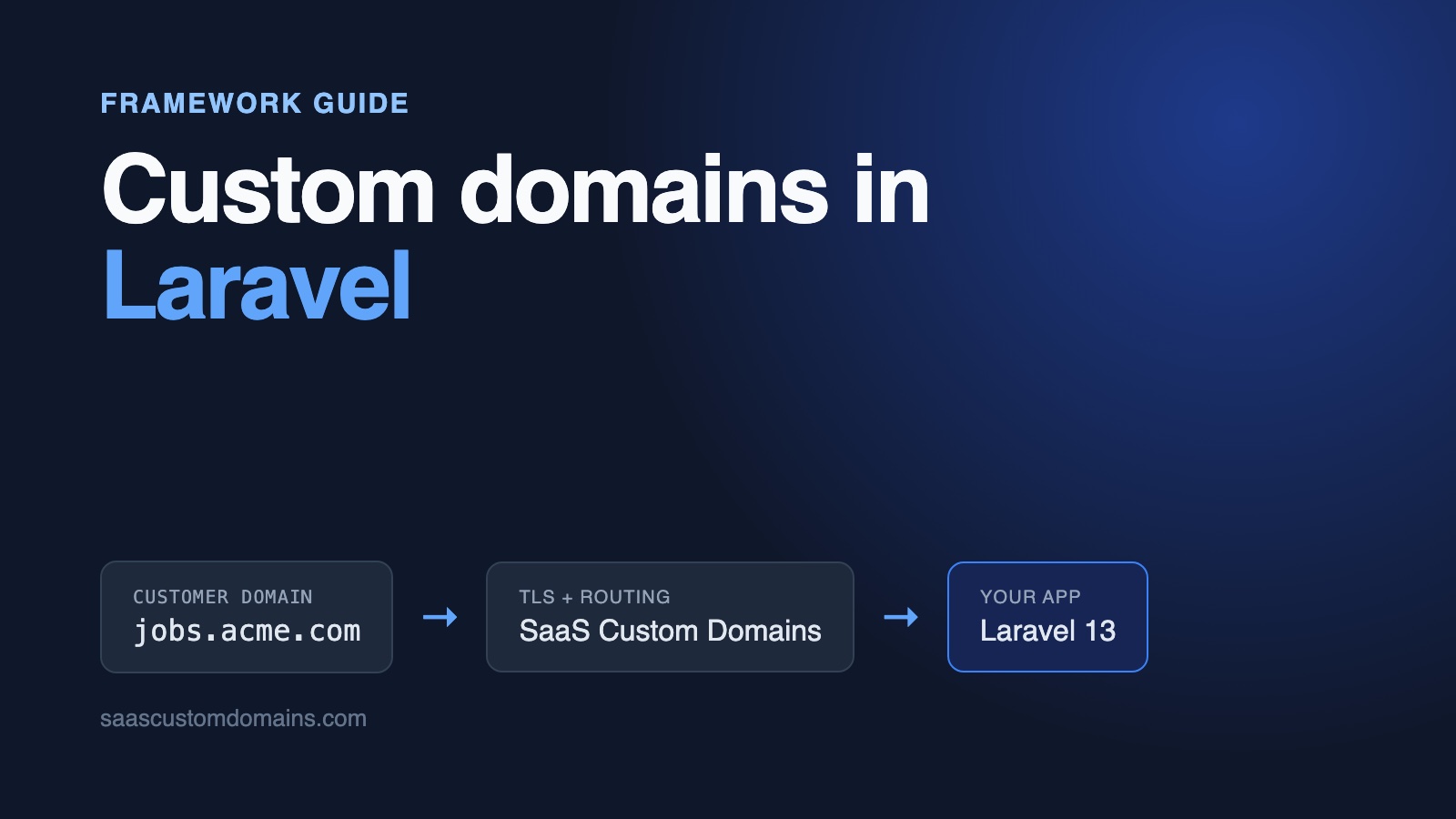
To add custom domains to a Laravel app, save each customer's domain in a table, look it up from the request's hostname in a middleware, and serve that customer's pages from the result. On the customer's side it's one DNS record pointing at you, and on yours, a TLS certificate for every domain they connect.
The lookup itself is ten lines of PHP. The hours go into what Laravel does around it: forms on a customer's domain that fail with 419 Page Expired, trustHosts() answering Untrusted Host "jobs.acme.com"., route() building links to your own hostname, Route::domain() matching nothing, and http:// URLs on an HTTPS site.
This guide covers each of those with code from a working Laravel 13 app: Hireboard, a job board product where every company posts openings and takes applications on its own domain. The example repo on GitHub runs in Docker; its PHPUnit feature tests and browser tests send traffic through a stand-in for our proxy that runs on your laptop.
In this guide:
- Clone and run Hireboard
- From a DNS record to a Laravel request
- A migration and model for customer domains
- Pick the tenant in middleware, not in routes
- Fix "419 Page Expired" on a customer's domain
- Fix
Untrusted Host "..."from trustHosts() - Fix http:// links: TrustProxies defaults
- HTTPS for every customer domain
- Put SaaS Custom Domains in front of Laravel
- Webhooks, status badges and removing a domain
- Using stancl/tenancy or Spatie's multitenancy package
- Test it locally
- Frequently asked questions
Clone and run Hireboard
Hireboard ships with two companies, Acme Robotics and Globex Logistics, and a couple of open positions each. All you need is Docker:
git clone https://github.com/saas-custom-domains/custom-domains-laravel
cd custom-domains-laravel
docker compose up --build
Go to http://localhost:3000 (it forwards you to the dashboard) and connect acme.localhost to Acme Robotics. A few seconds later the badge reads Live. Then open http://acme.localhost, click a job and send an application. That page is answered by scd-mock on port 80, which imitates our API and proxy, so Laravel receives exactly the headers it would get from a real customer domain. Since every *.localhost name resolves to 127.0.0.1 in current browsers and curl, nothing goes into /etc/hosts.
| Tested with | |
|---|---|
| Laravel | 13.39.0 |
| PHP | 8.5.12 |
| Database | SQLite (any Eloquent driver works) |
Checked on October 28, 2026.
From a DNS record to a Laravel request
A customer who wants their job board on jobs.acme.com adds one DNS record: a CNAME from that name to the hostname SaaS Custom Domains gives you. Apex names like acme.com aren't allowed a CNAME, which is why they take two A records instead; step 4 has the exact values. After that, visitors' browsers connect to our proxy, which holds the certificate for jobs.acme.com and forwards each request to your app:
Browser ──▶ SaaS Custom Domains ──▶ Laravel (app.hireboard.app)
            jobs.acme.com           Host: app.hireboard.app
            certificate, proxy      X-Served-For: jobs.acme.com
                                    X-SaaS-Domains-Auth-Token: …
The CNAME target can carry your brand, such as in.hireboard.app, so customers never type a third-party name. DNS verification and apex domains get a fuller treatment in our custom domains guide for SaaS.
So the request reaches Laravel on your own hostname, and the customer's domain rides along in X-Served-For. Once a middleware has checked the proxy's token and made that domain the request's host (both covered below), $request->getHost() returns jobs.acme.com, lowercased and without a port. Each request then falls into one of three buckets: your own app, a connected customer, or a hostname nobody registered.
A migration and model for customer domains
Every domain belongs to one board and starts out pending. The migration is plain Laravel:
Schema::create('custom_domains', function (Blueprint $table) {
    $table->id();
    $table->foreignId('board_id')
        ->constrained()->cascadeOnDelete();
    // Normalized (lowercase, no port, no trailing dot). Every
    // request on a customer domain looks it up by this column.
    $table->string('host')->unique();
    // pending | active
    $table->string('status')->default('pending');
    $table->boolean('https_ready')->default(false);
    $table->string('provider_uuid')->nullable()->unique();
    $table->timestamps();
});
The unique index on host is doing double duty. Two boards can't connect the same domain, because the insert throws UniqueConstraintViolationException, and the per-request lookup stays a single index hit. status keeps a board dark on a domain until its DNS points at the proxy. https_ready lets the dashboard separate "DNS is right" from "the certificate exists", and provider_uuid stores the ID SaaS Custom Domains assigns, which lets you check on the domain or remove it.
The Board model owns the lookup that every customer request depends on:
// The one lookup every request on a customer domain depends on.
// Pending and unknown domains get null, so they 404.
public static function forActiveHost(string $host): ?self
{
    return static::whereRelation(
        'customDomains',
        fn ($query) => $query
            ->where('host', $host)
            ->where('status', CustomDomain::ACTIVE),
    )->first();
}
People type hostnames in every possible shape, with capitals, ports and trailing dots. A small helper class brings them to one form before anything is stored or compared:
class Hosts
{
    // "Jobs.Acme.com." and "jobs.acme.com:443" are the same host.
    public static function normalize(?string $host): string
    {
        $host = strtolower(trim((string) $host));

        return rtrim(preg_replace('/:\d+$/', '', $host), '.');
    }

    // Hireboard's own hostnames (the dashboard), from APP_HOSTS.
    public static function isAppHost(string $host): bool
    {
        return in_array($host, config('domains.app_hosts'), true);
    }

    // Hosts customers can't connect: ours, and anything under
    // APP_DOMAIN.
    public static function isReserved(string $host): bool
    {
        $ours = static::normalize(config('domains.app_domain'));

        return static::isAppHost($host) || ($ours !== '' && (
            $host === $ours || str_ends_with($host, '.'.$ours)
        ));
    }
}
APP_HOSTS is a comma-separated list, read in config/domains.php, of every hostname that serves Hireboard itself. That includes internal names your platform uses to reach the container, which matters later for webhooks. isReserved() is the check people forget: skip it and a customer could connect careers.hireboard.app to their board and publish under your brand. The dashboard controller runs isValid() and isReserved() on the input before it touches the database or the API.
Pick the tenant in middleware, not in routes
Hireboard has two faces. The dashboard lives at /dashboard on your own hostnames, and each company's board lives at / on that company's domain. The routes file keeps them apart with two middleware groups:
// Hireboard's dashboard, on APP_HOSTS only.
Route::middleware('app-host')->prefix('dashboard')->group(function () {
    Route::get('/', [Dashboard::class, 'index'])
        ->name('dashboard');
    Route::post('/boards/{board}/domains', [Dashboard::class, 'store'])
        ->name('domains.store');
    Route::post('/domains/{domain}/check', [Dashboard::class, 'check'])
        ->name('domains.check');
    Route::delete('/domains/{domain}', [Dashboard::class, 'destroy'])
        ->name('domains.destroy');
});

// A company's job board, on its own domain. Route::domain() can't do
// this: the domains live in the database, and behind SaaS Custom
// Domains the router sees your own hostname.
Route::middleware('board')->group(function () {
    Route::get('/', [Board::class, 'index'])
        ->name('board');
    Route::get('/jobs/{job}', [Board::class, 'show'])
        ->whereNumber('job')->name('jobs.show');
    Route::post('/jobs/{job}/apply', [Apply::class, 'store'])
        ->whereNumber('job')->name('jobs.apply');
});
The board alias points at ResolveBoard, which turns the hostname into a company or stops the request. By the time it runs, UseServedForHost (in the 419 section below) has already swapped in the customer's domain as the host:
class ResolveBoard
{
    public function handle(Request $request, Closure $next): Response
    {
        $host = Hosts::normalize($request->getHost());

        if (Hosts::isAppHost($host)) {
            // Boards are only reachable on their own domain. Our
            // own homepage is the dashboard.
            abort_unless($request->is('/'), 404);

            return redirect()->route('dashboard');
        }

        $board = Board::forActiveHost($host);
        abort_if($board === null, 404, 'Unknown domain');

        $request->attributes->set('board', $board);

        return $next($request);
    }
}AppHostOnly, behind the app-host alias, is the mirror image: it returns 404 for the dashboard on anything that isn't in APP_HOSTS. Both are registered in bootstrap/app.php with $middleware->alias().
A few things this buys you:
- An unknown or pending domain gets a 404 on every board route. A hostname nobody connected, or one whose DNS isn't verified yet, never renders a job board.
hireboard.app/jobs/3is a 404, so nobody can read Acme's postings outside Acme's domain, including postings on domains whose DNS was never verified.- Controllers read the board with
Board::current($request), which returns the request attribute. They look jobs up through it, as in$board->jobPostings()->findOrFail($job), so a job ID from Globex returns 404 on Acme's domain. - The apply form never sends a board ID. The company comes from the domain, so a forged form can't file an application with someone else.
Why Route::domain() doesn't fit
Laravel's documented tool for host-based routing is Route::domain(), and for subdomains of your own product it's the right one: Route::domain('{account}.hireboard.app') hands you the account as a route parameter. Customer domains break it in two ways.
First, the hostnames aren't known when routes are registered. They live in a table that changes every time someone connects a domain, and a route file (or php artisan route:cache) can't list them. A catch-all pattern like {host} with ->where('host', '.*') matches your own hostname too.
Second, behind a proxy that forwards your own hostname in Host, the router never sees the customer's domain. We tried it in the example: a route registered with Route::domain('naive.test') answered 200 when the request arrived with Host: naive.test, and 404 when the same request came through the mock proxy. Route matching runs before any route middleware, against Host: app:3000.
Middleware groups sidestep both. The routes stay static and cacheable, and the database decides which board answers.
Health checks and webhooks stay outside
Two kinds of requests should never reach ResolveBoard. Load balancers and Docker call the health check by IP address, and webhooks arrive on whatever internal name the sender uses, which inside docker compose is app:3000.
Laravel 13 already helps with the first one: the /up route from withRouting(health: '/up') is registered outside the web group. The example puts the webhook route in its own file under the api group, which also means no session and no CSRF token:
->withRouting(
    web: __DIR__.'/../routes/web.php',
    commands: __DIR__.'/../routes/console.php',
    // Outside the web group, so load balancers can call it by IP.
    health: '/up',
    // Webhooks from SaaS Custom Domains: no session, no CSRF,
    // any host.
    then: fn () => Route::middleware('api')
        ->group(__DIR__.'/../routes/hooks.php'),
)
If you resolve tenants in global middleware instead, through $middleware->append(), /up called by IP turns into a 404 and your container never reports healthy. Keep tenant resolution on the routes that need it.
Fix "419 Page Expired" on a customer's domain
A candidate fills in the application form on jobs.acme.com, presses Send, and gets Laravel's error page:
419 | Page ExpiredWith APP_DEBUG=true the message is CSRF token mismatch. The CSRF middleware couldn't match the token in the form against the session. On a custom domain there are two common causes, and the first one comes from the way proxies forward requests.
Cause 1: links and redirects point at your own hostname
Put a load balancer, a CDN or a hosted TLS proxy in front of Laravel, and requests normally reach it with your app's own hostname in Host and X-Forwarded-Host. Hosting platforms route on that name, and many apps only work on it: allowed-host lists, OAuth callbacks and signed URLs expect it. SaaS Custom Domains does this too, and passes the customer's domain along in its own header, X-Served-For.
Laravel's URL generator builds absolute URLs from the current request's host. So when a request for jobs.acme.com arrives with Host: app.hireboard.app, every route() and url() call produces your hostname. We ran the example with the tenant read from X-Served-For and the host left alone, and the job page rendered this form:
<form method="POST" action="http://app:3000/jobs/1/apply">In production that's https://app.hireboard.app/jobs/1/apply. The browser posts to your hostname, where it holds no session cookie, because that cookie was set by jobs.acme.com. Laravel finds no session token, and the candidate sees 419. Even with a relative form action, the redirect after a successful application escapes:
HTTP/1.1 302 Found
Location: http://app:3000/jobs/1
If your app needs the customer's domain for links, forms and redirects, hand it to Laravel once you've confirmed the request came through your proxy. The example's UseServedForHost middleware does that, and the rest of the app doesn't have to know about proxies at all:
class UseServedForHost
{
    public function handle(Request $request, Closure $next): Response
    {
        if ($request->hasHeader('X-Served-For')) {
            $host = static::verifiedHost($request);
            $request->headers->set('Host', $host);
            // A trusted X-Forwarded-Host would win over Host. Here it
            // holds your own hostname, so drop it.
            $request->headers->remove('X-Forwarded-Host');
            $request->headers->remove('X-Forwarded-Port');
        }

        return $next($request);
    }
}
verifiedHost() checks the proxy's auth token first and returns 403 without it; step 5 shows that half. It's prepended to the web group, so it runs before the session starts and before ResolveBoard:
$middleware->web(prepend: [UseServedForHost::class]);After that, $request->getHost(), route(), url(), redirect()->back() and any package that reads the host see jobs.acme.com. Symfony's request class reads the Host header on every call rather than caching it, so changing the header is enough. The application controller can then use a normal named-route redirect:
public function store(Request $request, int $job): RedirectResponse
{
    // The board comes from the domain, never from the form.
    $board = Board::current($request);
    $posting = $board->jobPostings()->findOrFail($job);

    $data = $request->validate([
        'name' => ['required', 'string', 'max:100'],
        'email' => ['required', 'email', 'max:255'],
    ]);

    $posting->applications()->create($data);

    // route() builds an absolute URL from the request's host.
    // Without UseServedForHost, that's your own hostname.
    $thanks = "Thanks, {$data['name']}. "
        ."{$board->name} has your application.";

    return to_route('jobs.show', $posting->id)
        ->with('status', $thanks);
}
URL::forceRootUrl() is the other answer you'll find for this. It fixes generated URLs and nothing else: $request->getHost() still returns your hostname, so tenancy packages and your own host checks keep seeing the wrong name. It also sets state on the shared URL generator, which a long-running worker such as Octane keeps between requests unless you reset it. Changing the request's host avoids both problems.
The repo's feature test posts an application through simulated proxy headers and expects Location: http://jobs.acme.com/jobs/1. Without the middleware it fails, and so does the Playwright test, which checks the browser is still on the customer's domain after the redirect.
Cause 2: SESSION_DOMAIN set to your own domain
Apps that share a login across app.hireboard.app and www.hireboard.app often set SESSION_DOMAIN=.hireboard.app. On a customer's domain, Laravel then sends:
Set-Cookie: laravel-session=…; domain=.hireboard.app; path=/A page on jobs.acme.com can't set a cookie for hireboard.app, so the browser throws it away. No session survives between requests: no flash messages, no old input after a validation error, no CSRF token, and every form ends in 419. We reproduced it in the example by caching config with that value; the next application came back 419.
Keep SESSION_DOMAIN at null. Laravel then omits the domain attribute and the browser scopes the cookie to whatever host served the page, which is what custom domains need. If you need a cookie shared across your own subdomains, set it explicitly for those requests instead of for the whole app.
What about CSRF Origin checks?
Several frameworks reject a form when the browser's Origin doesn't match the host the server sees, which is exactly what happens behind a proxy. Laravel 13 doesn't compare those. Its PreventRequestForgery middleware (the successor to VerifyCsrfToken) first reads Sec-Fetch-Site, a header the browser computes from the page's own URL, and lets same-origin requests through. When that header is missing, as on plain HTTP, it falls back to the session token. A proxy can't change either result, so once the session cookie works, CSRF works. One exception: with preventRequestForgery(originOnly: true), requests without Sec-Fetch-Site get a 403 Origin mismatch., which includes every non-HTTPS request.
Fix Untrusted Host "..." from trustHosts()
Hardening guides recommend turning on Laravel's TrustHosts middleware:
$middleware->trustHosts(at: ['^app\.hireboard\.app$']);It hands the patterns to Symfony, which throws for any other host the first time something calls getHost():
Symfony\Component\HttpFoundation\Exception\SuspiciousOperationException
Untrusted Host "jobs.acme.com".
Laravel turns that into a 400 with the message Bad request. We confirmed it in the example by turning trustHosts() on: every customer domain got a 400, and so did /up called by IP address, because TrustHosts is global middleware and runs before any route.
It's easy to miss in development. The middleware skips itself when APP_ENV is local and when tests run, so the error shows up for the first time in staging or production.
A fixed list can't work for customer domains, and a pattern loose enough to cover them turns the check off. You don't need it, though. ResolveBoard already answers 404 for any host that isn't an active domain, and AppHostOnly keeps the dashboard on your hostnames, so the database is the allowlist. If you keep trustHosts() for other reasons, expect 400s for every customer once UseServedForHost sets their domain as the host.
Fix http:// links: TrustProxies defaults
With the host fixed, links can still come out as http://jobs.acme.com/... on a page the visitor loaded over HTTPS. The proxy terminated TLS, connected to your app over a separate hop, and Laravel only believes the X-Forwarded-Proto: https header from addresses it trusts.
By default, Laravel's TrustProxies middleware trusts nobody. It reads config('trustedproxy.proxies') when bootstrap/app.php doesn't list proxies, and that's empty in a new app. Reading the framework source turned up two exceptions: on Laravel Cloud, and on hosts ending in .on-forge.com or .on-vapor.com, it trusts every address automatically (and on the Forge and Vapor hosts it also removes X-Forwarded-Host). So the same app can produce https:// links on Laravel Cloud and http:// links on a VPS.
The example reads trusted proxies from the environment and trusts only the two headers it needs:
return [
    'proxies' => env('TRUSTED_PROXIES'),
];// Trust the client IP and scheme from the proxies listed in
// TRUSTED_PROXIES (config/trustedproxy.php), so links on
// customer domains are https://. Not X-Forwarded-Host: behind
// SaaS Custom Domains it's your own hostname.
$middleware->trustProxies(
headers: Request::HEADER_X_FORWARDED_FOR
| Request::HEADER_X_FORWARDED_PROTO,
);Set TRUSTED_PROXIES=* when only your load balancer or proxy can reach the app, or list their addresses. Leaving X-Forwarded-Host out of the trusted headers matters here: Laravel's default trusts it, and a trusted X-Forwarded-Host takes priority over Host, which would undo UseServedForHost. That's also why the middleware removes it.
$request->ip() follows the same rule. Without trust, it returns the proxy's address, so rate limits keyed by IP put every visitor of every customer into one bucket. Requests from our proxy also carry the visitor's address in X-SaaS-Domains-IP, which you can use once the token matches.
One local caveat: the example's compose.yaml leaves TRUSTED_PROXIES empty on purpose. The mock proxy sends X-Forwarded-Proto: https like production but speaks plain HTTP, so trusting it would send redirects to https:// URLs nothing is listening on.
HTTPS for every customer domain
The example app speaks plain HTTP and never touches a certificate. Browsers still insist on one: every customer domain needs a certificate issued for that exact hostname before its first visitor arrives, and it expires every few months. A wildcard for *.hireboard.app is no use here, since the customer owns the name. Doing it yourself means running:
- A TLS layer in front of Laravel that obtains a certificate on a domain's first visit and turns away names nobody connected, so junk domains can't use up your Let's Encrypt rate limits.
- Certificate storage that every TLS server reads from, so a certificate issued on one machine works on the next.
- Renewals that happen on their own, and a backup certificate authority for days when your main one has an outage.
- Static IP addresses for customers on apex domains, which can't use a CNAME.
- Monitoring, and someone on call for the night a renewal fails and a customer's careers page shows a browser warning.
Our main guide's section on issuing and renewing certificates goes through each item.
SaaS Custom Domains runs all of it. Your Laravel hosting stays as it is, whether that's Forge, Laravel Cloud, Vapor or your own servers, and the app keeps answering plain requests on its own hostname, exactly like the example.
Put SaaS Custom Domains in front of Laravel
SaaS Custom Domains runs between your customers' visitors and your Laravel app:
- We get certificates from Let's Encrypt and ZeroSSL, store them, and renew them without you.
- Traffic is served from 119 locations on AWS; if one has a problem, visitors are routed to the nearest healthy one.
- Bare domains like
acme.comuse two fixed anycast IPs. - One API call connects or disconnects a domain; webhooks tell you when its DNS or certificate changes.
- We can email your customer's DNS admin the records for their domain and keep checking until they're right. We don't change anyone's DNS for them.
Your first 100 domains come to $29 a month. Past that, every extra domain adds $0.29 a month, and the per-domain price falls once you pass 1,000. A 7-day trial lets you test it on a real customer; you enter a card to start and can cancel before it ends.
1. Get an API token
Generate a token on the API tokens page, and find your account UUID under account settings. The example expects them in SCD_API_TOKEN and SCD_ACCOUNT_UUID, read through config/services.php.
2. Register your app as an upstream
Hireboard's upstream is app.hireboard.app, the address our proxy hands requests to. Create it once, either in our dashboard or via the upstreams API. Keep the UUID in SCD_UPSTREAM_UUID; the auth token goes into PROXY_AUTH_TOKEN and gets checked in step 5.
3. Add domains with Laravel's HTTP client
The API client is a small class on top of the Http facade, so it gets timeouts, retries and Http::fake() in tests for free:
class SaasCustomDomains
{
    public function createDomain(
        string $host,
        ?string $instructionsRecipient = null,
    ): array {
        return $this->client()->post($this->url(), array_filter([
            'host' => $host,
            // We email this address the exact DNS records to add.
            'instructions_recipient' => $instructionsRecipient,
        ]))->throw()->json();
    }

    public function verifyDns(string $uuid): array
    {
        // send() without data: post() would send an empty JSON
        // array, "[]", as the body.
        $url = $this->url("{$uuid}/verify_dns_records");

        return $this->client()->send('POST', $url)->throw()->json();
    }

    public function deleteDomain(string $uuid): void
    {
        $response = $this->client()->delete($this->url($uuid));

        // Already gone is fine: the goal is that it doesn't exist.
        if ($response->status() !== 404) {
            $response->throw();
        }
    }

    protected function client(): PendingRequest
    {
        $token = config('services.saascustomdomains.token');

        return Http::withToken($token)->acceptJson()->timeout(10);
    }

    protected function url(string $path = ''): string
    {
        $config = config('services.saascustomdomains');

        return rtrim($config['url'], '/')
            ."/api/v1/accounts/{$config['account']}"
            ."/upstreams/{$config['upstream']}/custom_domains"
            .($path === '' ? '' : "/{$path}");
    }
}
The comment in verifyDns() is from experience. Laravel's post($url) with no data still encodes a body, an empty JSON array, and our mock rejected it with "Request body is not a valid JSON object." Calling send('POST', $url) sends no body at all.
instructions_recipient is optional. When the dashboard user fills in a DNS contact, we email that person the exact records for the domain, which helps when the account owner isn't the one with DNS access.
DomainService::add() inserts the row before it talks to the API, letting the unique index reject a duplicate for free, and removes the row again if registration fails:
public function add(
    Board $board,
    string $host,
    ?string $dnsContact = null,
): CustomDomain {
    // The unique index on host turns a duplicate into an
    // exception here, before the API is called.
    $domain = $board->customDomains()->create(['host' => $host]);

    try {
        $remote = $this->api->createDomain($host, $dnsContact);
    } catch (Throwable $e) {
        // Don't keep a row the proxy doesn't know about.
        $domain->delete();
        throw $e;
    }

    $domain->update(['provider_uuid' => $remote['uuid']]);

    return $domain;
}
When the API refuses, it answers 400 with an error and an error_code, such as host_taken for a domain another account already connected. The dashboard controller catches RequestException and shows $e->response->json('error') under the form. In your app, consider dispatching these calls to a queued job so a slow API response doesn't hold up the dashboard; the example keeps them inline to stay short.
4. Send your customer the DNS record
A subdomain takes one CNAME, an apex domain both A records:
jobs.acme.com.   CNAME  in.saascustomdomains.com.
acme.com.        A      75.2.96.173
acme.com.        A      99.83.186.151
The CNAME target can be white-labelled so customers see in.hireboard.app. If the customer's DNS is at Cloudflare, the orange-cloud proxy must be off for this record. Customers who need it on can keep it: create their domain with challenge_type: "dns01", have them add the extra _acme-challenge CNAME the API returns, and we validate the certificate through DNS instead.
5. Verify the token, then trust X-Served-For
Each request our proxy forwards carries your upstream's hostname in both Host and X-Forwarded-Host, the customer's domain in X-Served-For, the visitor's IP in X-SaaS-Domains-IP, and X-Forwarded-Proto: https.
A header is something anyone can send. If app.hireboard.app is reachable from the internet, a script could send X-Served-For: jobs.acme.com directly and pretend to be on Acme's domain. To rule that out, a secret travels with each proxied request: the auth token of your upstream, in X-SaaS-Domains-Auth-Token (docs). UseServedForHost answers 403 to any X-Served-For that arrives without the right one:
// Anyone can send X-Served-For. Only the proxy knows the token.
public static function verifiedHost(Request $request): string
{
    $expected = (string) config('domains.proxy_auth_token');
    $token = (string) $request->header('X-SaaS-Domains-Auth-Token');

    abort_if(
        $expected === '' || ! hash_equals($expected, $token),
        403,
    );

    return Hosts::normalize($request->header('X-Served-For'));
}
hash_equals() compares in constant time, so response timing reveals nothing about how much of a guess was right. The $expected === '' test covers an environment where PROXY_AUTH_TOKEN was never set; without it, a request with no token header would match. Traffic on your own hostname never carries X-Served-For, so this leaves the dashboard alone.
The order matters: the token is checked before the host changes, so nothing downstream ever sees a domain that didn't come from the proxy. Our support team can also send the customer's domain in X-Forwarded-Host for your account; the token check stays either way.
Webhooks, status badges and removing a domain
"Is my domain working yet?" is the question your customers will ask most. The dashboard's "Check DNS" button calls verify_dns_records on demand, but webhooks spare you the polling. Create one in our dashboard pointing at https://app.hireboard.app/webhooks/saascustomdomains; we add your token as ?token= and post an event whenever DNS or certificate status changes:
public function __invoke(Request $request): Response
{
    $expected = (string) config(
        'services.saascustomdomains.webhook_token'
    );
    $token = (string) $request->query('token');

    if ($expected === '' || ! hash_equals($expected, $token)) {
        return response('Unauthorized', 401);
    }

    $uuid = $request->input('domain.uuid');
    $domain = $uuid
        ? CustomDomain::firstWhere('provider_uuid', $uuid)
        : null;

    // Not ours (or already removed): acknowledge so it isn't
    // retried.
    if ($domain === null) {
        return response()->noContent();
    }

    $changes = match ($request->input('event')) {
        'domain_dns_proxy_record_valid' => [
            'status' => CustomDomain::ACTIVE,
        ],
        'domain_dns_proxy_record_invalid' => [
            'status' => CustomDomain::PENDING,
        ],
        'tls_certificate_issued' => ['https_ready' => true],
        default => [],
    };
    $domain->update($changes);

    return response()->noContent();
}
Because the route sits in the api group, there's no CSRF exception to maintain in preventRequestForgery(except: ...). Each event only sets fields, so a delivery that arrives twice changes nothing. Reply with a 2xx fast; deliveries that fail get up to 10 more attempts. The full event list, including domain_deleted, is in the webhooks docs.
The badge on each domain comes straight from the two columns:
public function statusLabel(): string
{
    return match (true) {
        $this->status !== self::ACTIVE => 'Waiting for DNS',
        ! $this->https_ready => 'DNS OK, waiting for HTTPS',
        default => 'Live',
    };
}
Disconnecting reverses the order of connecting: the proxy first, your table second.
public function remove(CustomDomain $domain): void
{
    // Proxy first, database second: if the API call fails, the
    // row is still here and the user can retry.
    if ($domain->provider_uuid) {
        $this->api->deleteDomain($domain->provider_uuid);
    }

    $domain->delete();
}
If you deleted the row first and the API call then failed, the proxy would keep serving a domain nobody in your app owns anymore. deleteDomain() accepts a 404 as done: the domain not existing at the proxy is exactly what removal is for. As soon as the row is deleted, Board::forActiveHost() returns null and the job board answers 404 on that domain.
Using stancl/tenancy or Spatie's multitenancy package
Many Laravel SaaS apps resolve tenants with a package rather than their own middleware. Both popular ones find the tenant by calling $request->getHost(), so they need the customer's domain in the same place route() does. We read the source of stancl/tenancy 3.10.1 and spatie/laravel-multitenancy 4.3.0; the example app uses neither.
stancl/tenancy identifies the tenant in InitializeTenancyByDomain, a route middleware listed after web in routes/tenant.php. With UseServedForHost prepended to the web group, the host is already the customer's domain by the time it runs, so the one-line hook is the line you've already added:
$middleware->web(prepend: [UseServedForHost::class]);Also list your APP_HOSTS in the package's central_domains setting, so PreventAccessFromCentralDomains keeps tenant routes off them.
Spatie's package works differently: it finds the current tenant while the application boots, before any middleware runs, using the class set as tenant_finder in config/multitenancy.php. A middleware is too late there, so give it a finder that checks the token itself:
class ProxiedDomainTenantFinder extends TenantFinder
{
    public function findForRequest(Request $request): ?IsTenant
    {
        $host = $request->hasHeader('X-Served-For')
            ? UseServedForHost::verifiedHost($request)
            : $request->getHost();

        return app(IsTenant::class)::whereDomain($host)->first();
    }
}
Keep UseServedForHost in the web group as well, so links and redirects use the customer's domain.
Test it locally
compose.yaml starts the app beside scd-mock. The mock speaks the custom domains API, simulates DNS checks, sends the same webhook payloads, and proxies requests with production's headers and auth token, so you can try everything before signing up.
You can play the proxy with curl, too. With acme.localhost connected:
curl -i http://localhost:3000/ \
  -H "X-Served-For: acme.localhost" \
  -H "X-SaaS-Domains-Auth-Token: local_proxy_token"
The job board comes back, with every link on http://acme.localhost. Change the token and you get a 403.
Laravel's test client makes the proxy cases cheap to cover, as long as you pass a full URL. A Host entry in the headers array is overwritten by the host in the URI, so the example's feature tests request http://app.hireboard.app/... and add the proxy headers:
public function test_apply_redirect_stays_on_the_custom_domain(): void
{
    $job = Board::firstWhere('slug', 'acme')
        ->jobPostings()->first();

    $this->post(
        self::APP."/jobs/{$job->id}/apply",
        ['name' => 'Ada', 'email' => 'ada@example.com'],
        $this->viaProxy('jobs.acme.com'),
    )->assertRedirect("http://jobs.acme.com/jobs/{$job->id}");

    $this->assertSame(1, $job->applications()->count());
}
Laravel disables the CSRF middleware during PHPUnit runs, so the 419 cases only show up in a browser. The Playwright suite covers them. It drives a browser against docker compose, routing each *.test customer domain via the mock so Host and Origin match production, connects a domain, waits for the webhook, applies to a job, checks the redirect stays on the customer's domain, removes the domain and expects a 404. It also checks spoofed X-Served-For, bad webhook tokens and reserved domains. API calls in the feature tests use Http::fake().
CI runs everything on every push and once a week, so a Laravel release that changes any of this shows up in the example before it shows up in your app.
Frequently asked questions
Why does my Laravel form return 419 Page Expired on a custom domain?
The session cookie didn't reach the request that posted the form. Behind a proxy that forwards your own hostname, route() can put your hostname in the form's action, so the browser posts to a host where it has no session. A SESSION_DOMAIN set to your own domain does the same thing, because the browser rejects that cookie on a customer's domain. Set the request's host from the proxy's header after checking its token, and keep SESSION_DOMAIN null.
How do I make route() and url() use the customer's domain instead of APP_URL?
During a web request, Laravel builds URLs from the request's host, not from APP_URL; APP_URL is used in queued jobs and Artisan commands. If the links show your own hostname, the request's host is yours, which is normal behind a proxy. Set the Host header from X-Served-For in a middleware after verifying the proxy token, as UseServedForHost does. For email sent from a queue, pass the customer's domain into the job.
Can I use Route::domain() for customer custom domains in Laravel?
Not well. Customer domains live in a database, and routes are registered at boot and often cached. Behind a proxy, the router also sees your own hostname, not the customer's. Use a middleware that looks up the domain on the routes that serve tenants, and keep Route::domain() for your own subdomains.
How do I fix "Untrusted Host" with multi-tenant custom domains?
That error comes from trustHosts(), which only allows a fixed list of patterns. Customer domains can't be on it ahead of time, and health checks by IP fail as well. Remove trustHosts() and let your tenant middleware return 404 for hosts that aren't active domains in your table. Expect it to appear only outside APP_ENV=local.
Does this work on Laravel Cloud, Forge or Vapor?
Yes. The upstream you register is the hostname your app already answers on there, such as the domain attached to your Laravel Cloud environment or Forge site. The proxy sends that hostname in Host, so the platform routes customer traffic exactly like your own, and you never add customer domains on the platform. Laravel already trusts proxy headers on Laravel Cloud and on *.on-forge.com and *.on-vapor.com hostnames; elsewhere, set TRUSTED_PROXIES so links come out as https://.
Does a bare domain like acme.com work?
Yes. An apex like acme.com can't hold a CNAME, so the customer adds A records, 75.2.96.173 and 99.83.186.151 for SaaS Custom Domains. Providers with ALIAS records or CNAME flattening are fine as well, and redirect_to_www decides whether visitors end up on www.
Next steps
Your Laravel app can now take customer domains end to end: normalized hosts in an indexed table, tenant middleware in place of Route::domain(), the customer's domain handed to Laravel after a token check so forms and redirects stay on it, sessions that work on any host, trusted proxies set deliberately, and HTTPS for every domain from SaaS Custom Domains. Clone the example repo to watch the pieces run side by side.
Working in another stack? There are guides for Ruby on Rails, Django, Next.js, FastAPI and Node.js.
Hit something this guide doesn't cover? Send it to support@saascustomdomains.com or ask in the site chat. Ready for a real customer? Begin a 7-day trial, or set up a 15-minute call to talk through your Laravel setup.